![Untitled design (1)-Aug-01-2022-12-37-27-80-PM.png]](https://help.syscloud.com/hs-fs/hubfs/Untitled%20design%20(1)-Aug-01-2022-12-37-27-80-PM.png?height=40&name=Untitled%20design%20(1)-Aug-01-2022-12-37-27-80-PM.png)
Overview
Folder-level backup for Box allows admins to configure backup scope at a user and folder level instead of backing up all data accessible to selected users. Admins can choose whether SysCloud should back up all accessible folders/files for a Box user or only specific folders configured through the uploaded sheet.
This helps protect business-critical Box folders while avoiding unnecessary backup of folders that do not need to be protected.
Steps to configure folder-level backup
Step 1: Go to Jobs and create a new backup job.
Step 2: In the Select scope step, select the Box account.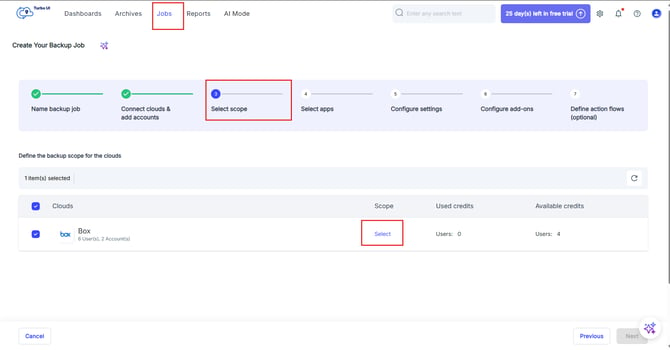
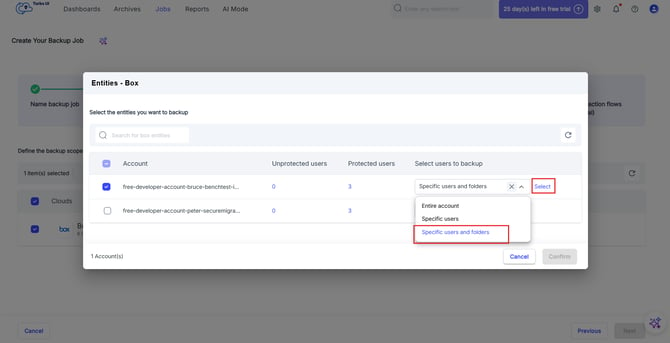
Step 3: From the scope dropdown, select Specific users and folders, then click Select.
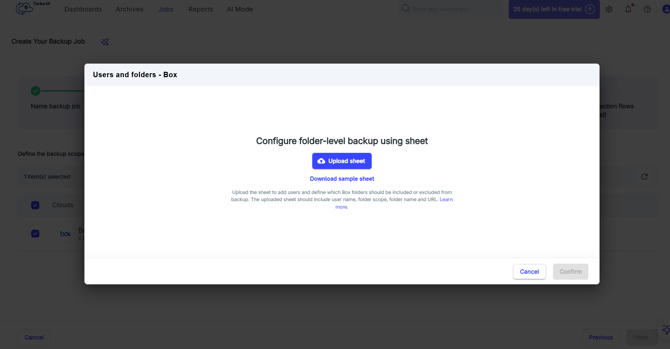
Step 4: In the Users and folders modal, click Download sample sheet.
Step 5: Fill the sheet with the users and folder-level backup rules to configure.
For detailed instructions, see How to fill the Box folder-level backup sheet.
Step 6: Click Upload a sheet for folder-level backup and upload the completed sheet.
Step 7: Review the uploaded scope summary. The Scope summary column may show values such as:
- All accessible files and folders
- Excluded from backup
- 8 folders included / 2 excluded
- 12 folders excluded
To review folder-level rules for a user, click the user’s Scope summary.
SysCloud opens a read-only preview showing the folder rules configured in the uploaded sheet.
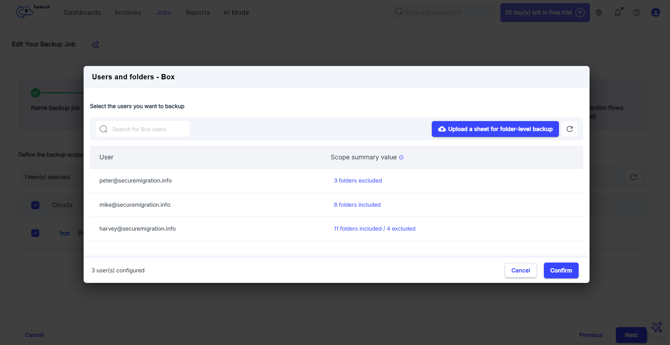
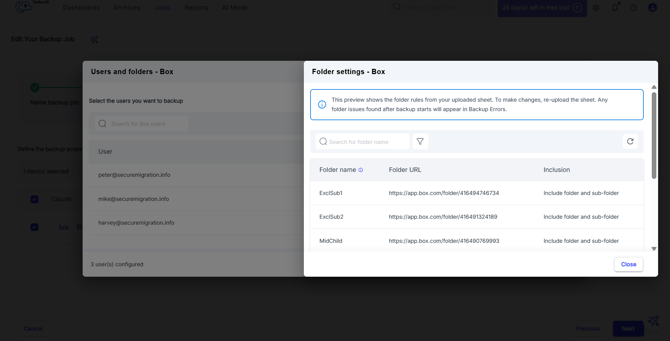
Note: This preview shows the folder rules from the uploaded sheet. To make changes, re-upload the sheet. Any folder issues found after backup starts will appear in Backup Errors. Backup uses the folder ID in the URL; folder name is shown only for reference.
Step 8: If the upload has issues, click Download errors, correct the sheet, and upload it again.
Step 9: Click Confirm and continue configuring the backup job.
Step 10: Complete the remaining job configuration steps and start the backup job.
*Available for selected customers