![Untitled design (1)-Aug-01-2022-12-37-27-80-PM.png]](https://help.syscloud.com/hs-fs/hubfs/Untitled%20design%20(1)-Aug-01-2022-12-37-27-80-PM.png?height=40&name=Untitled%20design%20(1)-Aug-01-2022-12-37-27-80-PM.png)
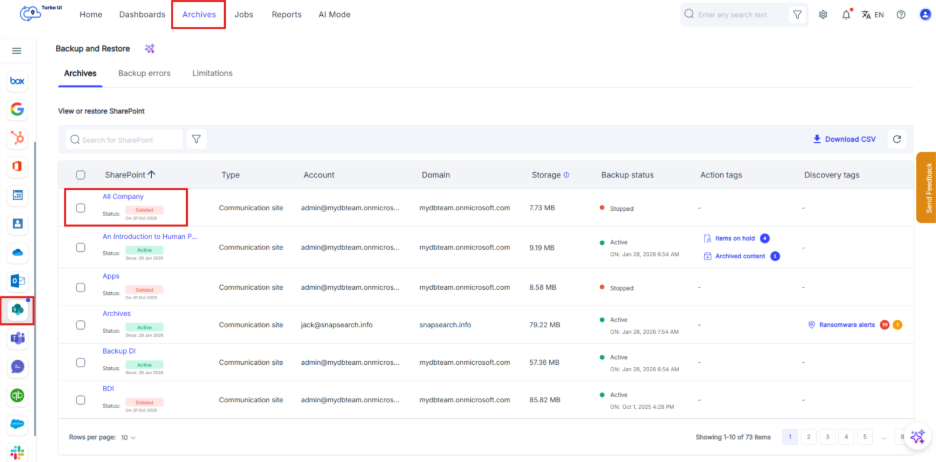
Step 1: In the SysCloud application, go to “Archives” and navigate to the SharePoint site you want to restore.
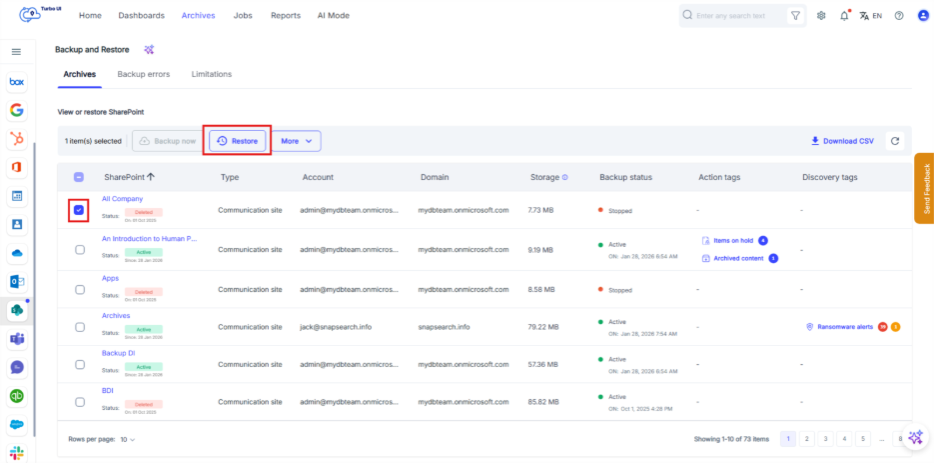
Step 2: Select the checkbox next to the SharePoint site, then select “Restore.”
Step 3: Enable “Create a new SharePoint site for restore”, then select “Restore.”
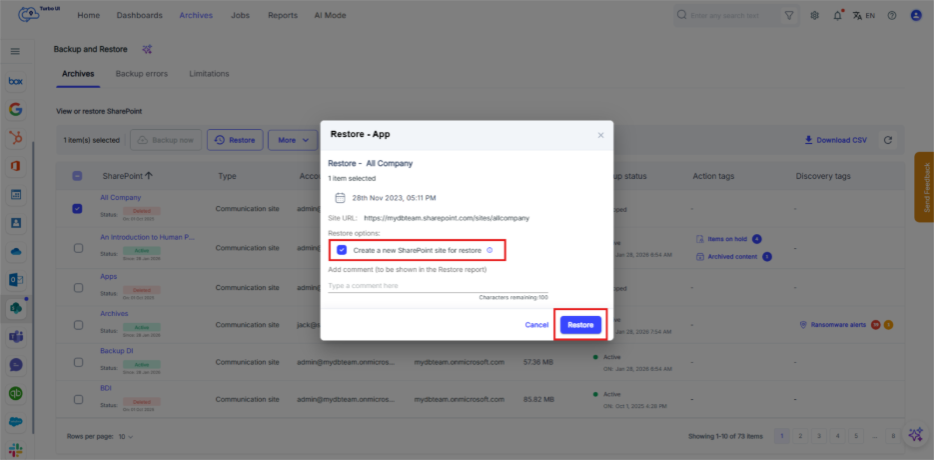
Note: SysCloud creates a new SharePoint site and restores only the site content and site collaborators. File-level collaborators who are not part of the site collaborators are not restored.