![Untitled design (1)-Aug-01-2022-12-37-27-80-PM.png]](https://help.syscloud.com/hs-fs/hubfs/Untitled%20design%20(1)-Aug-01-2022-12-37-27-80-PM.png?height=40&name=Untitled%20design%20(1)-Aug-01-2022-12-37-27-80-PM.png)
Here are the steps to disconnect your Xero account from SysCloud. Disconnecting your Xero account from SysCloud will pause the incremental backups. The current backed up data will be available for restore and export.
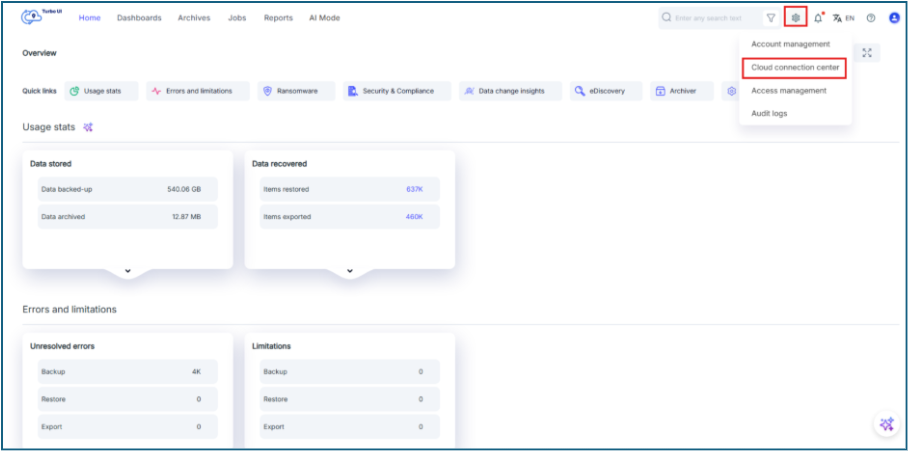
Step 1: Go to Settings -> Cloud connection center
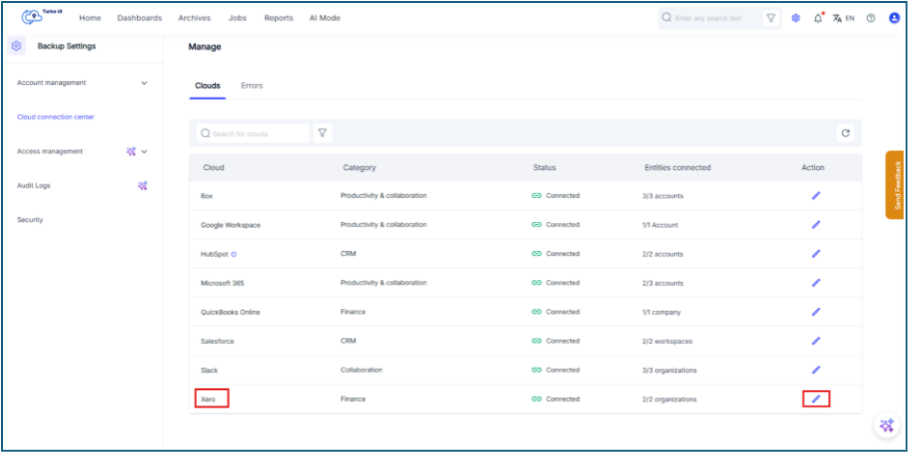
Step 2: Click on the pencil icon next to Xero
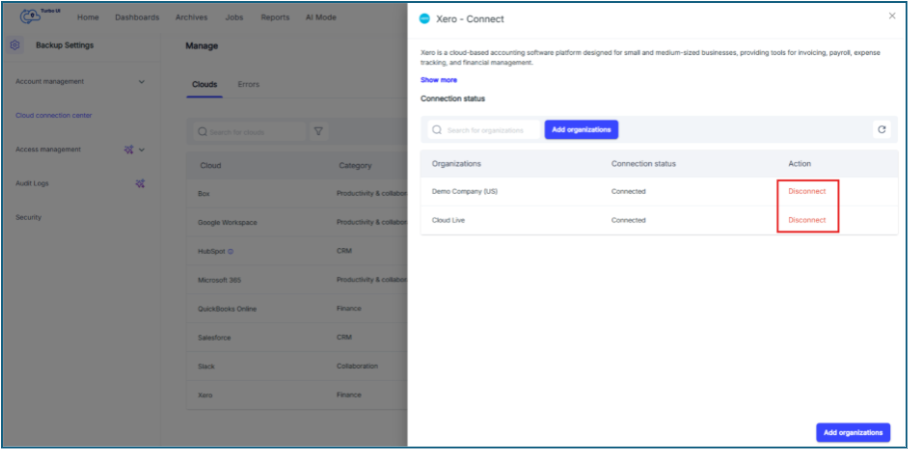
Step 3: Click on "Disconnect" to disconnect your organization from SysCloud.
To completely disconnect SysCloud from Xero, follow the steps mentioned in this link