![Untitled design (1)-Aug-01-2022-12-37-27-80-PM.png]](https://help.syscloud.com/hs-fs/hubfs/Untitled%20design%20(1)-Aug-01-2022-12-37-27-80-PM.png?height=40&name=Untitled%20design%20(1)-Aug-01-2022-12-37-27-80-PM.png)
This error occurs when the OAuth app configured for Google Admin Console backup is missing one or more required scopes. To resolve it, add the required scopes in Google Cloud and then refresh/reconnect the cloud connection so the updated permissions are granted.
Step 1: Sign in to Google Cloud Console using an admin account.
Step 2: Select the Google Cloud project where your OAuth app was created.
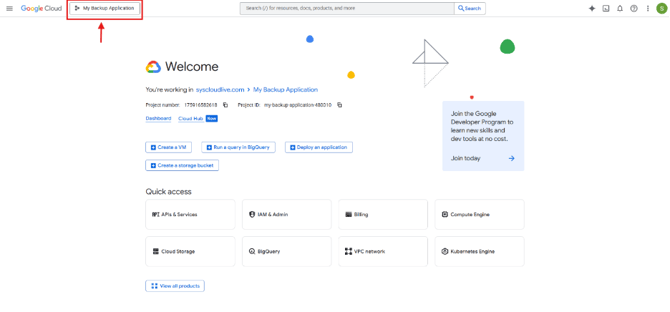
Step 3: Go to APIs & Services check if all the below APIs are enabled.
-
# API to enable Service name Why it is required 1 Admin SDK API admin.googleapis.comRequired for users, groups, organizational units, domains, roles, calendar resources, ChromeOS devices, mobile devices, user schemas, audit reports, and Chrome printers. 2 Chrome Policy API chromepolicy.googleapis.comRequired for ChromeOS and Chrome browser policy backup. 3 Chrome Management API chromemanagement.googleapis.comRequired for Chrome app details and Chrome management information. 4 Drive Labels API drivelabels.googleapis.comRequired for Google Drive admin labels metadata. 5 Groups Settings API groupssettings.googleapis.comRequired for Google Groups settings. 6 Enterprise License Manager API licensing.googleapis.comRequired for Google Workspace license information. 7 Access Context Manager API `` Required for Context Aware Access information. 8 Cloud Resource Manager API `` Required for Cloud Resource Manager information. 9 Identity and Access Management (IAM) API `` Required for Identity and Access Management (IAM) information. 10 Cloud Identity-Aware Proxy API `` Required for Cloud Identity-Aware Proxy information.
Enable, Cloud Identity API. Sometimes, it is not found in the API marketplace, hence go to the link mentioned below and select you project and click on 'Enable'.
Link - https://console.cloud.google.com/apis/library/cloudidentity.googleapis.com?project=YOUR_PROJECT_ID
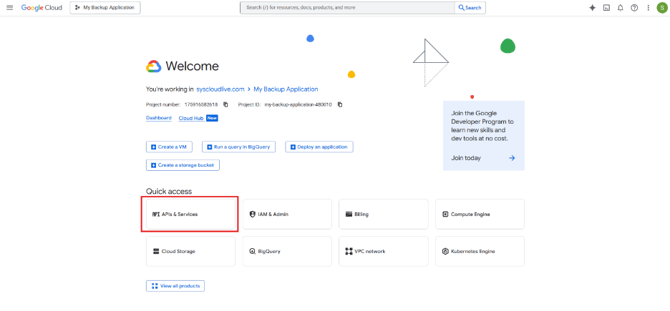
Step 4: Go to API & Services -> Credentials
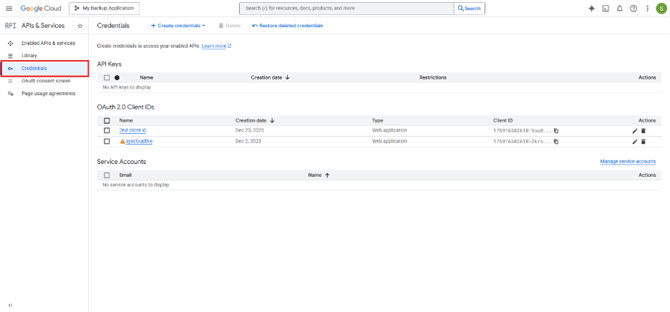
Step 5: Select the Client ID you want to update 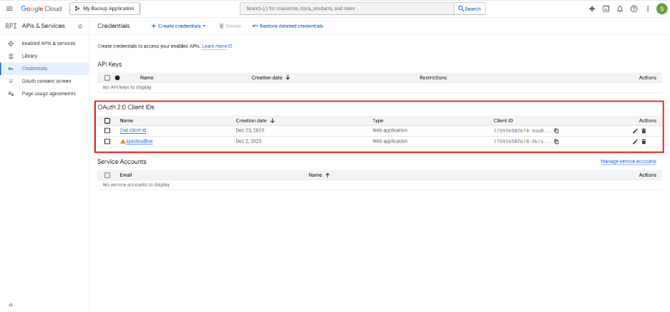
Step 6: Select the Data Access tab on the left panel and click Add or remove scopes.
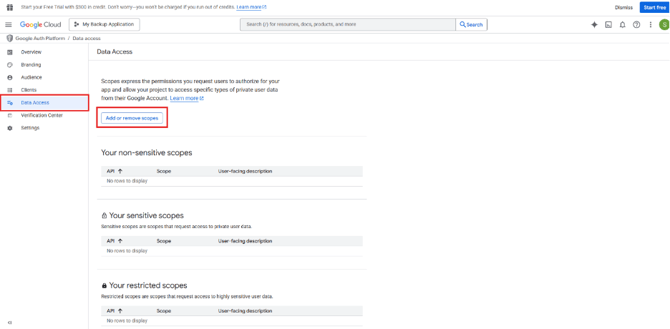
Step 6: Add the required Google Admin Console scopes (ensure all are selected), then click Update.
Add these scope URLs:
- https://www.googleapis.com/auth/admin.directory.user
- https://www.googleapis.com/auth/admin.directory.user.security
- https://www.googleapis.com/auth/admin.directory.group
- https://www.googleapis.com/auth/admin.directory.orgunit
- https://www.googleapis.com/auth/admin.directory.domain
- https://www.googleapis.com/auth/admin.directory.rolemanagement
- https://www.googleapis.com/auth/admin.directory.resource.calendar
- https://www.googleapis.com/auth/admin.directory.device.chromeos
- https://www.googleapis.com/auth/admin.directory.device.mobile
- https://www.googleapis.com/auth/admin.directory.device.mobile.action
- https://www.googleapis.com/auth/admin.directory.userschema
- https://www.googleapis.com/auth/admin.reports.audit.readonly
- https://www.googleapis.com/auth/chrome.management.policy
- https://www.googleapis.com/auth/admin.chrome.printers
- https://www.googleapis.com/auth/cloud-identity.userinvitations
- https://www.googleapis.com/auth/cloud-identity.groups
- https://www.googleapis.com/auth/cloud-identity.inboundsso
- https://www.googleapis.com/auth/cloud-identity.policies
- https://www.googleapis.com/auth/drive.admin.labels
- https://www.googleapis.com/auth/cloud-platform
- https://www.googleapis.com/auth/apps.groups.settings
- https://www.googleapis.com/auth/apps.licensing
- https://www.googleapis.com/auth/chrome.management.appdetails.readonly
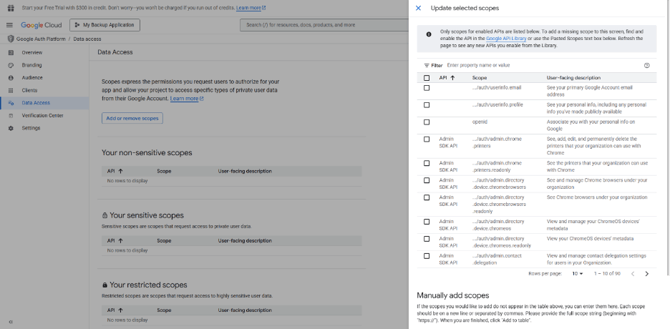
Step 7: Click Save and continue until the consent screen changes are saved.
Step 8: Return to the backup status page in the SysCloud application and confirm the backup resumes in the next backup cycle.