![Untitled design (1)-Aug-01-2022-12-37-27-80-PM.png]](https://help.syscloud.com/hs-fs/hubfs/Untitled%20design%20(1)-Aug-01-2022-12-37-27-80-PM.png?height=40&name=Untitled%20design%20(1)-Aug-01-2022-12-37-27-80-PM.png)
Step 1: Sign in to the SysCloud application using your admin credentials.
Step 2: Navigate to the backup job configured for the Microsoft 365 account you want to modify.
Step 3: Select the backup Job and click Edit
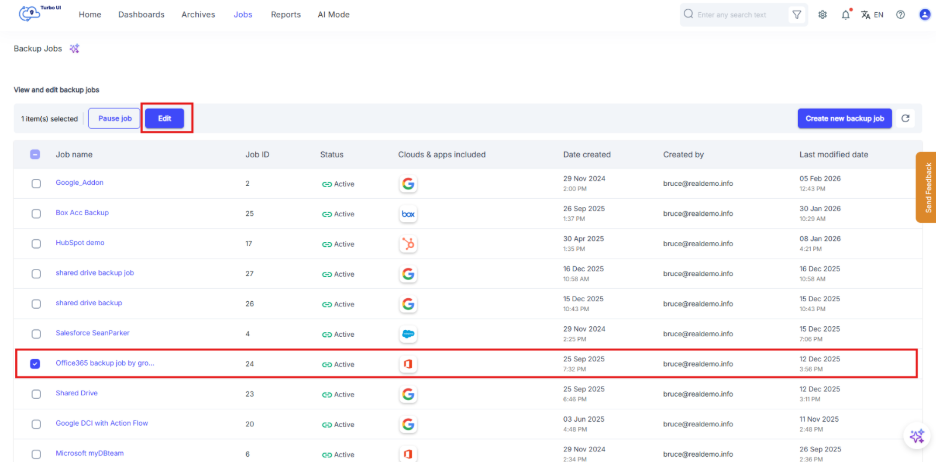
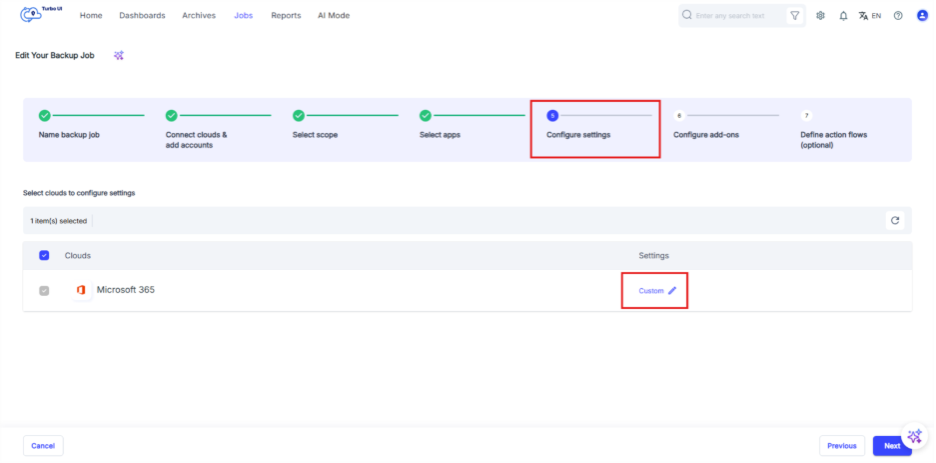
Step 4: In the configuration flow, go to Configure settings and click on the edit icon
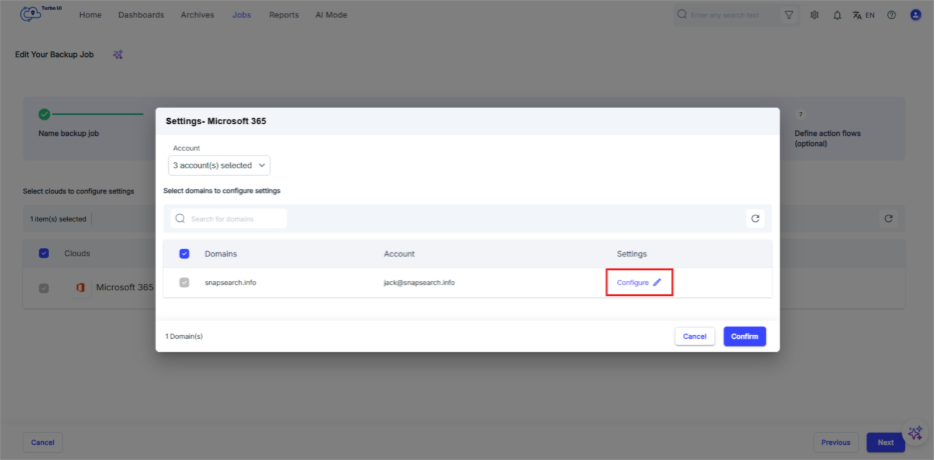
Step 5: In the dialog box, select “Configure.”
Step 6: Configure the settings for the required Microsoft 365 Group(s):
- Auto-backup
- Inactive user retention
- User archive storage limit
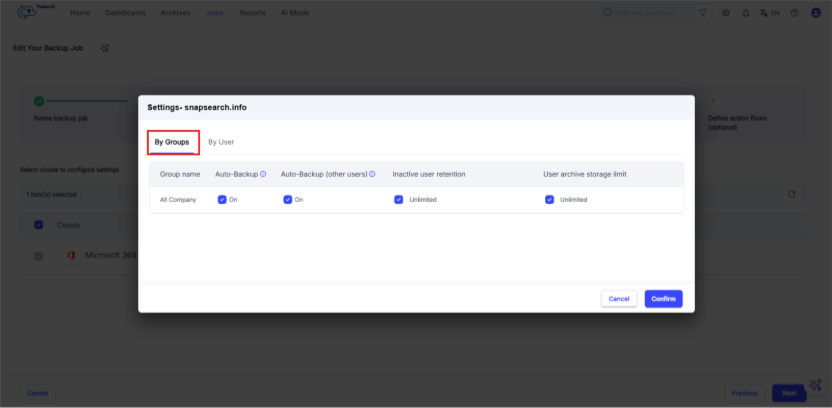
Step 7: Select “Confirm” to save the changes, then start the backup job.