![Untitled design (1)-Aug-01-2022-12-37-27-80-PM.png]](https://help.syscloud.com/hs-fs/hubfs/Untitled%20design%20(1)-Aug-01-2022-12-37-27-80-PM.png?height=40&name=Untitled%20design%20(1)-Aug-01-2022-12-37-27-80-PM.png)
Use the Retention period setting in the backup job to define how long SysCloud should retain backed-up QuickBooks Online data. You can either keep the retention period as Unlimited or set a custom period in Days, Months, or Years.
Steps to change the retention period
- Log in to the SysCloud application.
- Click Jobs from the top navigation menu.
- (i) For a new Job:
You can create a new backup job by clicking on ‘Create new backup job’ and proceed to Step 4: Select app in the flow.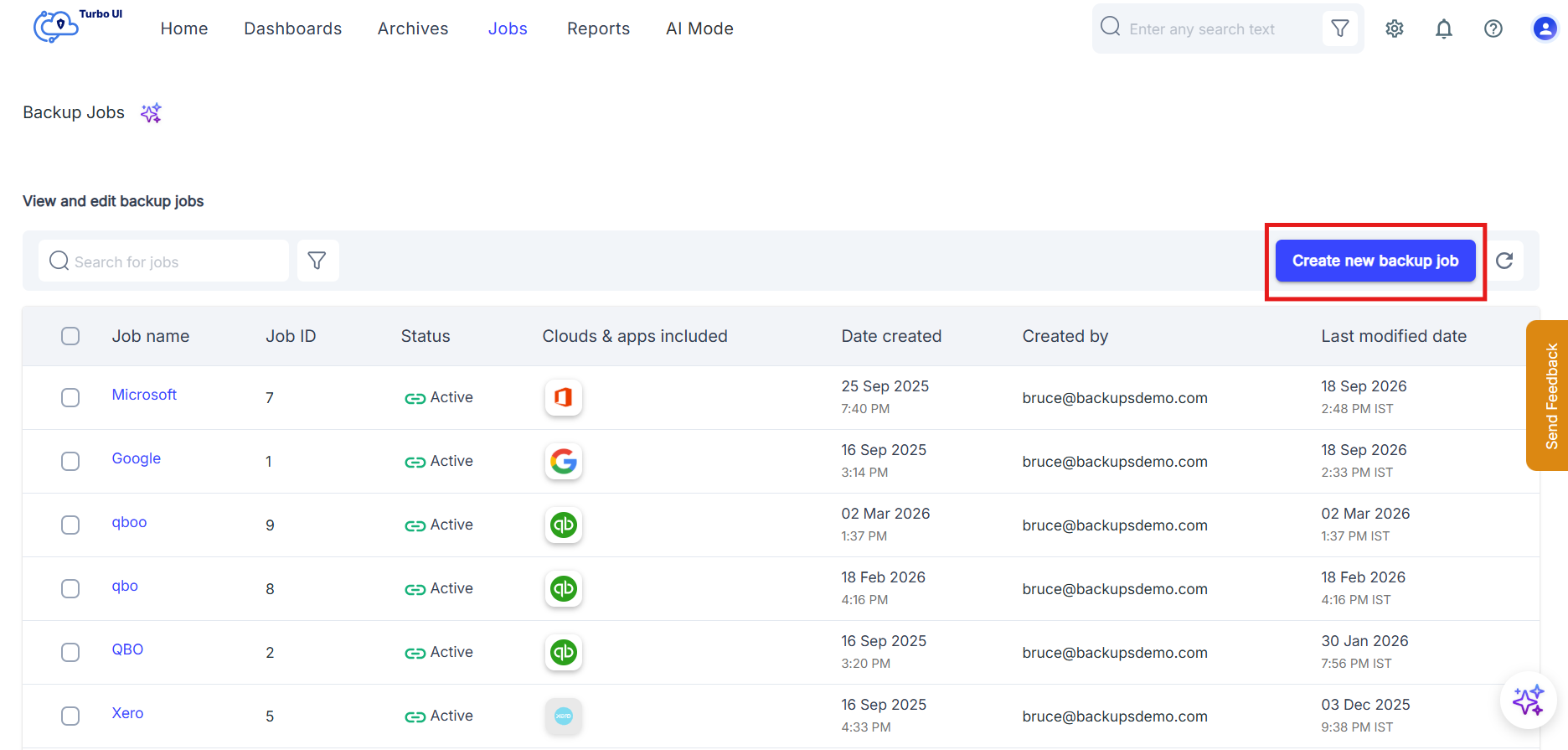
ii) For an existing backup Job:
Open the existing QuickBooks Online backup job for which you want to change the retention period and in the Job details side tray that pops up, click Edit and proceed to step Select Apps in the flow.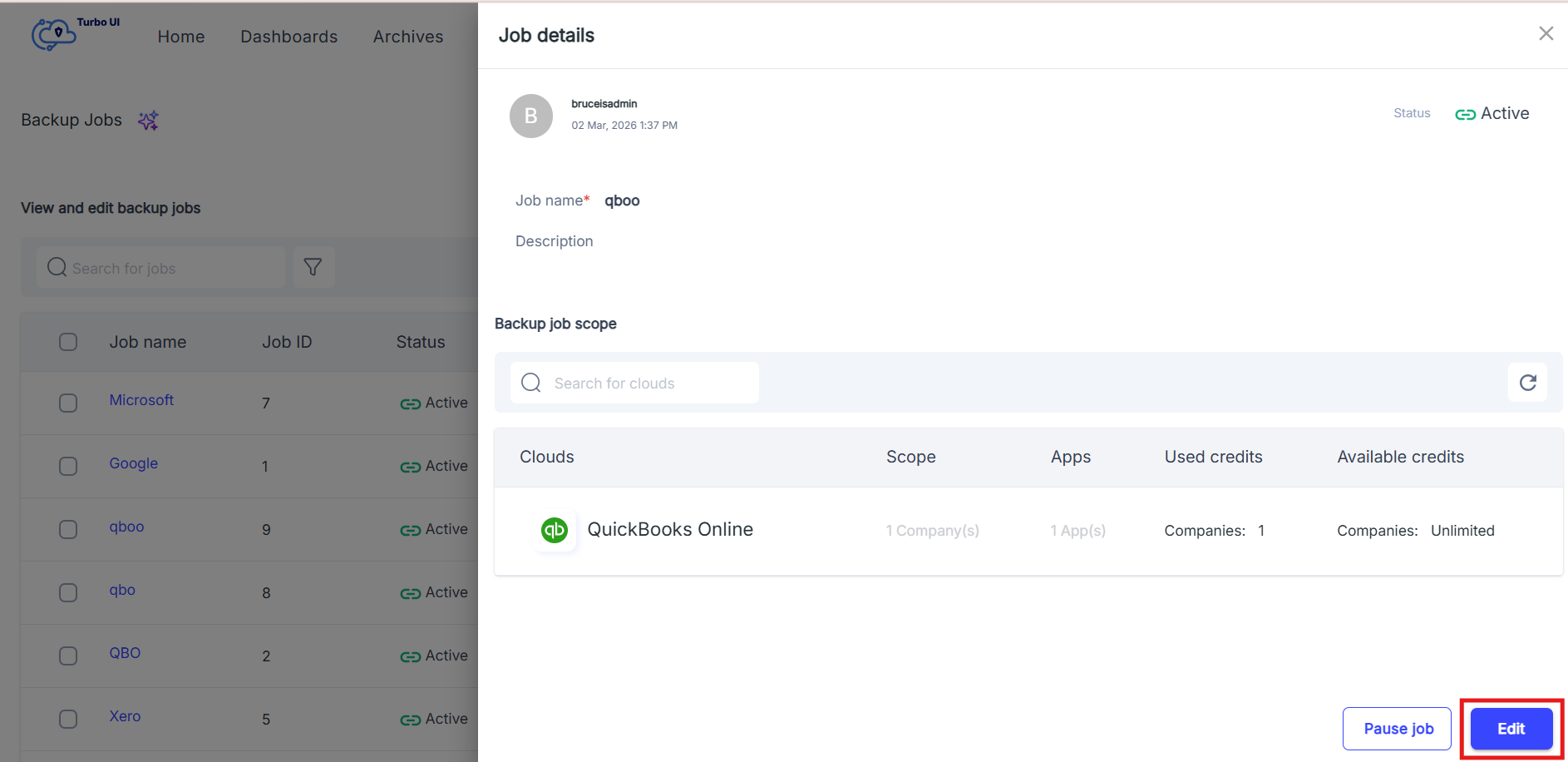
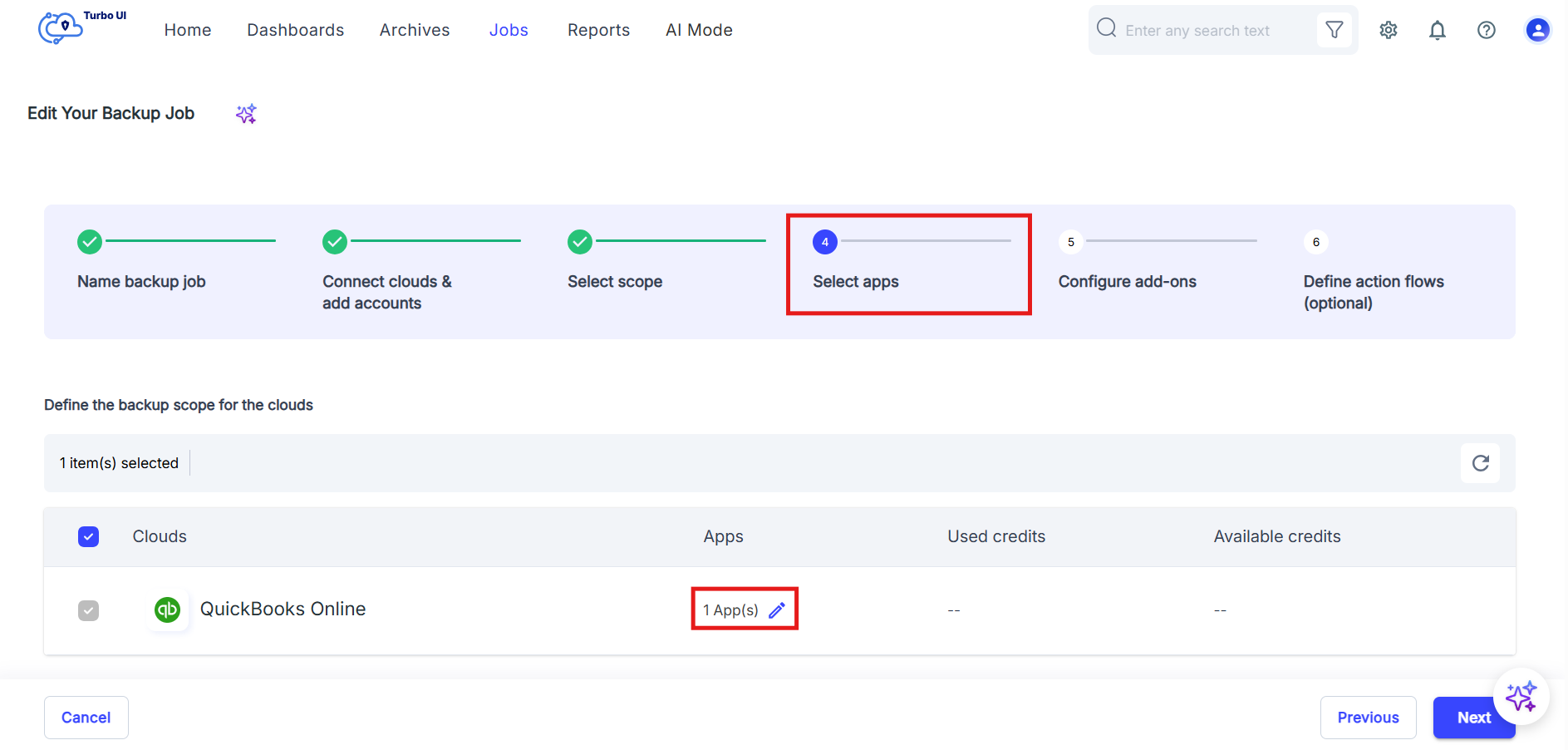
- In the Edit Your Backup Job page, go to the Step 4: Select apps step. The QuickBooks Online cloud will be listed under Define the backup scope for the clouds. In the Apps column, click the edit icon next to App(s) for QuickBooks Online.
- In the Apps - QuickBooks Online window which pops-up, select the QuickBooks Online app to access the Retention Period settings.
- Under Retention period, choose one of the following options:
Option Description Unlimited Keeps the backed-up QuickBooks Online data without a defined retention limit. Custom retention period Allows you to retain backed-up data for a specific number of days, months, or years. 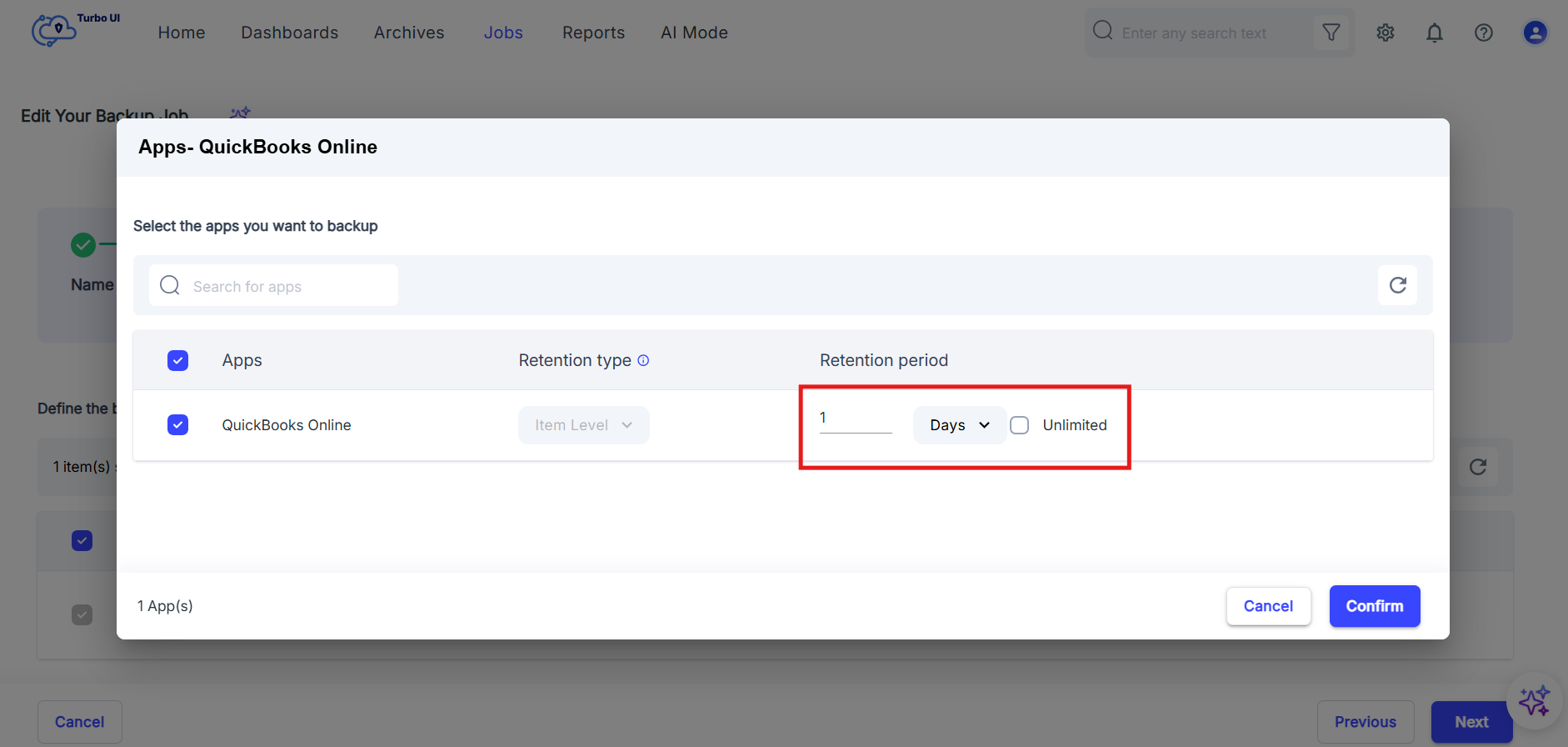
- To set a custom retention period:
- Clear the Unlimited checkbox.
- Enter the retention value.
- Select the retention unit from the dropdown: Days, Months, or Years.
Example: To retain data for one year, enter 1 and select Years.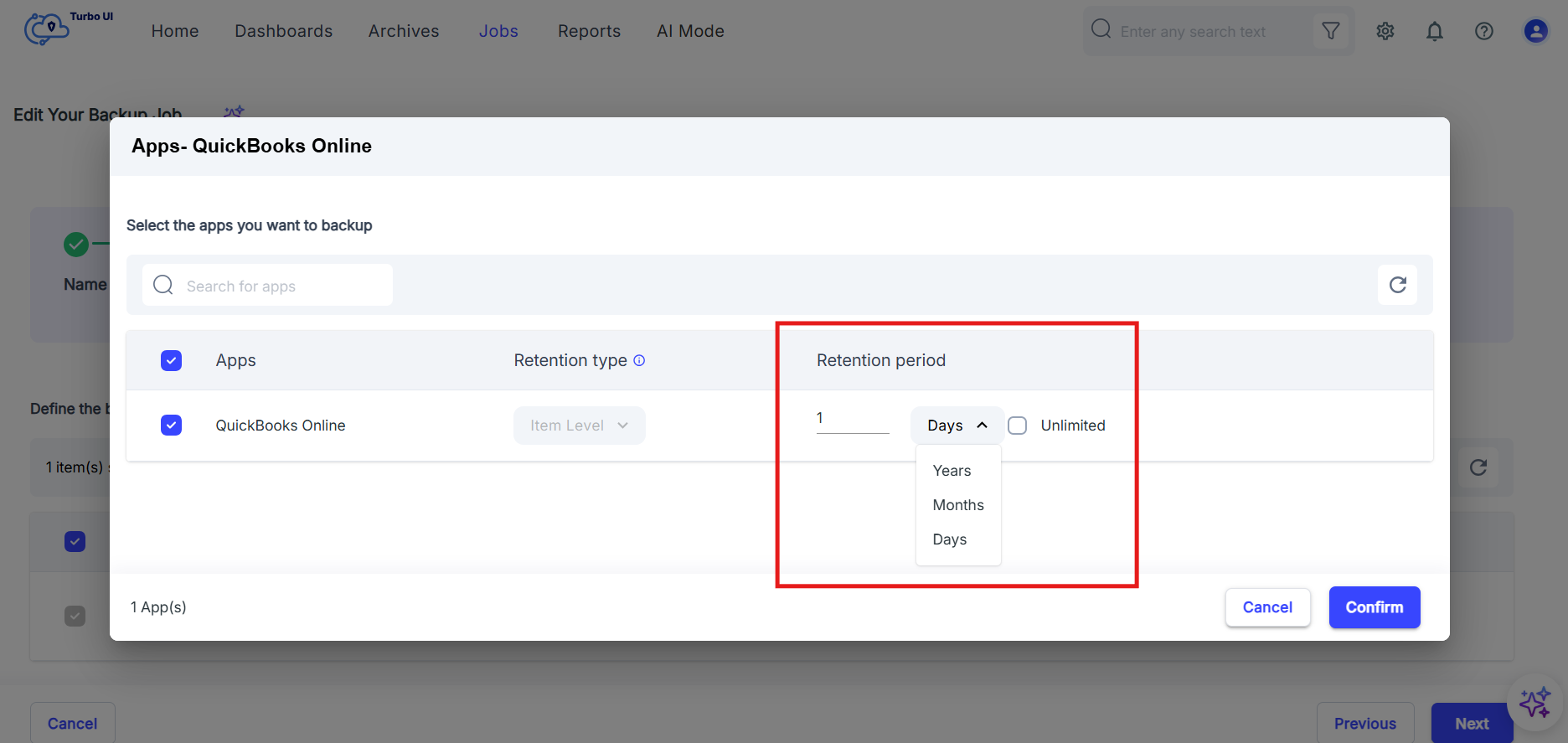
- Click Confirm.
- Click Next through the remaining steps, and then click Start Backup to save the updated retention settings.
- The Retention type for QuickBooks Online is shown as Item Level.
- Reducing the retention period limits how long backed-up QuickBooks Online data remains available for restore or export.