![Untitled design (1)-Aug-01-2022-12-37-27-80-PM.png]](https://help.syscloud.com/hs-fs/hubfs/Untitled%20design%20(1)-Aug-01-2022-12-37-27-80-PM.png?height=40&name=Untitled%20design%20(1)-Aug-01-2022-12-37-27-80-PM.png)
Prerequisites
Deleting an archive is only possible if multi-factor authentication is enabled for an account.
Read How to set up a multi-factor authentication for SysCloud backup application?
Follow these steps to delete a Google Workspace user archive from the SysCloud backup application.
Steps
Step 1: Log in to the SysCloud backup application using your admin credentials.
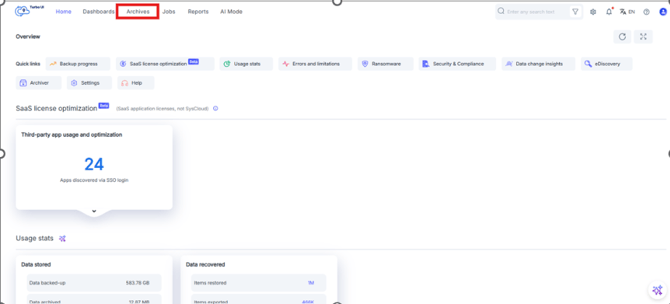
Step 2: Go to Archives.
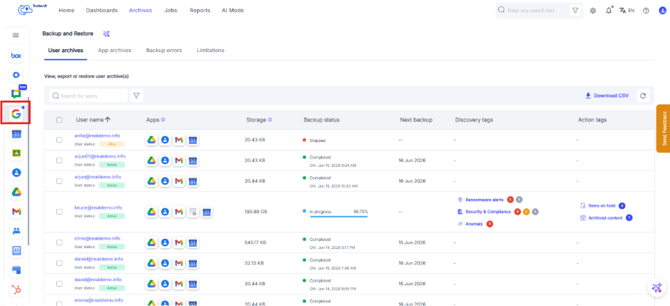
Step 3: From the cloud navigation bar on the left, select Google Workspace.
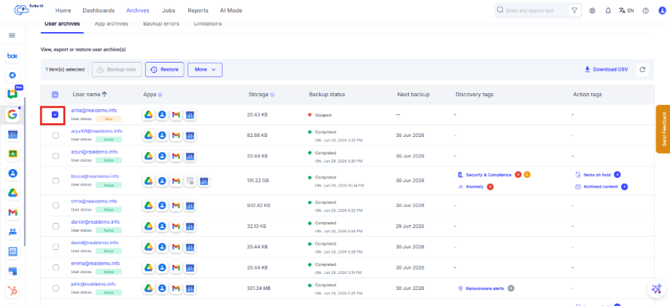
Step 4: In the User archives tab, select the checkbox next to the user archive you want to delete.
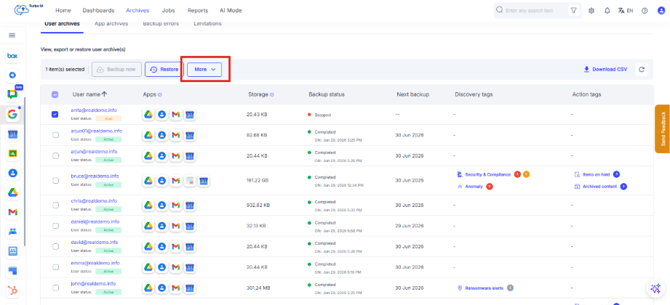
Step 5: Click More.
Step 6: Select Delete.
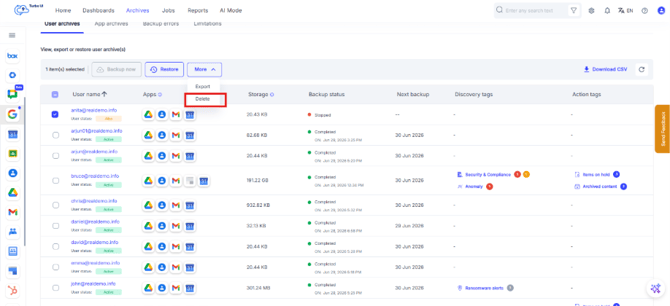
Step 7: In the delete confirmation pop-up, add a comment, if required.
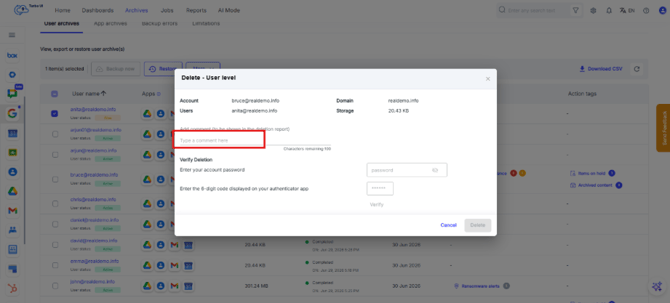
Step 8: Enter your SysCloud account password.
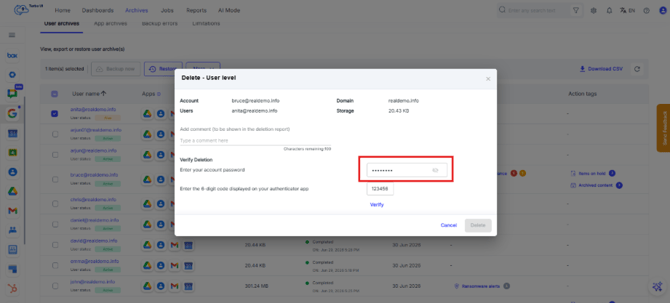
Step 9: Enter the 6-digit verification code from your authenticator app.
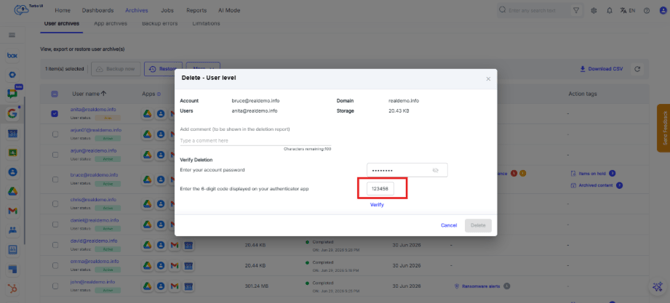
Step 10: Click Verify.
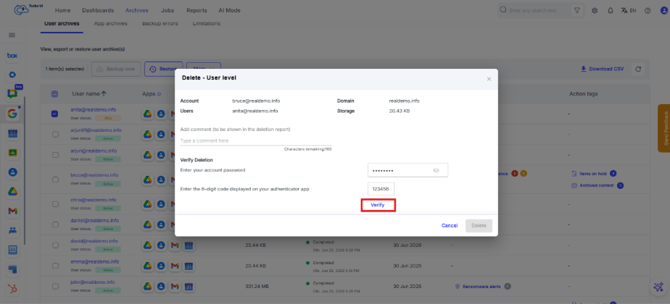
Step 11: After the details are verified successfully, the Delete button is enabled. Click Delete to confirm the deletion.
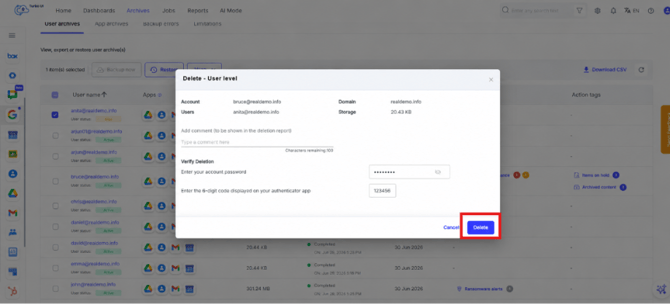
The selected Google Workspace user archive will be deleted from SysCloud.
Deleting a Google Workspace user archive permanently removes the backed-up data for the selected user from SysCloud. Ensure that you select the correct user archive before confirming the deletion.