![Untitled design (1)-Aug-01-2022-12-37-27-80-PM.png]](https://help.syscloud.com/hs-fs/hubfs/Untitled%20design%20(1)-Aug-01-2022-12-37-27-80-PM.png?height=40&name=Untitled%20design%20(1)-Aug-01-2022-12-37-27-80-PM.png)
You can release a legal hold from backed-up QuickBooks Online items from the Archives page or from Hold report. Once a hold is released, the selected items will no longer be protected under the current hold policy.
Steps to release a legal hold from Archives
- Log in to the SysCloud application.
- Go to Archives.
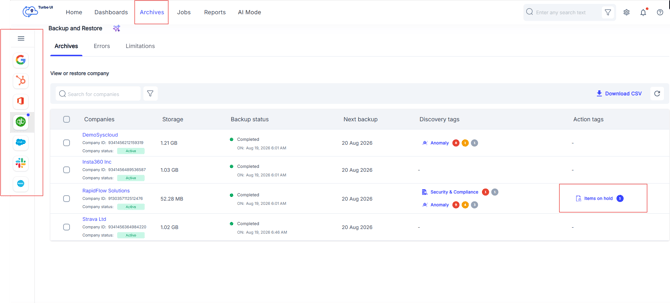
- From the left-side app menu, select QuickBooks Online. On the Backup and Restore page, locate the QuickBooks Online company. In the Action tags column, click Items on hold.
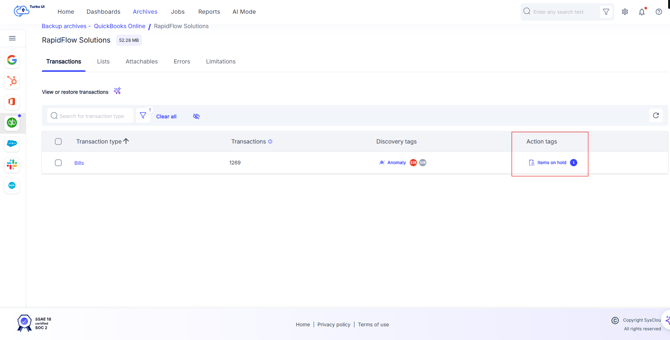
- From the page which opens go through the QuickBooks Online data categories like Transactions, Lists and Attachables to find items on hold and open the required object type.
- In the item list, locate the item that is under hold and in the Action tags column, click Hold for the required item.
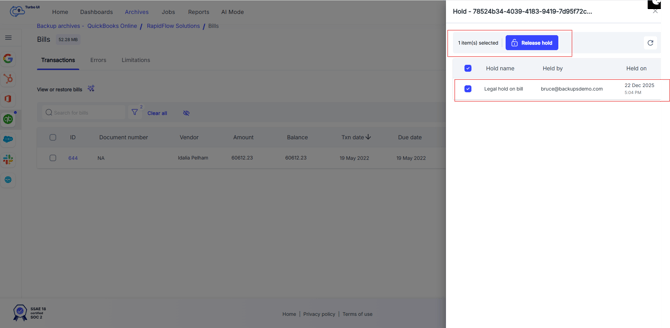
- A side panel displaying the hold details for the selected item will appear. Select the hold that you want to release and click Release hold.
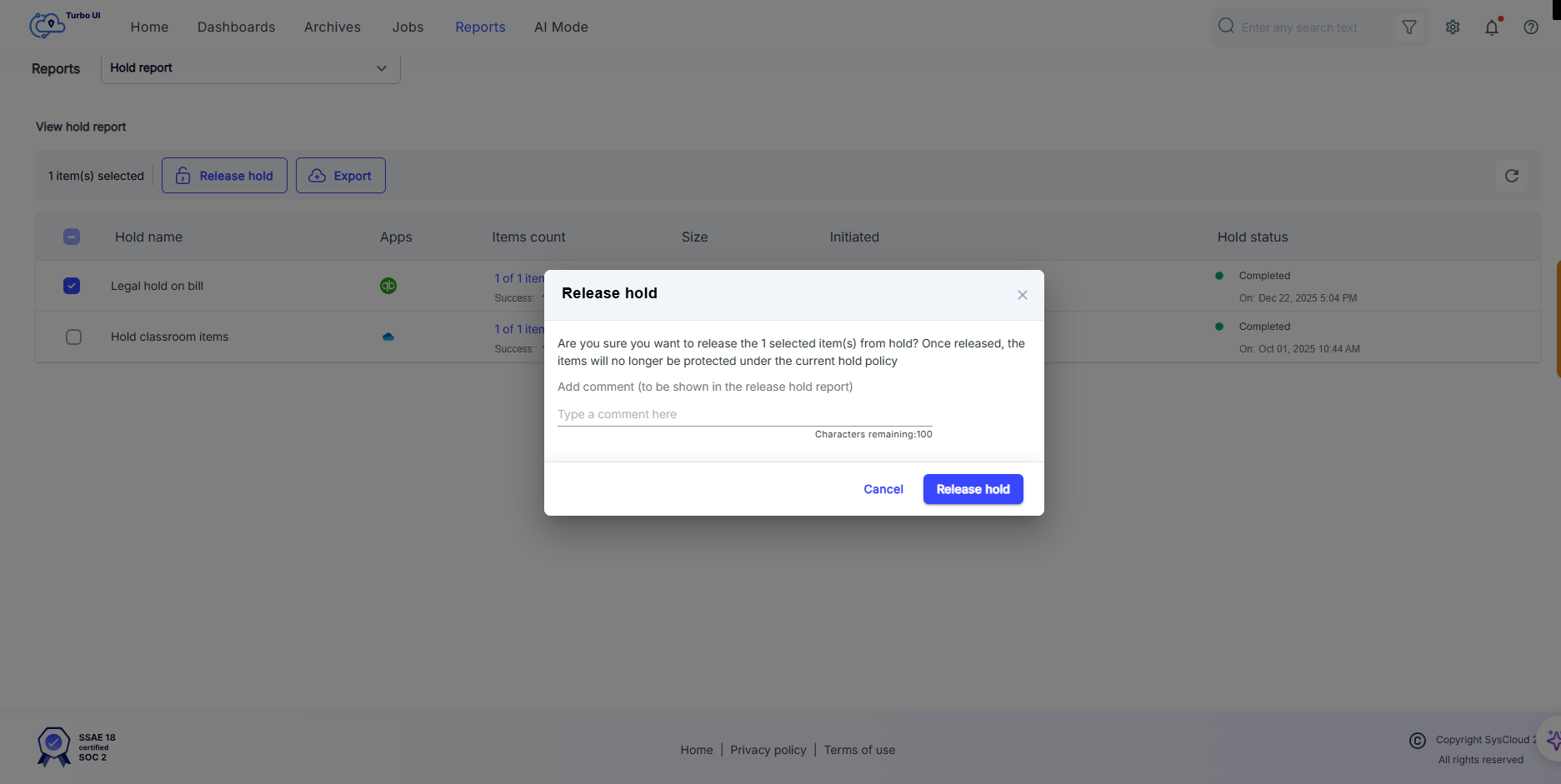
- A Release hold confirmation window will pop-up to confirm the release action. You can enter an optional comment if you want.
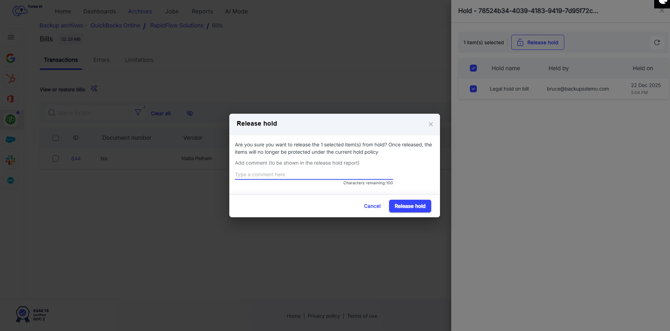
- Click Release hold.
- You can view the results of the same in Reports > Release Hold report.
Steps to release a legal hold from Hold report.
- Go to Reports > Hold report. Open the required hold report, select the item, and click Release hold. In the confirmation window, add an optional comment and click Release hold
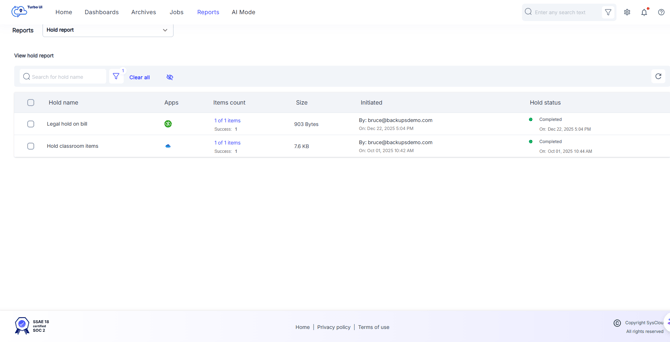
- A Release hold confirmation window will pop-up to confirm the release action. You can enter an optional comment if you want.
- You can release a hold only for items that are already on Hold.
- The release action applies only to the selected hold and selected item. For example, if an item is part of multiple holds, releasing it from one hold removes only that selected hold. The item remains protected under the other active holds.