![Untitled design (1)-Aug-01-2022-12-37-27-80-PM.png]](https://help.syscloud.com/hs-fs/hubfs/Untitled%20design%20(1)-Aug-01-2022-12-37-27-80-PM.png?height=40&name=Untitled%20design%20(1)-Aug-01-2022-12-37-27-80-PM.png)
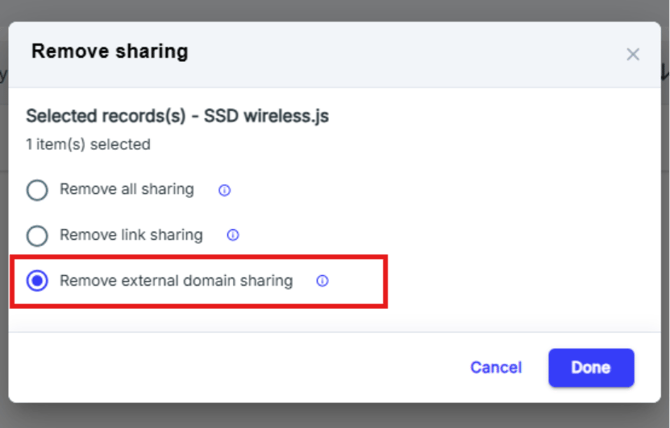
This action will revoke all access granted to users from external domains, whether through direct sharing or link sharing.
Step 1: Log in to the SysCloud backup application using your admin credentials.
Step 2: Access the Security & Compliance section on the dashboard.
Navigate to the Dashboard and locate the Security & Compliance section, where the number of violations are displayed.
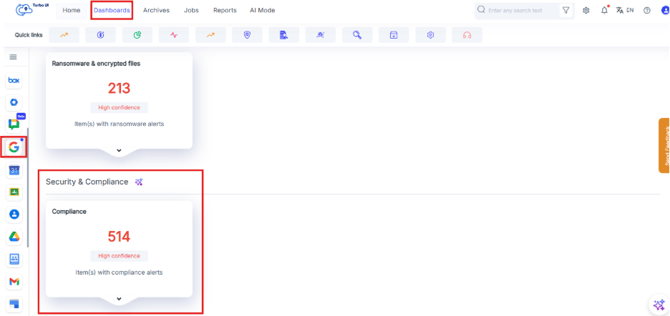
Step 3: View the Security & Compliance results
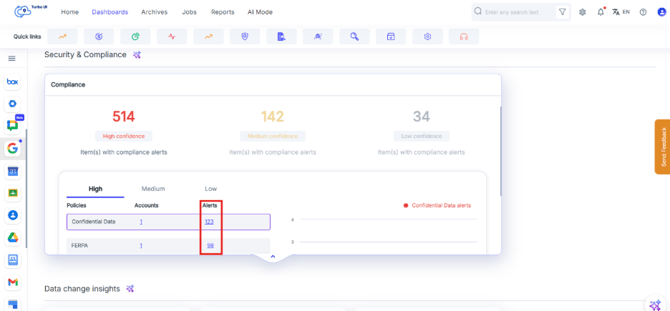
Click on the displayed numbers in the Security & Compliance section. You will be redirected to the results page. On the Results Page, you can click 'Users' to navigate to the Archives Page, where detailed file information is displayed.
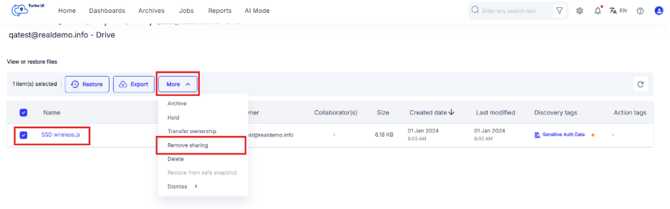
Step 4: On the page, select the affected files or items for which you want to perform the action and click on Remove sharing
Step 5: From the pop-up click on the option “Remove external domain sharing” and click on Done.