![Untitled design (1)-Aug-01-2022-12-37-27-80-PM.png]](https://help.syscloud.com/hs-fs/hubfs/Untitled%20design%20(1)-Aug-01-2022-12-37-27-80-PM.png?height=40&name=Untitled%20design%20(1)-Aug-01-2022-12-37-27-80-PM.png)
Yes, you can restore emails from a previous backup using the SysCloud application. SysCloud allows to recover emails from specific backup snapshots, including sent, deleted, and archived messages.
Follow the steps below to restore emails:
- Log in to SysCloud using your admin credentials.
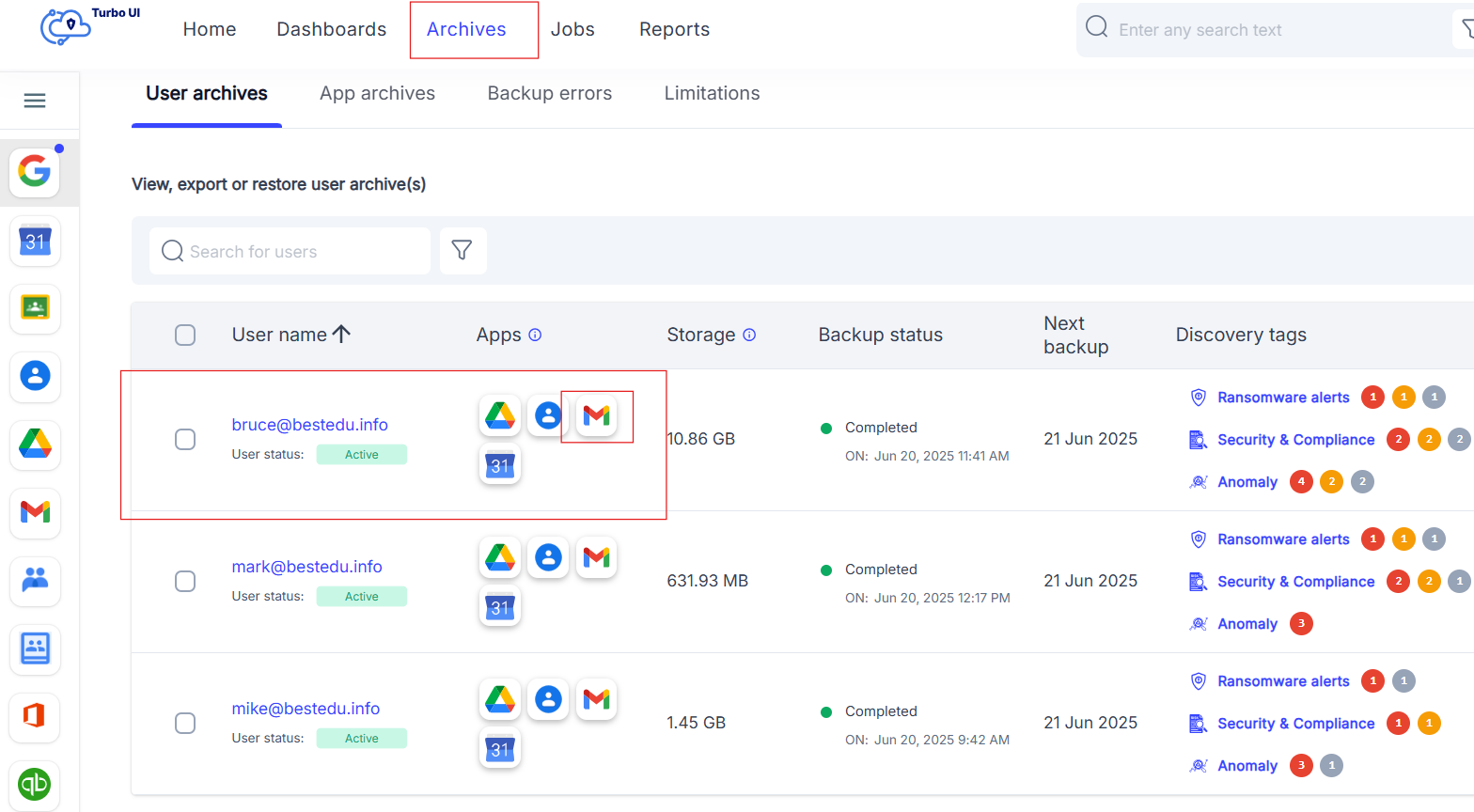
- Go to the Archives tab in the left-hand menu.
- Select the user account from which you want to restore the emails.
- Choose the Gmail application to view the backed-up email data.
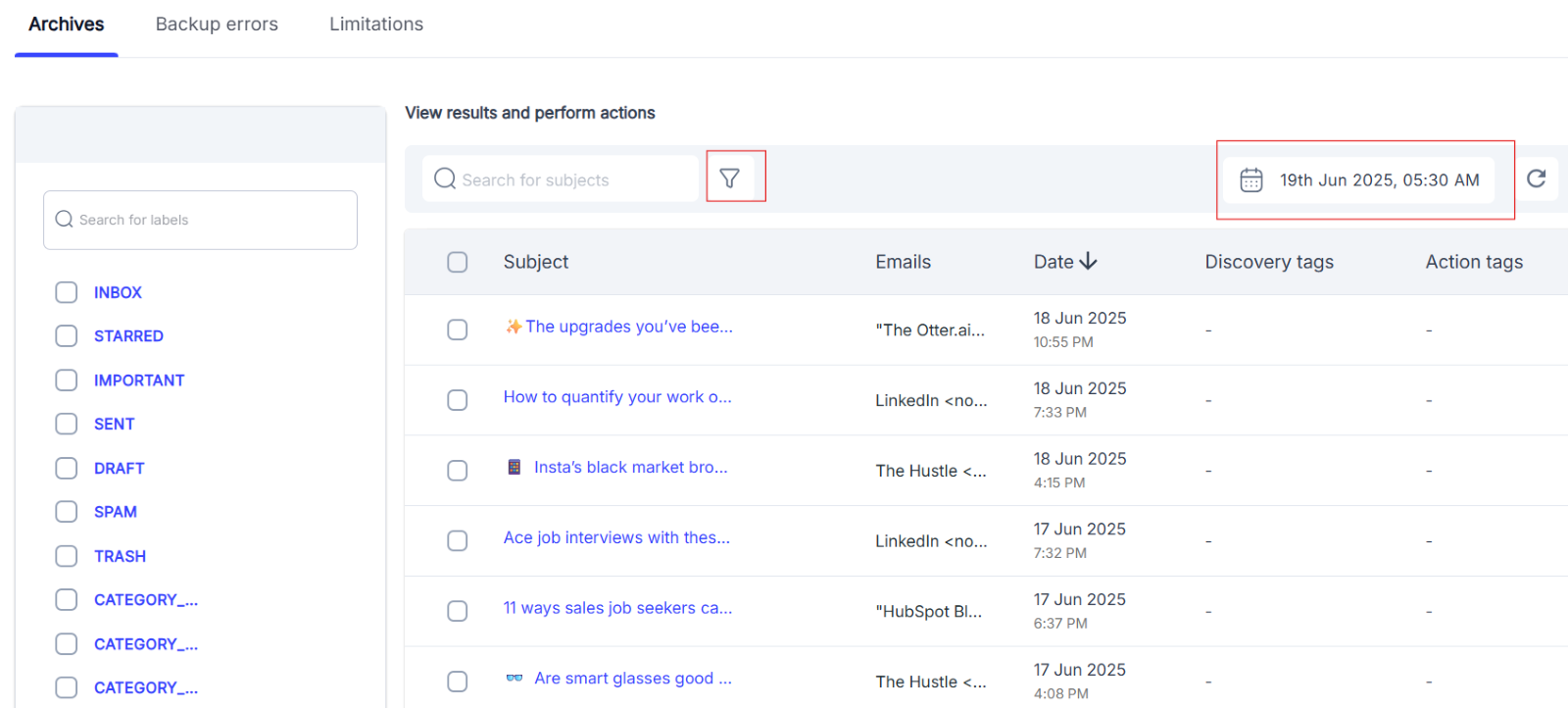
- Use the filter options to narrow results by date, labels, or other criteria.
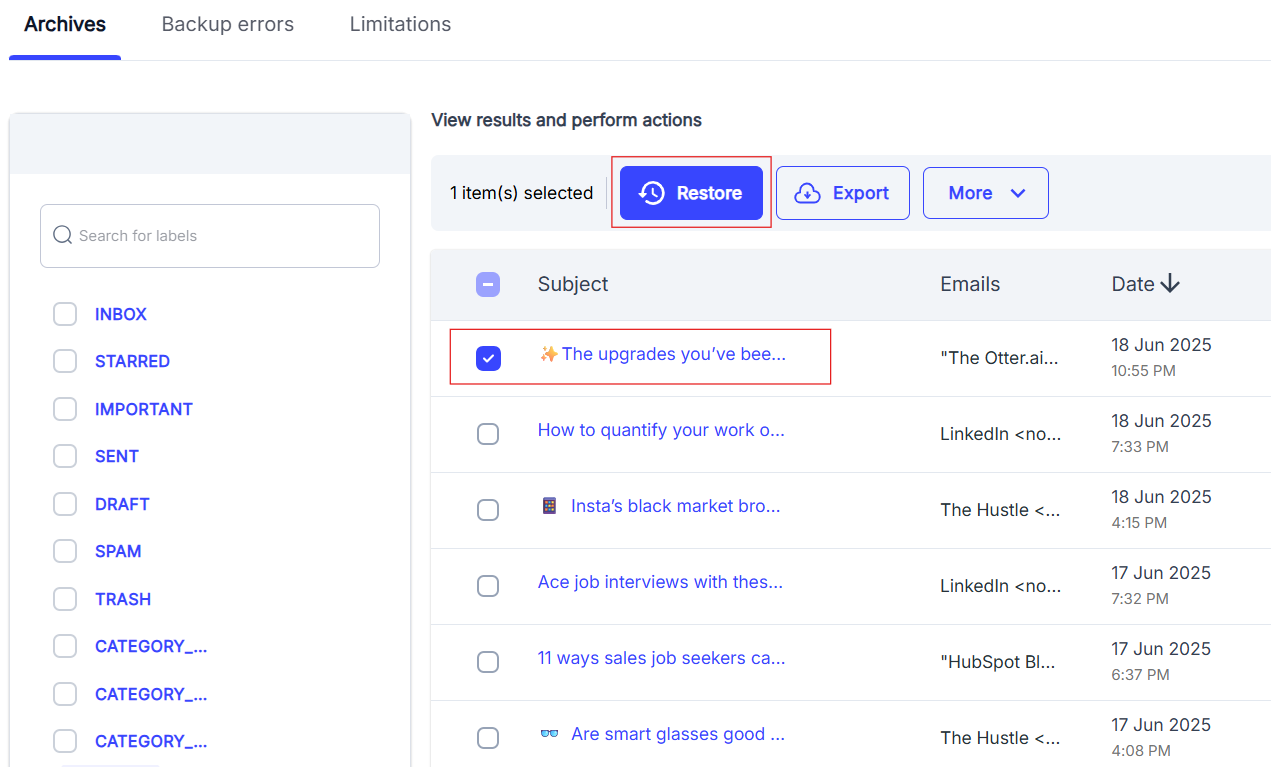
- Select the email(s) you wish to restore. You can choose individual emails or use the “Select all filtered items” option.
- Click the Restore button to initiate the recovery.
You can monitor the progress of the restore job from the Reports tab.