![Untitled design (1)-Aug-01-2022-12-37-27-80-PM.png]](https://help.syscloud.com/hs-fs/hubfs/Untitled%20design%20(1)-Aug-01-2022-12-37-27-80-PM.png?height=40&name=Untitled%20design%20(1)-Aug-01-2022-12-37-27-80-PM.png)
Follow the steps below to change the current account holder of your SysCloud account:
Note: Only the current account holder can assign someone else as the new account holder.
Step 1: Log in to the SysCloud backup account using your account credentials.
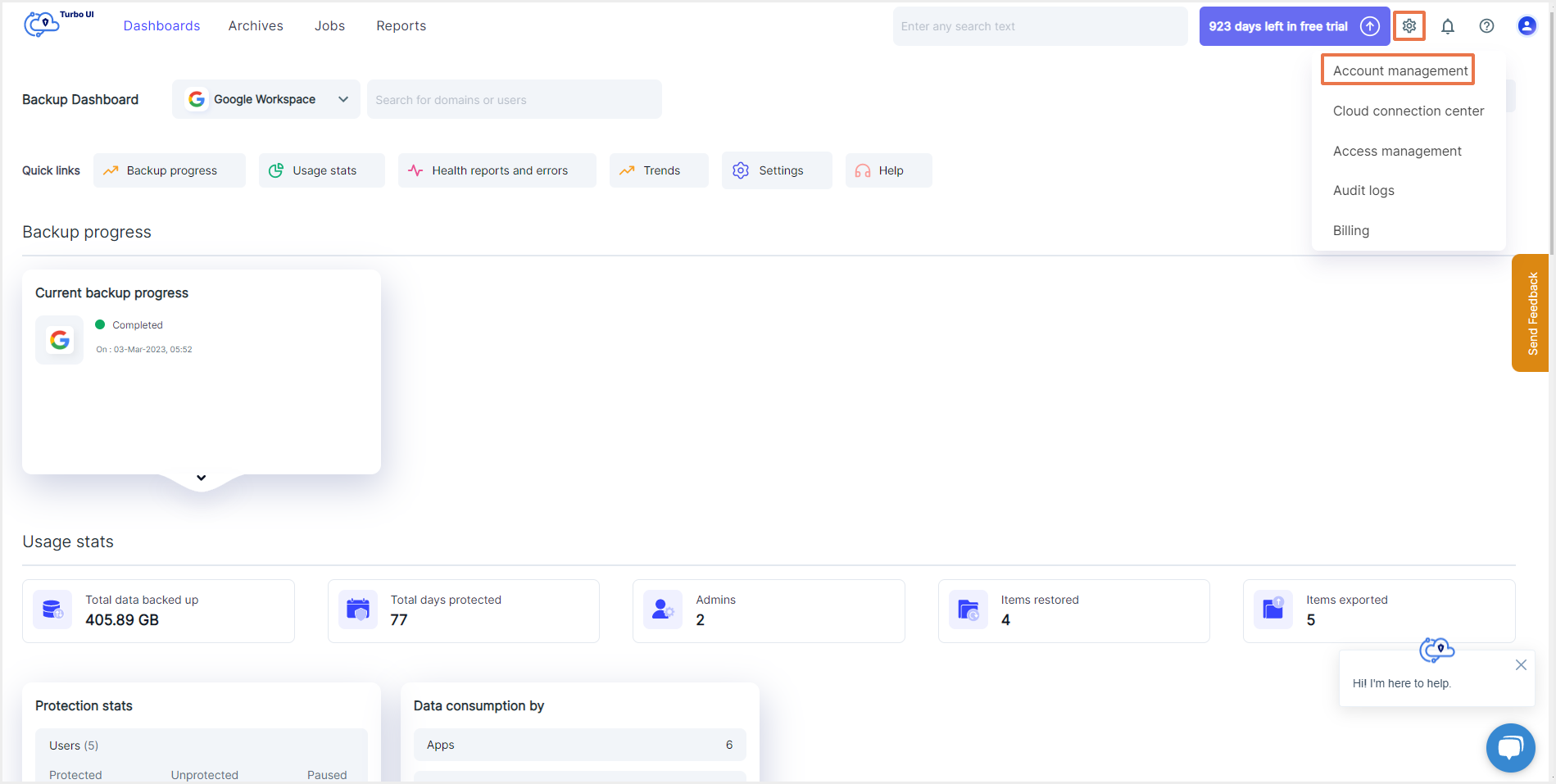
Step 2: Click on the “Settings” icon on the top right corner of the page. Select “Account management” from the drop-down.
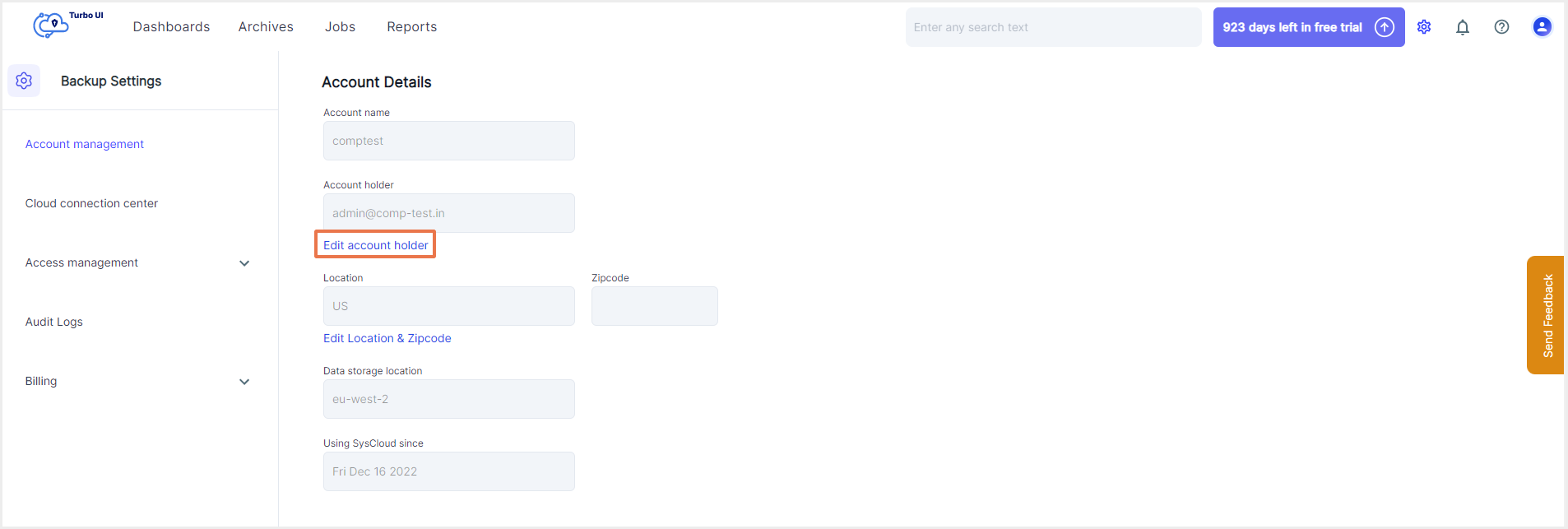
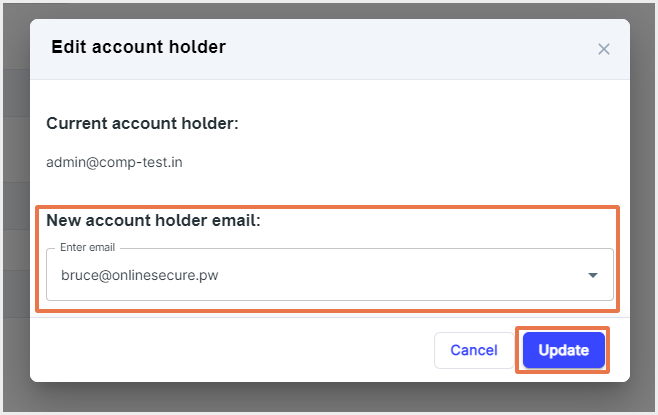
Step 3: To change the current account holder, click on "Edit account holder."
Step 4: Select the new account holder from the list.
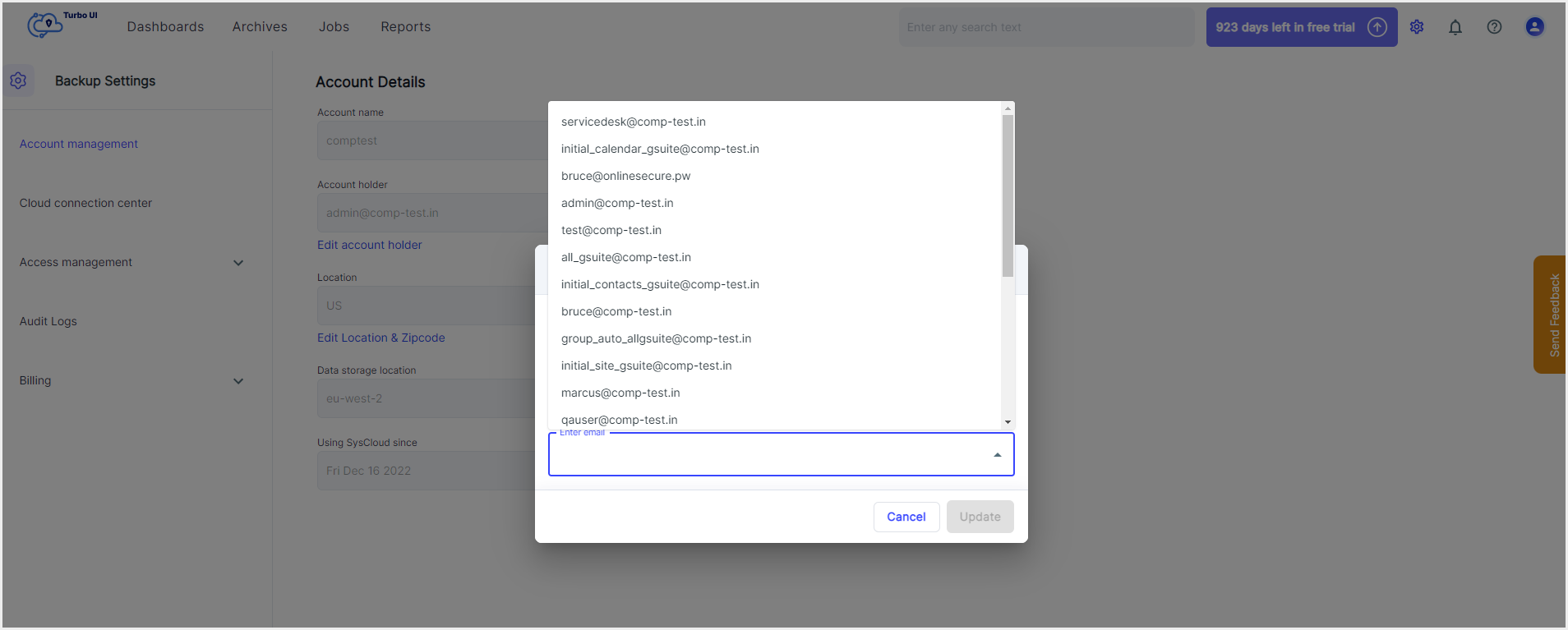
Step 5: Click on "Update."
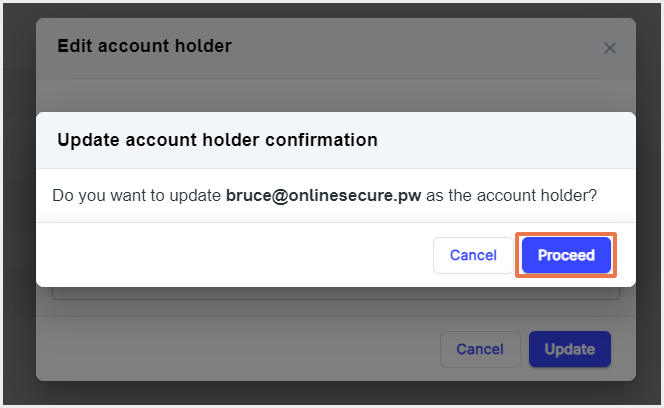
Step 6: In the confirmation pop-up box, click on “Proceed” to confirm the change of the account holder.