![Untitled design (1)-Aug-01-2022-12-37-27-80-PM.png]](https://help.syscloud.com/hs-fs/hubfs/Untitled%20design%20(1)-Aug-01-2022-12-37-27-80-PM.png?height=40&name=Untitled%20design%20(1)-Aug-01-2022-12-37-27-80-PM.png)
Follow the below steps to turn ON image backup for a single user in the SysCloud application:
Turbo UI:
Step 1: Navigate to the 'Jobs' page on the top menu.
Step 2: Click on the 'Create new backup job' button to create a new job or click on an existing job to edit it.
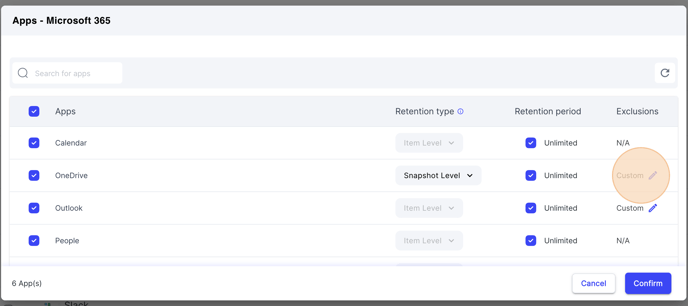
Step 3: Go to the third step in the job creation 'Define backup job scope' and click the pencil icon next to the 'Apps' column.

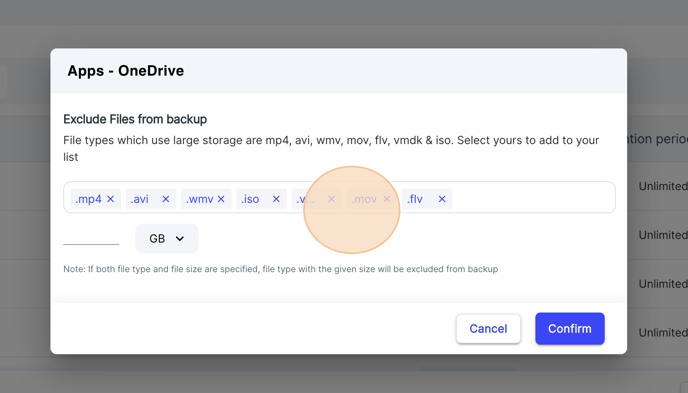
Step 4: Click on the 'custom pencil icon' under the exclusions column for OneDrive, remove any given exclusions to add them to the backup job, and click on 'Confirm'.
Step 5: Start the backup job to bring the changes made into effect.