![Untitled design (1)-Aug-01-2022-12-37-27-80-PM.png]](https://help.syscloud.com/hs-fs/hubfs/Untitled%20design%20(1)-Aug-01-2022-12-37-27-80-PM.png?height=40&name=Untitled%20design%20(1)-Aug-01-2022-12-37-27-80-PM.png)
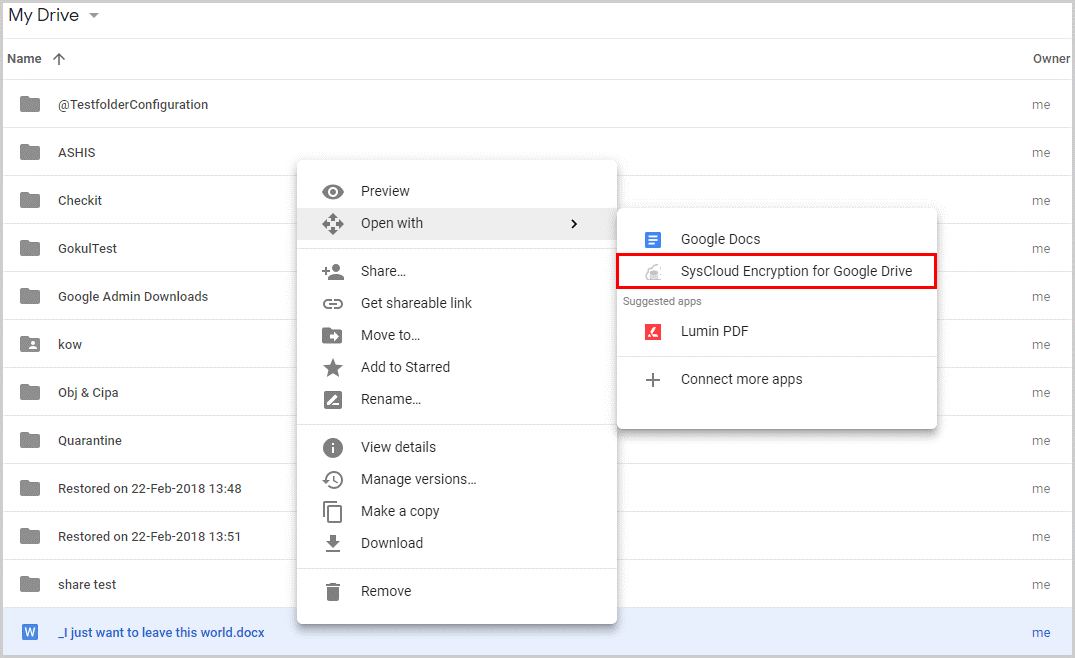
1. Open Google Drive. Right-click on the file and select “SysCloud Encryption for Google Drive.”
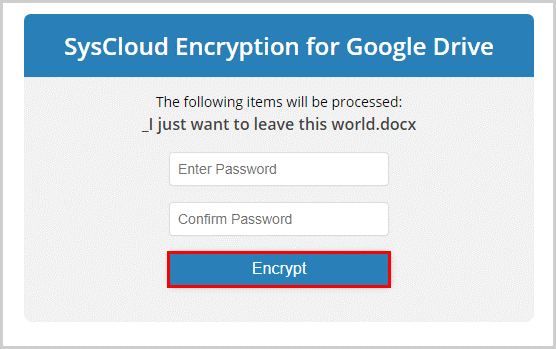
2. Enter and confirm your password by clicking “Encrypt.”
3. When you share this encrypted file, it will prompt the user to enter the password to open the file.