![Untitled design (1)-Aug-01-2022-12-37-27-80-PM.png]](https://help.syscloud.com/hs-fs/hubfs/Untitled%20design%20(1)-Aug-01-2022-12-37-27-80-PM.png?height=40&name=Untitled%20design%20(1)-Aug-01-2022-12-37-27-80-PM.png)
Step 1: Log in to the SysCloud Application.
Step 2: Click “Safety, Security & Compliance”→“Settings”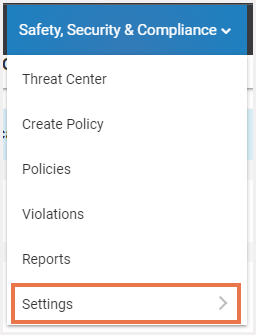
Step 3: Click the “Incidents Notification” option.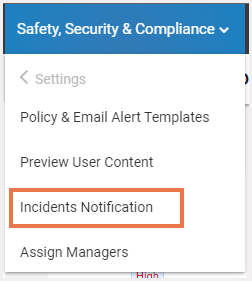
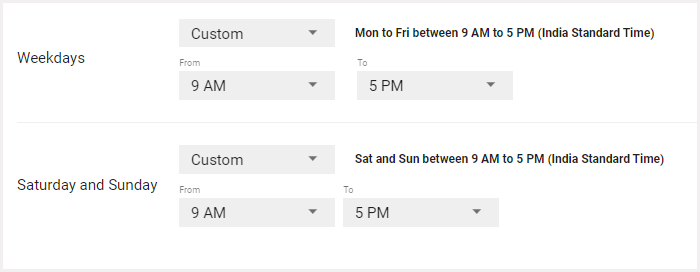
Step 4: Under the Incident Notification section, you can choose when you would like to receive policy violation alert notification emails.-png.png)
Step 5: You can also customize the time during which you want the emails to be sent.