![Untitled design (1)-Aug-01-2022-12-37-27-80-PM.png]](https://help.syscloud.com/hs-fs/hubfs/Untitled%20design%20(1)-Aug-01-2022-12-37-27-80-PM.png?height=40&name=Untitled%20design%20(1)-Aug-01-2022-12-37-27-80-PM.png)
Yes, SysCloud allows administrators to disable backup for specific Organizational Units (OUs) during the configuration process. Follow the steps below to exclude OUs from the backup:
- Enter your admin credentials and Login with SysCloud application.
- Start configuring the cloud account you want to back up.
- In the configuration flow, go to Step 4: Select Apps to Configure.
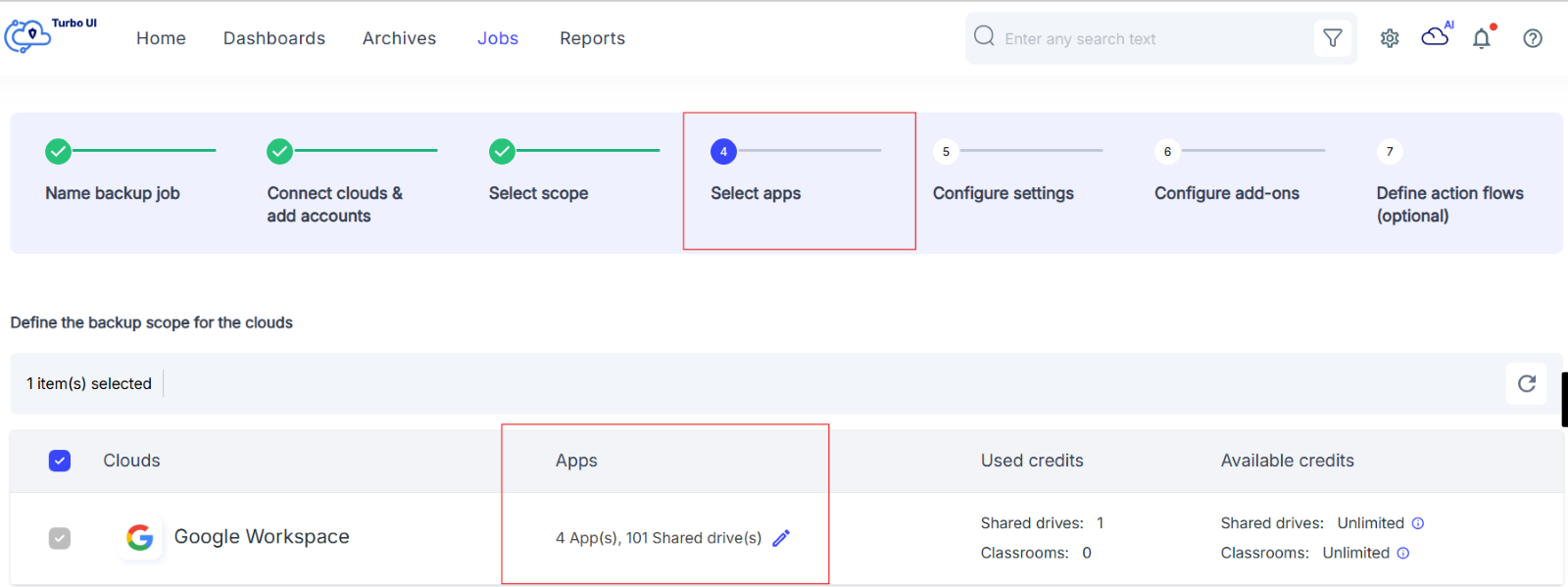
- Select the domain you want to back up.
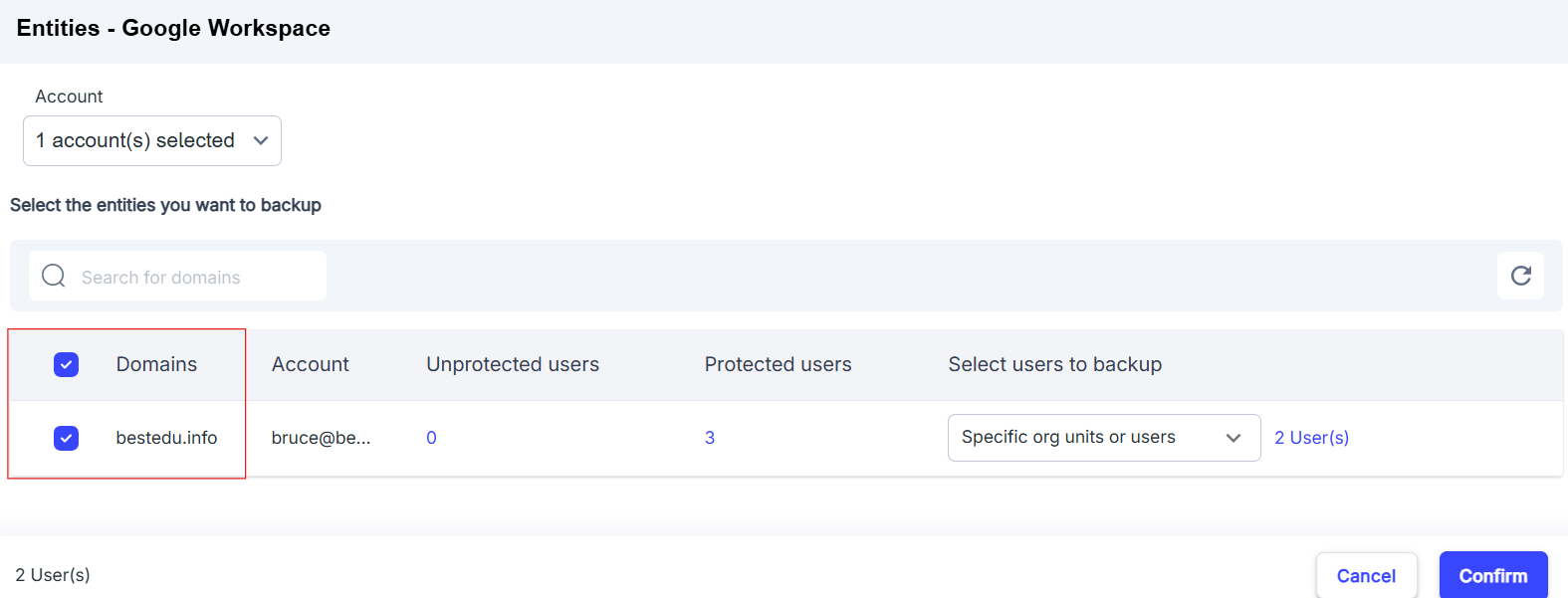
- Click the option to configure Users or Organizational Units (OUs).
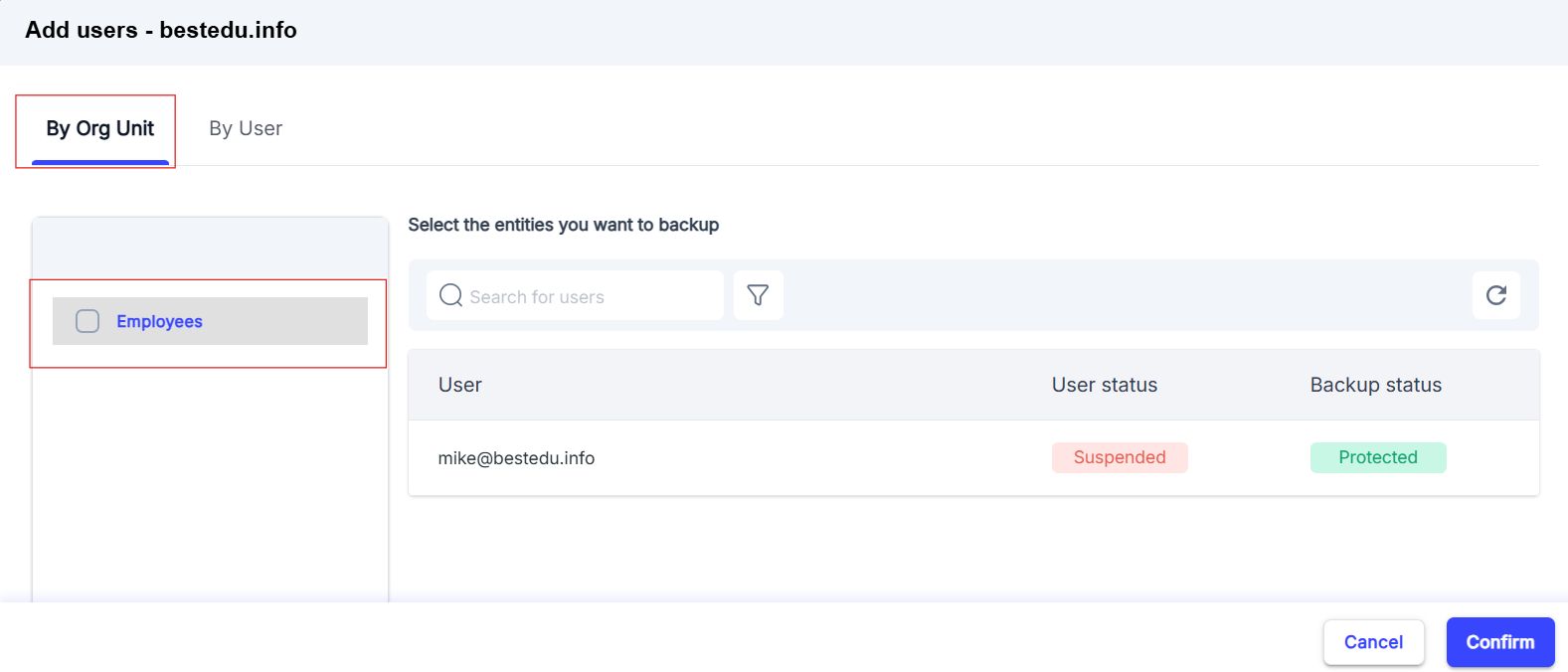
- Find the specific OU you want to exclude and disable it from the backup process.