- Open your browser and navigate to QuickBooks Online.
- Log in using your QuickBooks Online admin credentials.
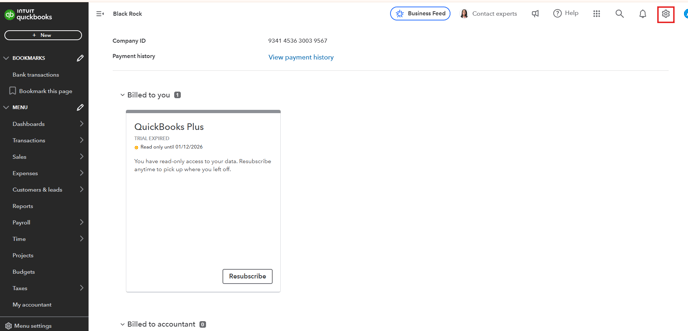
- From the navigation menu, click Settings (gear icon).
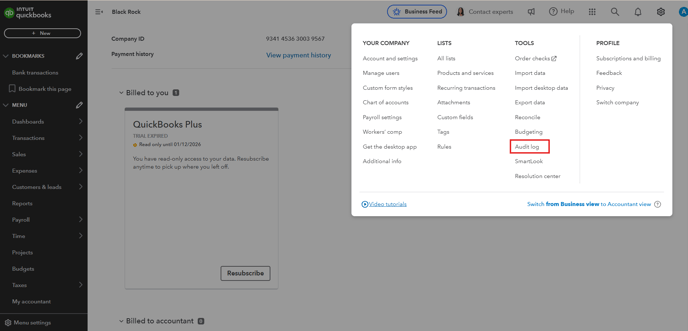
- Under the Tools section, select Audit Log.
- Filter to customize the audit log based on your requirements.
Select the desired Users, Date Range, or Events to narrow the log entries.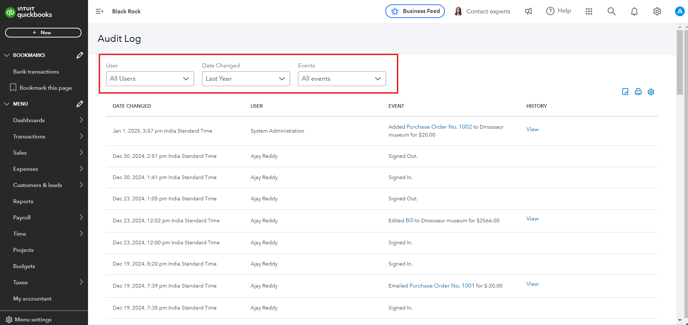
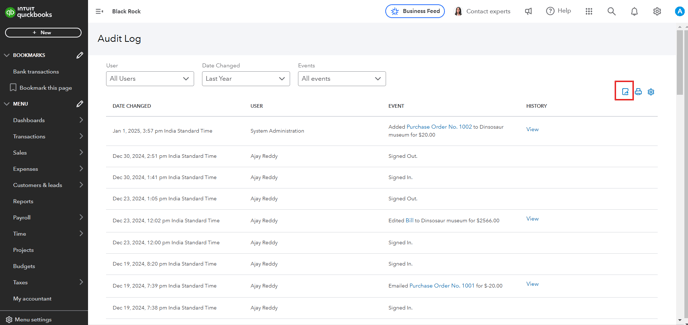
- At the top of the audit log page, click the Export icon to download audit logs as CSV.
English
![Untitled design (1)-Aug-01-2022-12-37-27-80-PM.png]](https://help.syscloud.com/hs-fs/hubfs/Untitled%20design%20(1)-Aug-01-2022-12-37-27-80-PM.png?height=40&name=Untitled%20design%20(1)-Aug-01-2022-12-37-27-80-PM.png)