![Untitled design (1)-Aug-01-2022-12-37-27-80-PM.png]](https://help.syscloud.com/hs-fs/hubfs/Untitled%20design%20(1)-Aug-01-2022-12-37-27-80-PM.png?height=40&name=Untitled%20design%20(1)-Aug-01-2022-12-37-27-80-PM.png)
With SysCloud’s Security & Compliance, administrators gain a centralized view of compliance violations and sensitive data exposure across all connected cloud applications.
The dashboard highlights high, medium, and low-confidence alerts for flagged items—helping you take quick action to protect your organization’s data.
Access compliance alerts
- Go to the Dashboards tab and click Security & Compliance under Quick Links.

- You’ll see categorized alerts based on confidence levels.
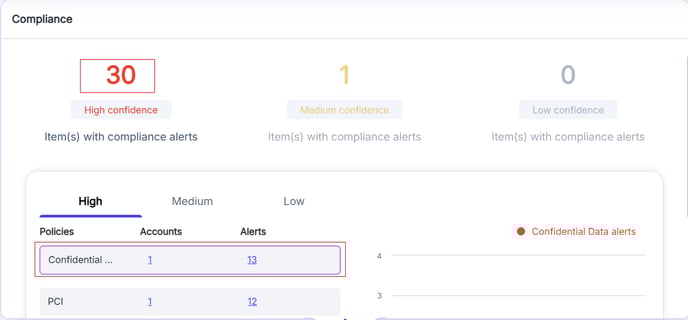
- Click on any alert count to view details by policy or user.
Investigate and take action
- Review the flagged files or emails listed under each policy.
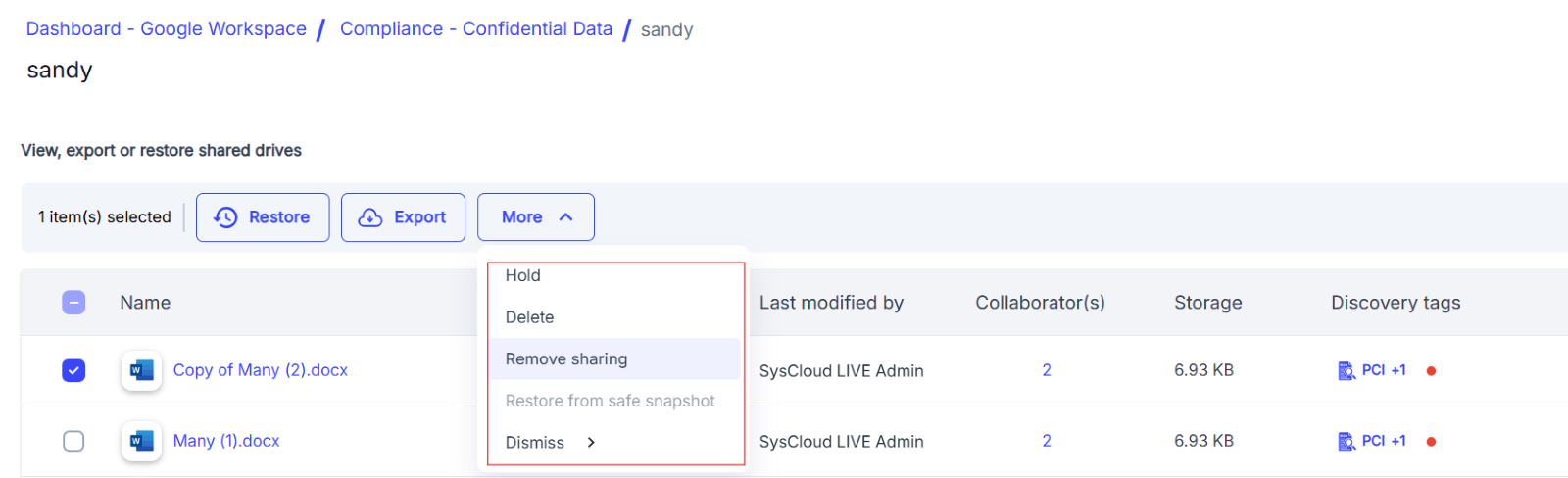
- Select individual items and click More to access remediation options:
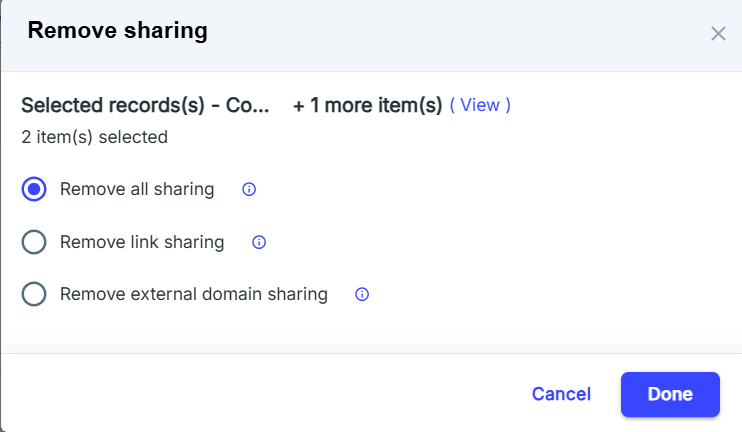
- Remove sharing – Revoke access by removing all sharing, link sharing, or external sharing.
- Delete – Permanently delete the file if it violates compliance policies.
- Hold – Temporarily restrict actions on the file during review.
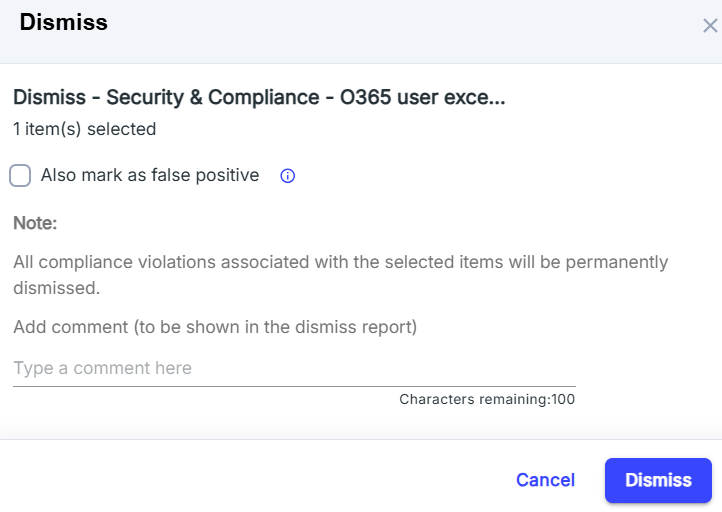
- Dismiss – Mark the item as reviewed and optionally mark as false positive.
Quarantine or transfer sensitive content
- To isolate critical files, use the Transfer ownership option.
- Choose Quarantine file(s) to move the item to a secure admin account.
- This helps ensure sensitive content is not exposed while investigation continues.
With SysCloud, you can identify, investigate, and remediate compliance violations—all from a single interface. Proactively manage security risks and enforce policies to meet internal and regulatory requirements.