![Untitled design (1)-Aug-01-2022-12-37-27-80-PM.png]](https://help.syscloud.com/hs-fs/hubfs/Untitled%20design%20(1)-Aug-01-2022-12-37-27-80-PM.png?height=40&name=Untitled%20design%20(1)-Aug-01-2022-12-37-27-80-PM.png)
To identify security & compliance alerts, use any of the following approaches -
Dashboard:- Open the Security & Compliance quick link from the main dashboard.
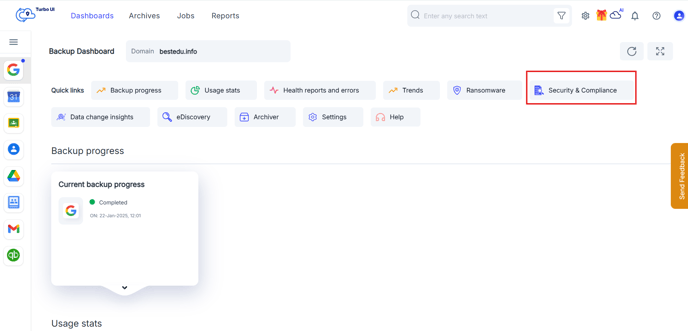
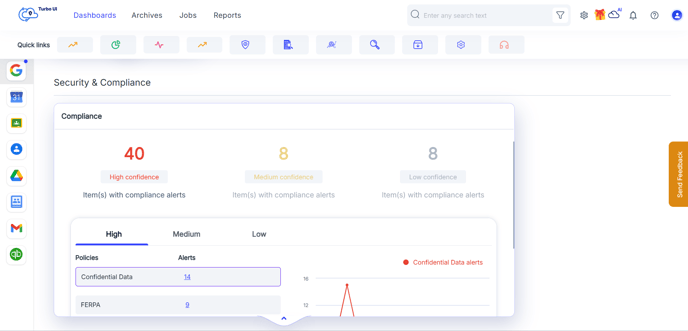
- Locate the Compliance widget. Expand the widget to view all alerts categorized by violation type. Clicking the aggregate count or violation count will be redirected to a consolidated view.
-
- This view displays an overall summary of alerts across different applications and users.
- Select View More to drill down to a specific user or application.
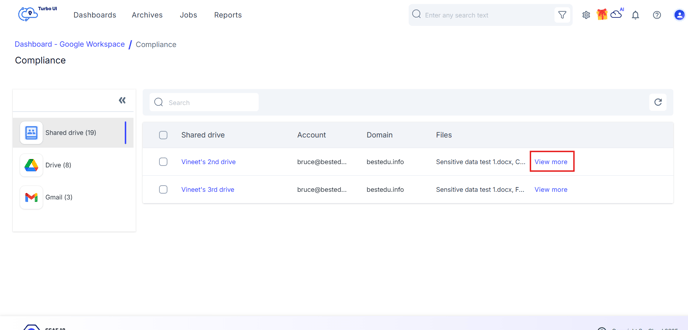
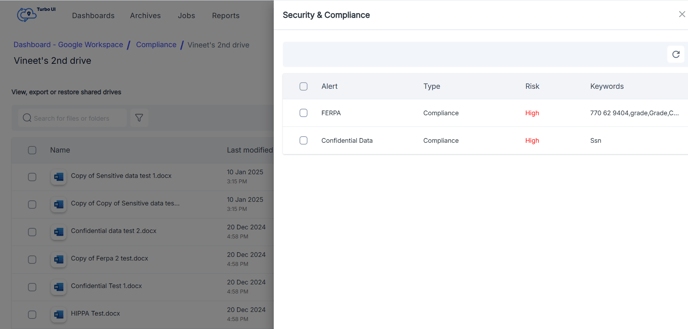
- Items with Security & Compliance violations will be tagged with the name of the violated compliance policy.
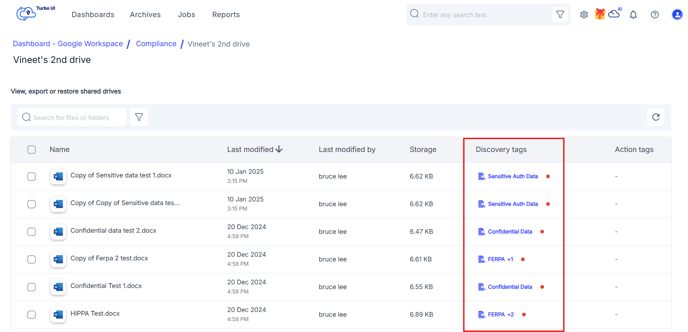
- Click on the tag to preview details of the alert.
-
- In the archives, use the Security & Compliance filter to locate entities with data flagged with compliance violations.
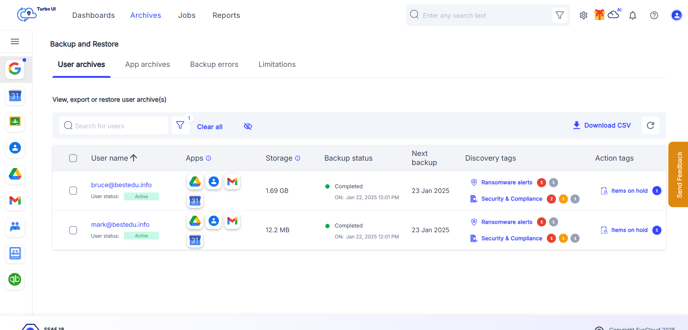
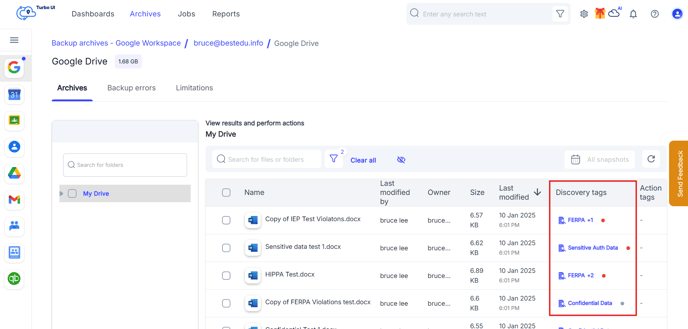
- Drill down with the same filter to reach the last level of archives.
- Each flagged item is labeled with the policy name for which the violation was detected.
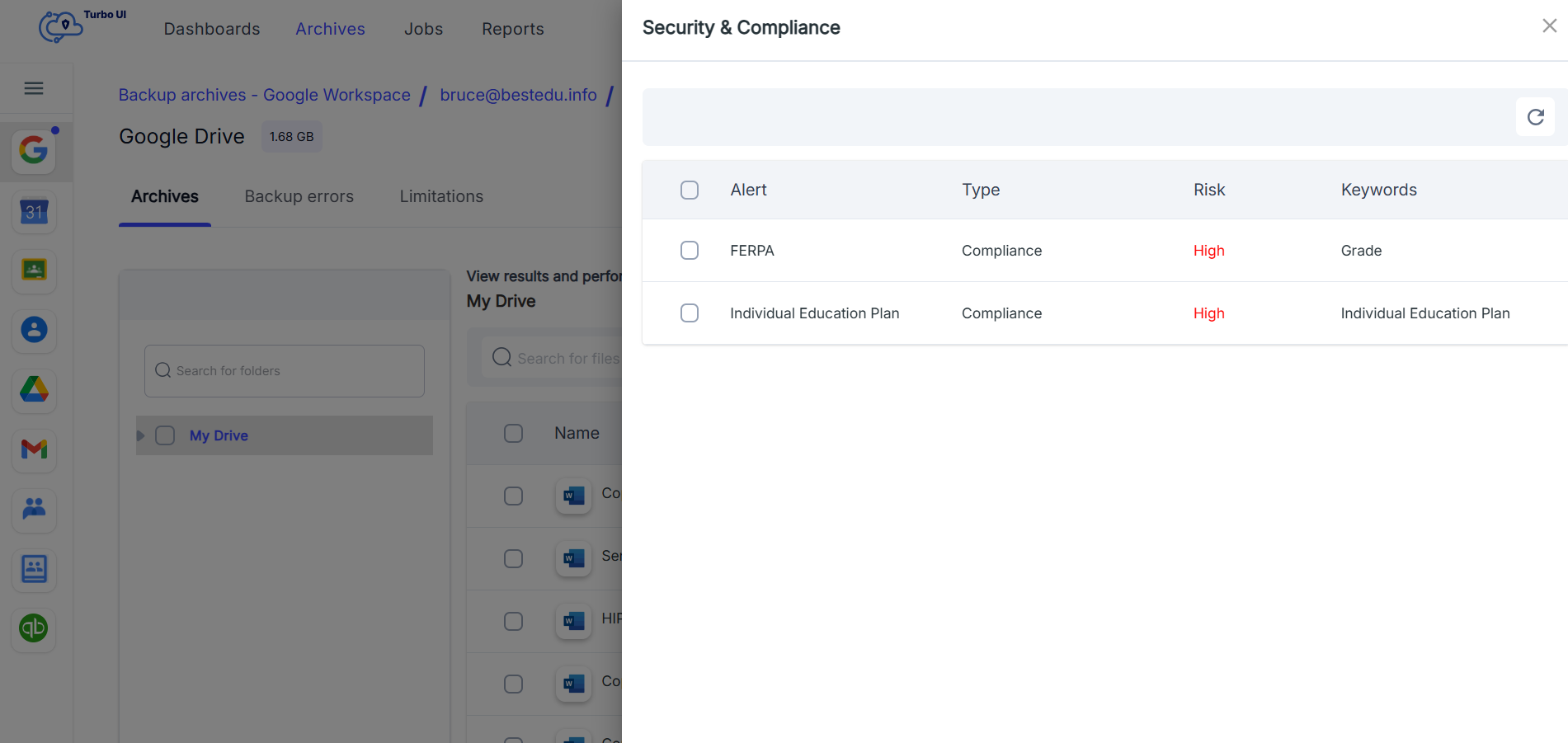
- Click on the tag to preview details of the alert.
- In the archives, use the Security & Compliance filter to locate entities with data flagged with compliance violations.