![Untitled design (1)-Aug-01-2022-12-37-27-80-PM.png]](https://help.syscloud.com/hs-fs/hubfs/Untitled%20design%20(1)-Aug-01-2022-12-37-27-80-PM.png?height=40&name=Untitled%20design%20(1)-Aug-01-2022-12-37-27-80-PM.png)
If you need to reset your password in the SysCloud application, follow these steps:
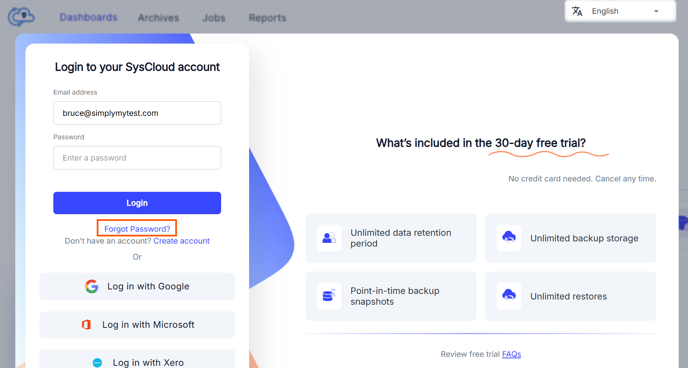
Step 1: In the SysCloud application log in page, click on "Forgot password" below the password input field.
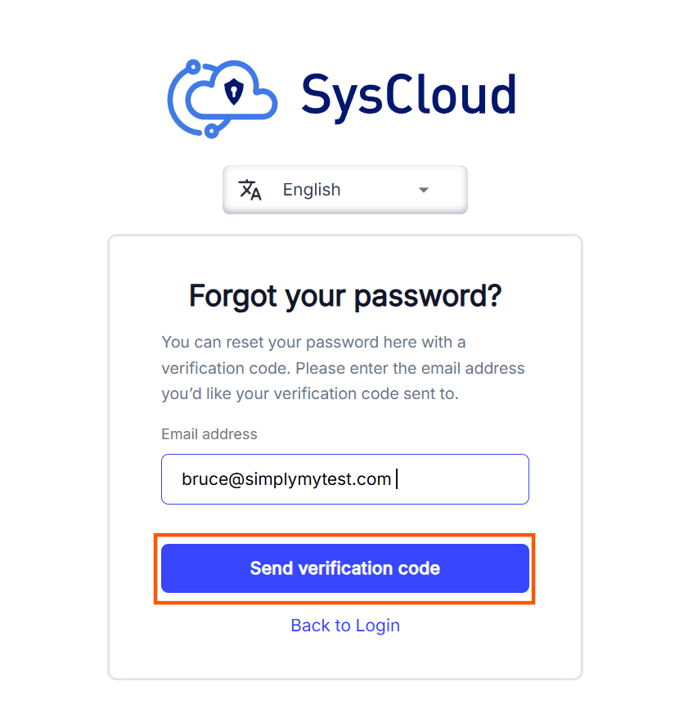
Step 2: Enter the email address associated with your SysCloud account and click on "Send verification code."
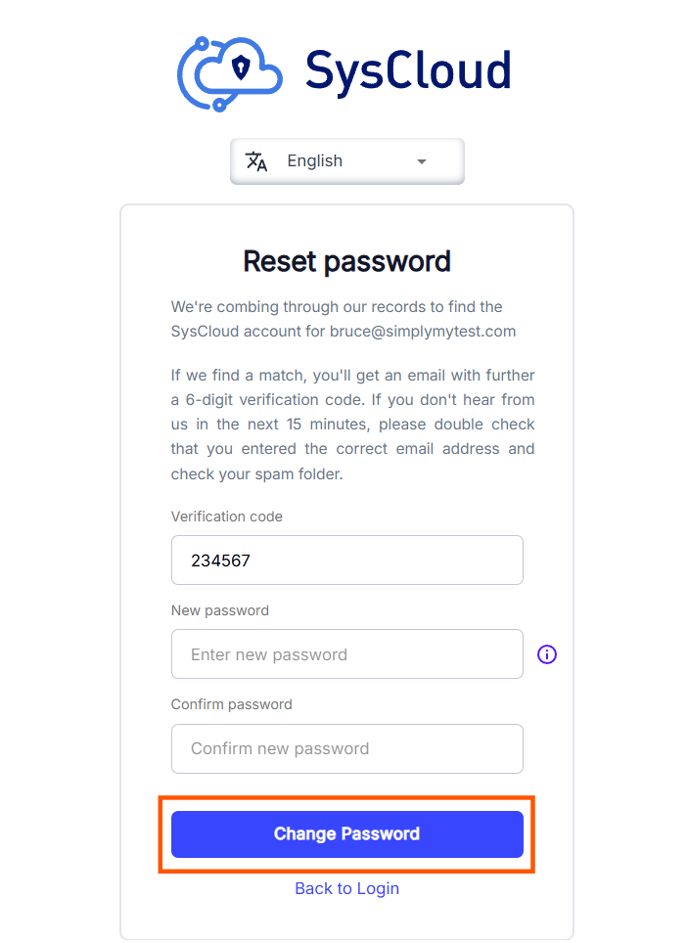
Step 3: Check your email for the verification code. On the password reset page, enter the verification code, enter a new password, and confirm the password. Click on "Change password" to reset the password.
Step 4: Return to the SysCloud login page. Enter your email and new password to log in.