![Untitled design (1)-Aug-01-2022-12-37-27-80-PM.png]](https://help.syscloud.com/hs-fs/hubfs/Untitled%20design%20(1)-Aug-01-2022-12-37-27-80-PM.png?height=40&name=Untitled%20design%20(1)-Aug-01-2022-12-37-27-80-PM.png)
To perform a content-based search using eDiscovery Advanced, ensure the following:
-
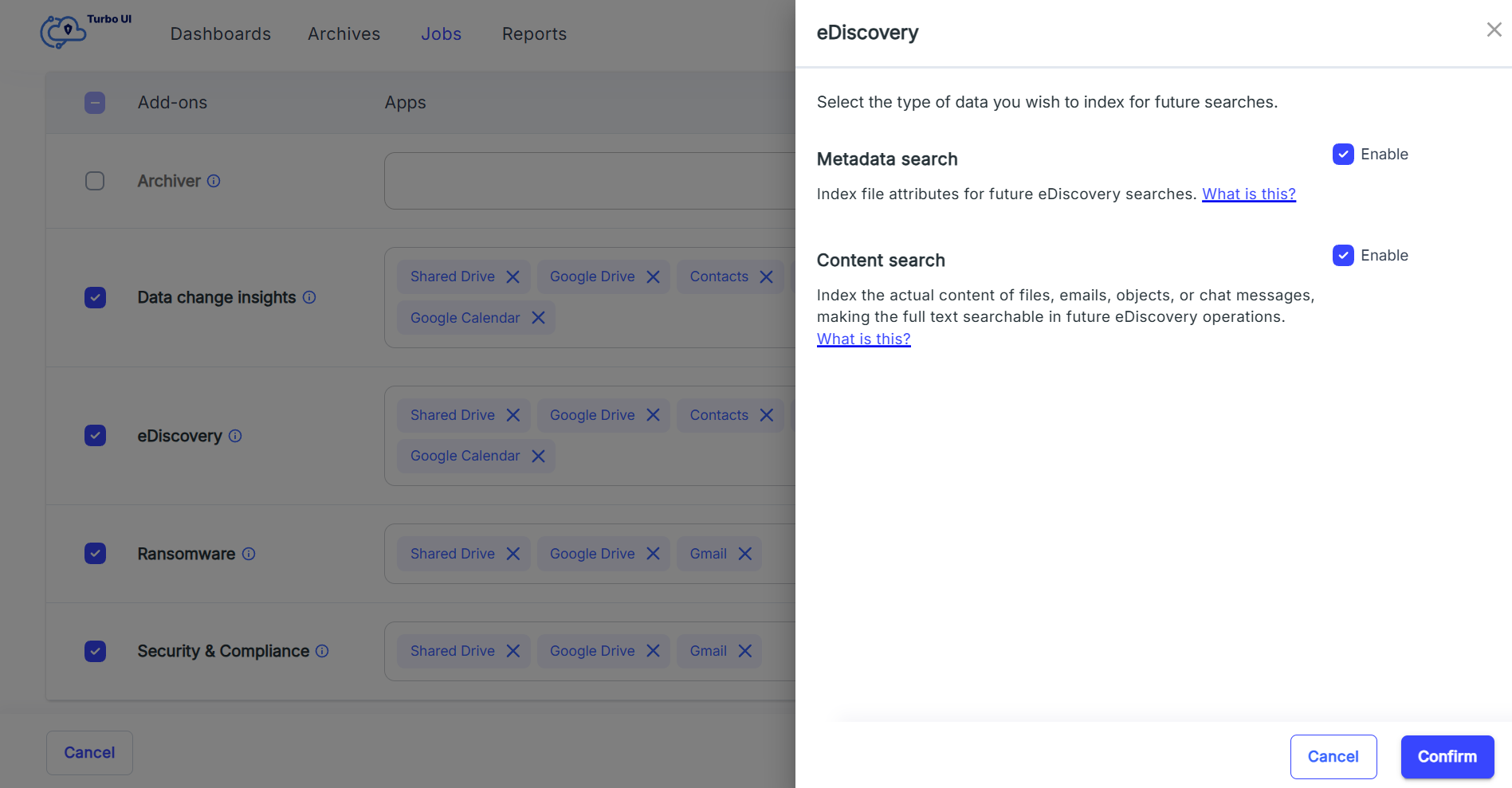
Configure content indexing during add-on setup
- After purchasing the eDiscovery metadata and content search add-on, enable content indexing while configuring the add-on. This ensures the actual content of files, emails, chats, and records is indexed for search.
-
Enable content search in the search filters page
- While performing a search, check the option "Enable content search" in the eDiscovery search page. This allows the search to include the indexed content.
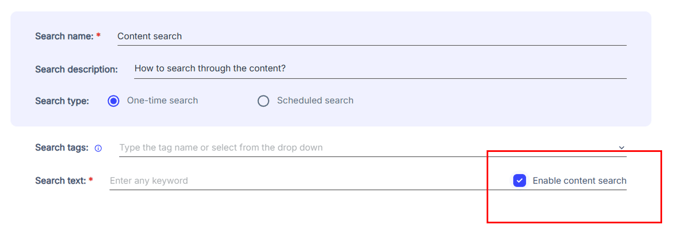
- While performing a search, check the option "Enable content search" in the eDiscovery search page. This allows the search to include the indexed content.
By completing these steps, you can a perform content-based search across supported applications.