![Untitled design (1)-Aug-01-2022-12-37-27-80-PM.png]](https://help.syscloud.com/hs-fs/hubfs/Untitled%20design%20(1)-Aug-01-2022-12-37-27-80-PM.png?height=40&name=Untitled%20design%20(1)-Aug-01-2022-12-37-27-80-PM.png)
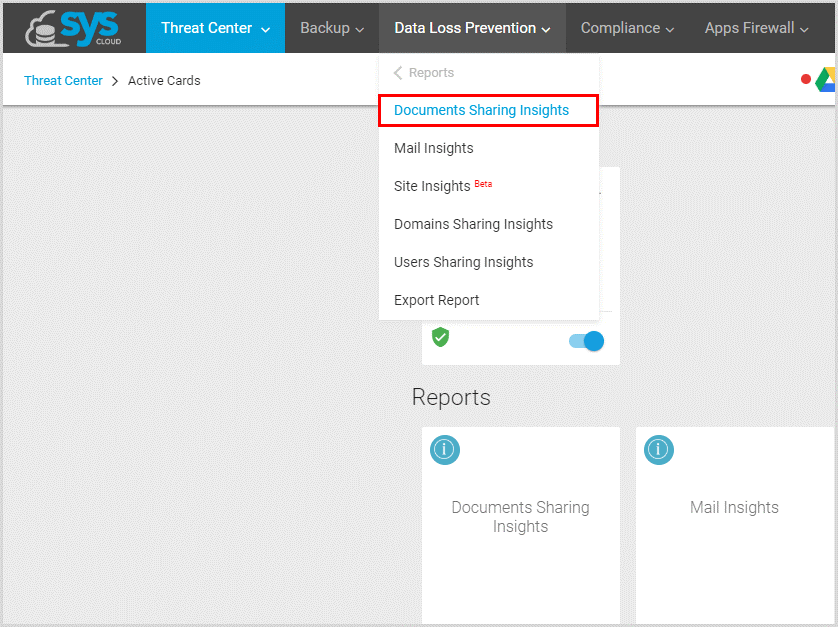
1. In the “Data Loss Prevention” module, select “Reports” and click “Document Sharing Insights.”
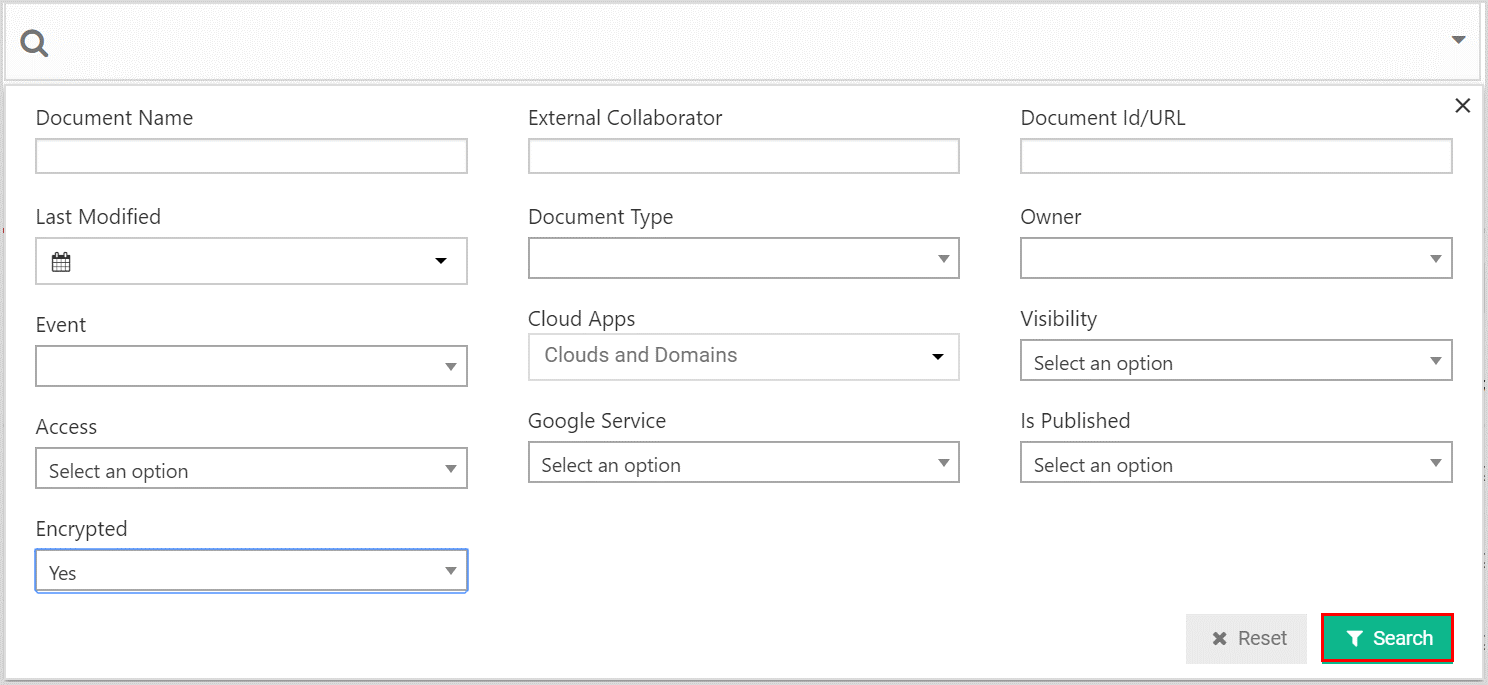
2. Click on the search bar, set the “Encrypted” option to “Yes” and click “Search.”
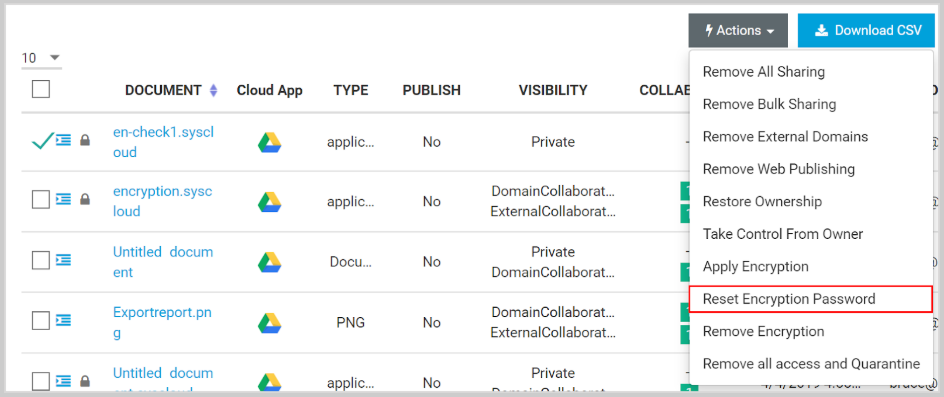
3. Select the files, click on “Actions,” and select “Reset Encryption Password.”
Note: You can also select a user account in the “Owner” filter to search for a specific person’s files and decrypting them.