![Untitled design (1)-Aug-01-2022-12-37-27-80-PM.png]](https://help.syscloud.com/hs-fs/hubfs/Untitled%20design%20(1)-Aug-01-2022-12-37-27-80-PM.png?height=40&name=Untitled%20design%20(1)-Aug-01-2022-12-37-27-80-PM.png)
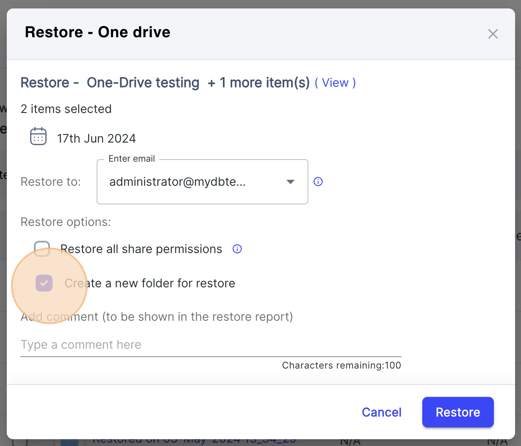
By default, the files will be restored to the original location on the OneDrive application from which it was deleted. However, you can choose to have a custom folder for restoring the files and also select whether you want to retain the sharing permissions.
Follow these steps to create a custom folder and change sharing permissions:
Turbo UI
Step 1: In the restore pop-up screen select the checkbox, "Create a new folder for restore" options to restore folders to a new folder.
Note: You can restore only the files owned by you. For the files owned by other users, ask them to reshare the files.