![Untitled design (1)-Aug-01-2022-12-37-27-80-PM.png]](https://help.syscloud.com/hs-fs/hubfs/Untitled%20design%20(1)-Aug-01-2022-12-37-27-80-PM.png?height=40&name=Untitled%20design%20(1)-Aug-01-2022-12-37-27-80-PM.png)
How to obtain your SentinelOne account URL?
- In your browser, navigate to your SentinelOne account.
- Look at the address bar, the account URL will appear in the format: xxxxx.sentinelone.net
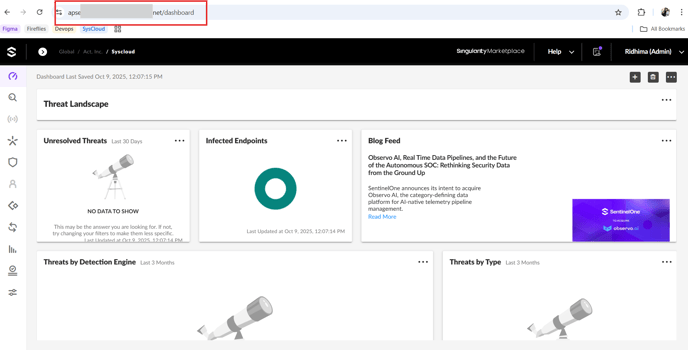
Note: When entering the URL in SysCloud, exclude the https://prefix.
How to obtain your SentinelOne API key?
- In your SentinelOne account, go to the top-right corner of the screen and click on your profile icon.
Note: To generate an API token, the user must have admin access and all required permissions.
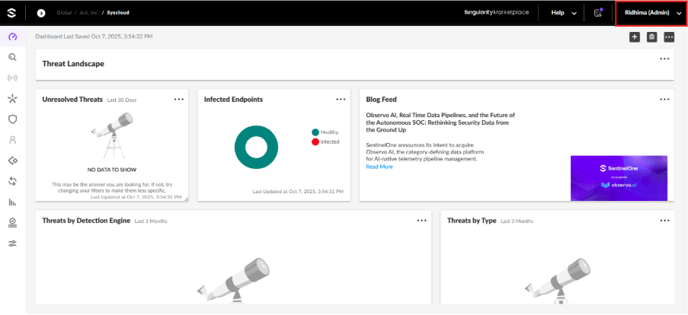
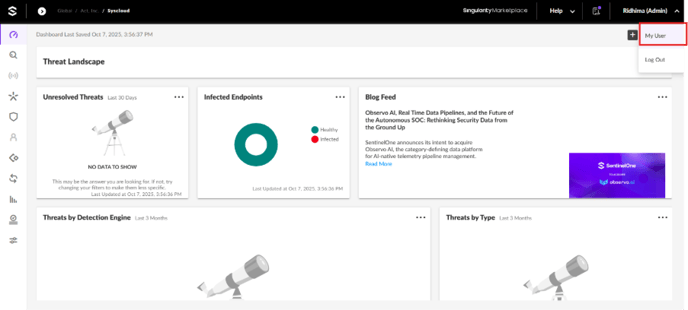
- From the dropdown, select My User.
- Under the Actions dropdown, choose API Token Operations and click on Generate API Token.
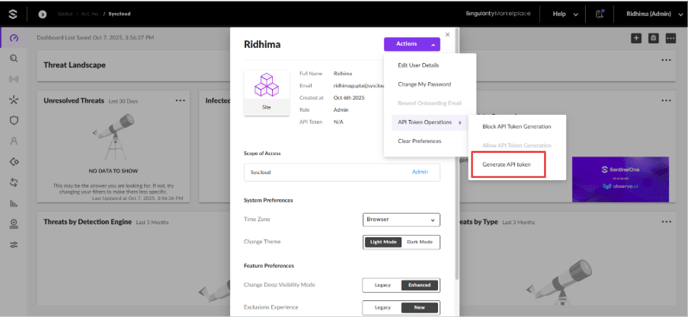
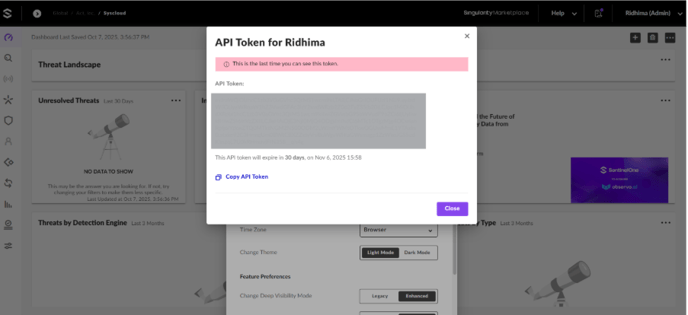
- The newly generated API key will be displayed. Copy this key and share it securely with SysCloud for integration.
Note:
- The API key expires after 30 days.
- To ensure uninterrupted backups, you must update the new API key in SysCloud before the current one expires.