![Untitled design (1)-Aug-01-2022-12-37-27-80-PM.png]](https://help.syscloud.com/hs-fs/hubfs/Untitled%20design%20(1)-Aug-01-2022-12-37-27-80-PM.png?height=40&name=Untitled%20design%20(1)-Aug-01-2022-12-37-27-80-PM.png)
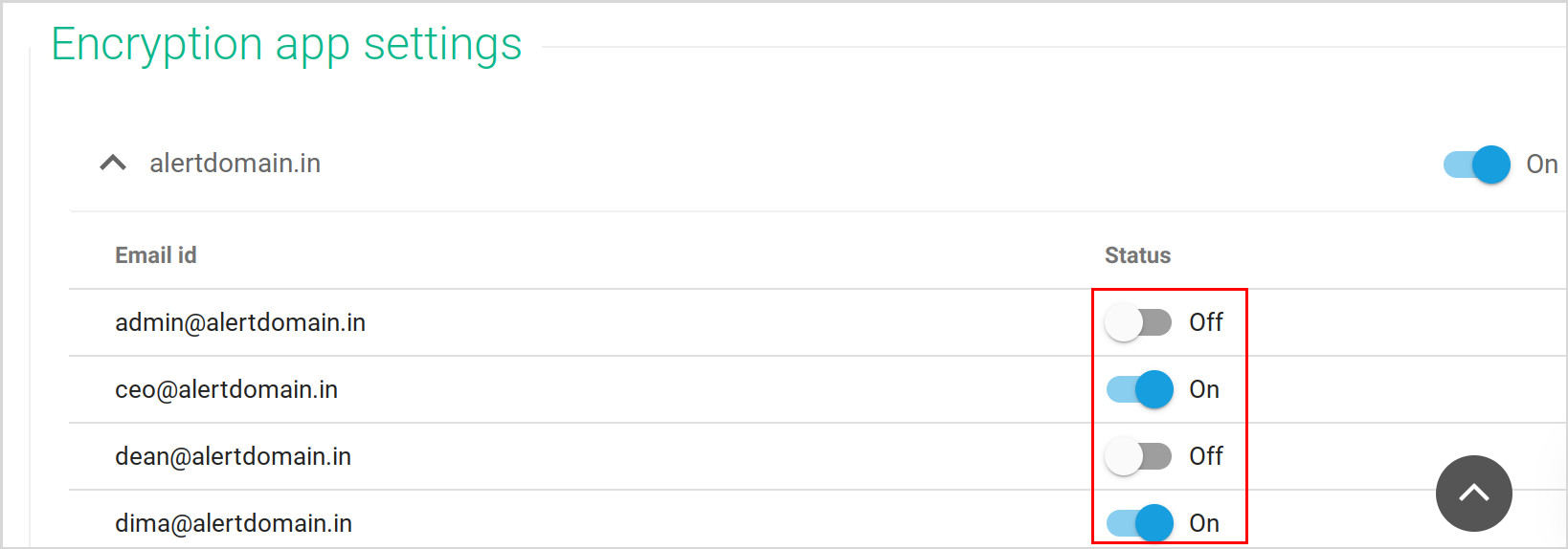
Go to “Tools”→“Google Drive Encryption”→“Encryption App Settings.” You will see the domains listed under this section. Here, you can switch encryption ON/OFF for the domains.
You can enable/disable encryption at the user-level by clicking on the drop-down beside the domain name and selecting from the list of users in the domain.