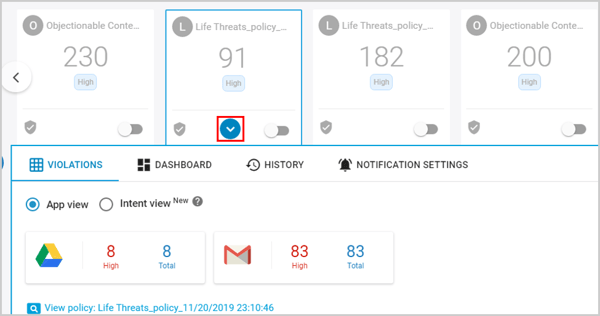
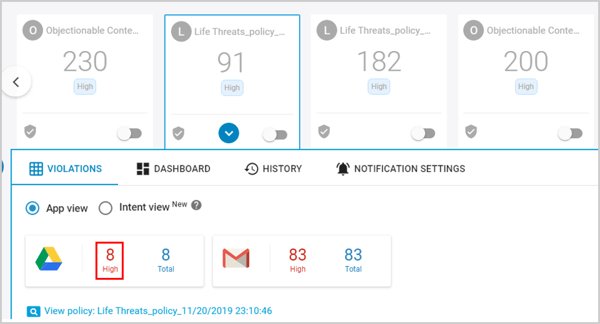
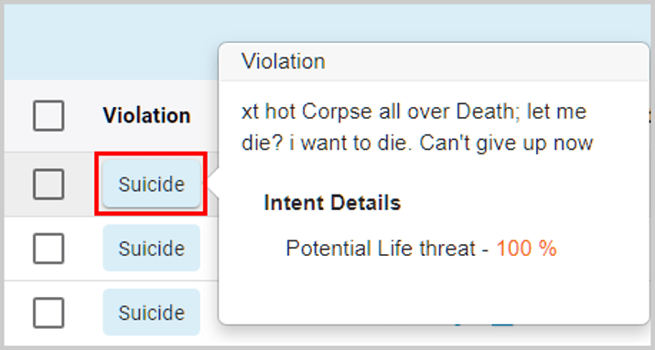
How to check policy violation content in document/email? Follow these steps to check the text that matches a policy violation: Log in to SysCloud with your credentials. Click on the policy card in the Threat Center page. Click on the number beside the application. Under “Violation,” hover over the name of the policy to view the content matching the policy violation.
![Untitled design (1)-Aug-01-2022-12-37-27-80-PM.png]](https://help.syscloud.com/hs-fs/hubfs/Untitled%20design%20(1)-Aug-01-2022-12-37-27-80-PM.png?height=40&name=Untitled%20design%20(1)-Aug-01-2022-12-37-27-80-PM.png)