![Untitled design (1)-Aug-01-2022-12-37-27-80-PM.png]](https://help.syscloud.com/hs-fs/hubfs/Untitled%20design%20(1)-Aug-01-2022-12-37-27-80-PM.png?height=40&name=Untitled%20design%20(1)-Aug-01-2022-12-37-27-80-PM.png)
Applies to: Microsoft Entra restore operations
When this error appears
- SysCloud is restoring an app-role assignment for a user, group, or application.
- The resource enterprise application is missing, was restored after the assignment, or does not expose the backed-up role identifier.
- Microsoft reports an invalid appRoleId.
Why this error occurs
An app-role assignment refers to a specific role identifier exposed by a resource application. The assignment cannot be recreated if the resource application is missing or if the application publisher has renamed, removed, or changed that role.
Before you begin
- Identify the resource enterprise application and the missing role.
- Confirm whether the resource application exists in the destination organization.
Resolution
1. Open the Microsoft Entra admin center.
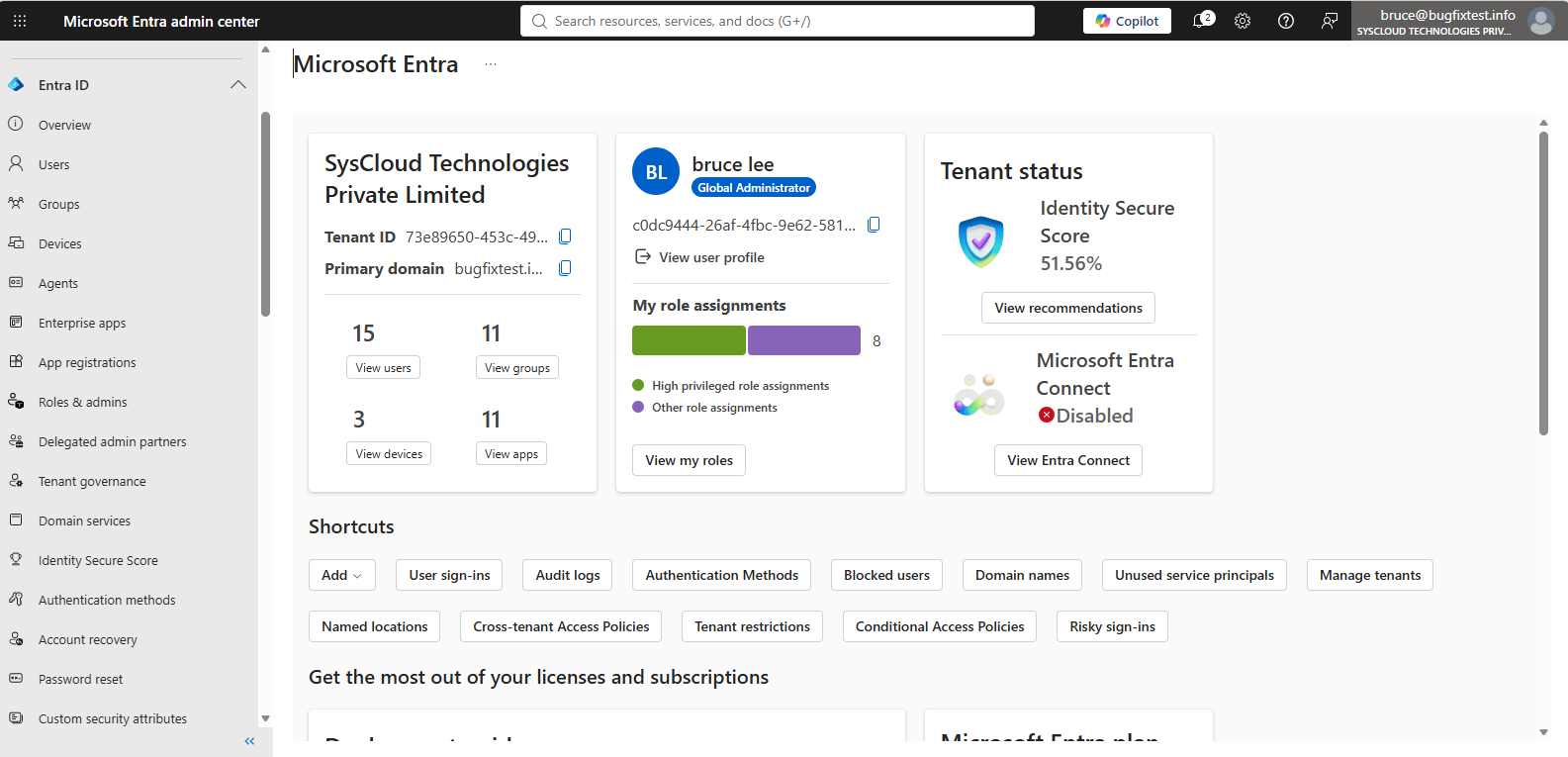
2. Go to Identity > Enterprise applications.

3. Search for the resource application referenced by the failed assignment.
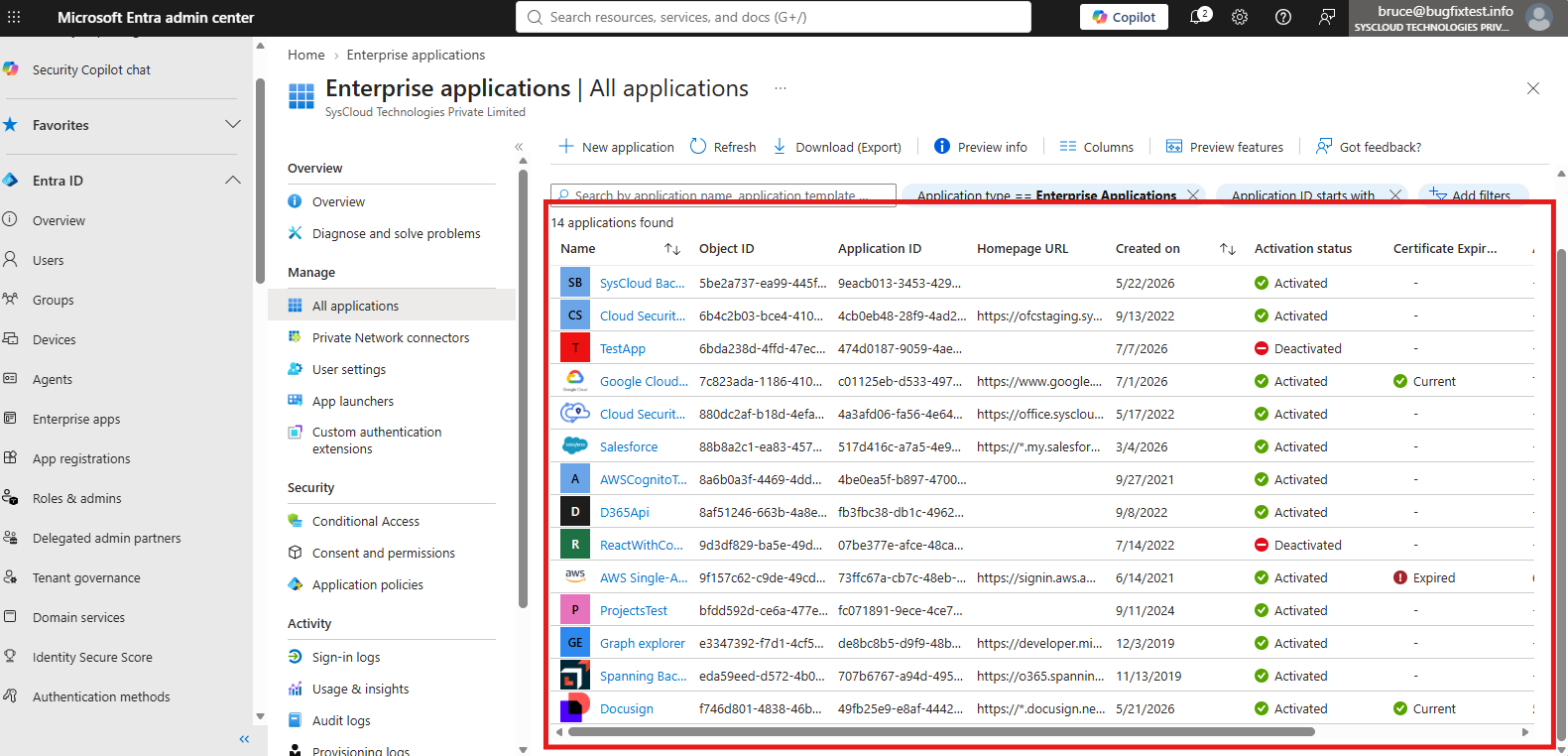
4. If it is missing, add or restore the resource application before restoring its assignments.
5. Initiate the app-role assignment restore again.
6. If the role no longer exists, review the application’s current roles and manually assign an approved equivalent, if available.
7. If no equivalent exists, document that the original assignment cannot be recreated.
Verify the resolution
Confirm that the resource application exists and that the user, group, or application has the expected current role assignment.
If the error continues
Contact the application owner or publisher to confirm whether the role changed. Contact SysCloud Support if the original role is visible but the restore still fails.