![Untitled design (1)-Aug-01-2022-12-37-27-80-PM.png]](https://help.syscloud.com/hs-fs/hubfs/Untitled%20design%20(1)-Aug-01-2022-12-37-27-80-PM.png?height=40&name=Untitled%20design%20(1)-Aug-01-2022-12-37-27-80-PM.png)
Applies to: Microsoft Entra restore operations
When this error appears
- SysCloud is restoring an eligible or active PIM assignment for a group or directory role.
- The source assignment has an expiration period.
- The destination PIM policy allows a shorter assignment period.
Why this error occurs
Microsoft Entra Privileged Identity Management (PIM) applies policy limits to role and group assignments. If the duration in the restore request exceeds the destination policy’s maximum, Microsoft rejects the request with an expiration-rule error.
Before you begin
- Identify the role or group assignment that failed.
- Compare the duration stored in the backup with the maximum duration allowed by the applicable destination PIM policy.
Resolution
1. Open the Microsoft Entra admin center.
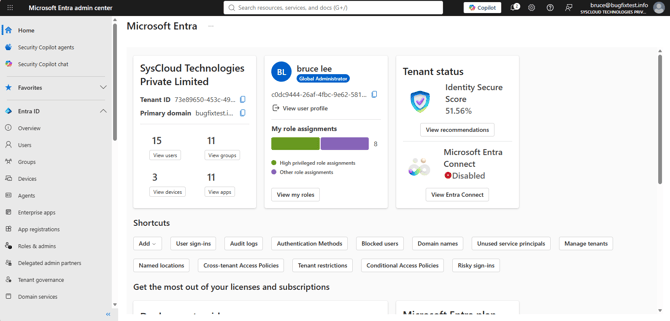
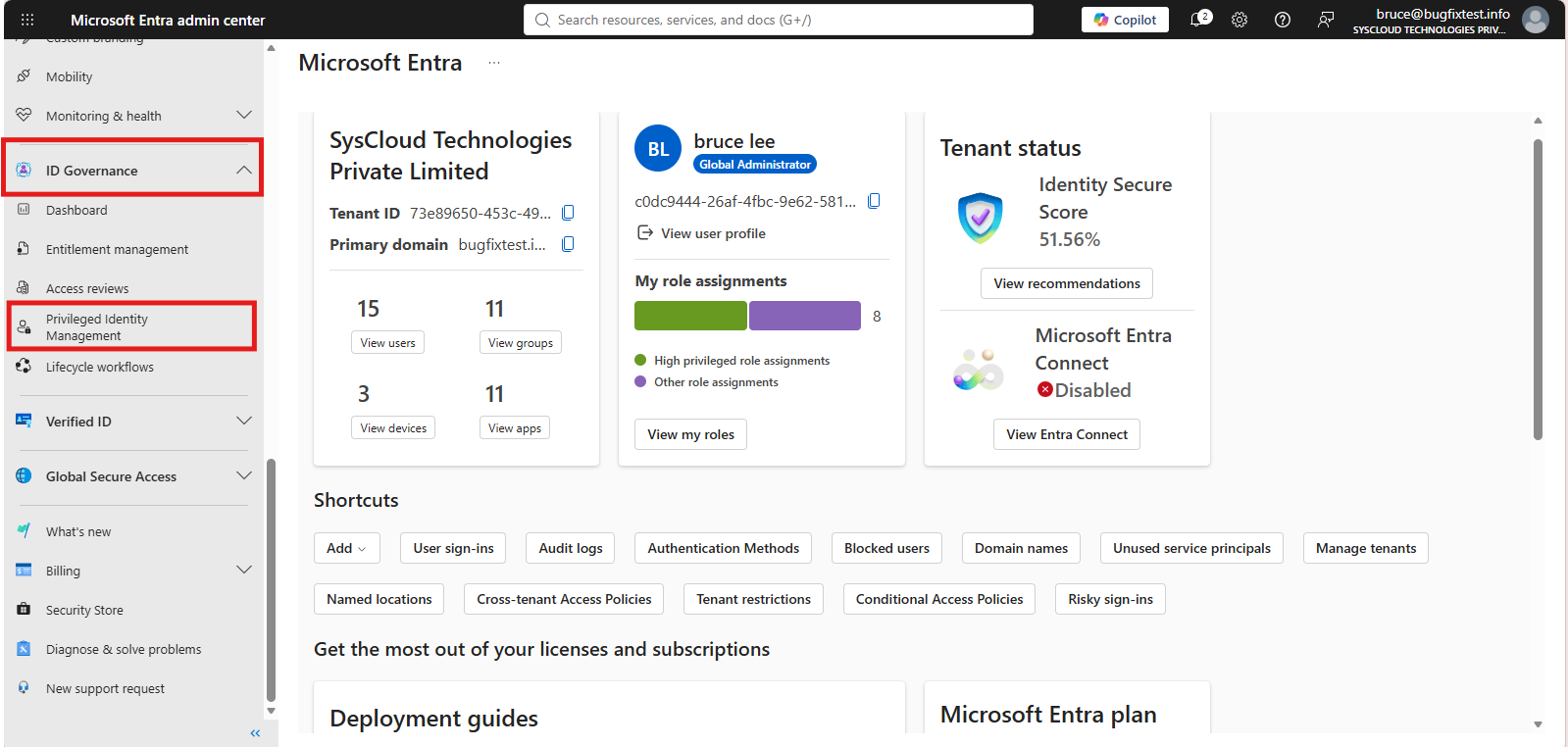
2. Go to Identity governance > Privileged Identity Management.
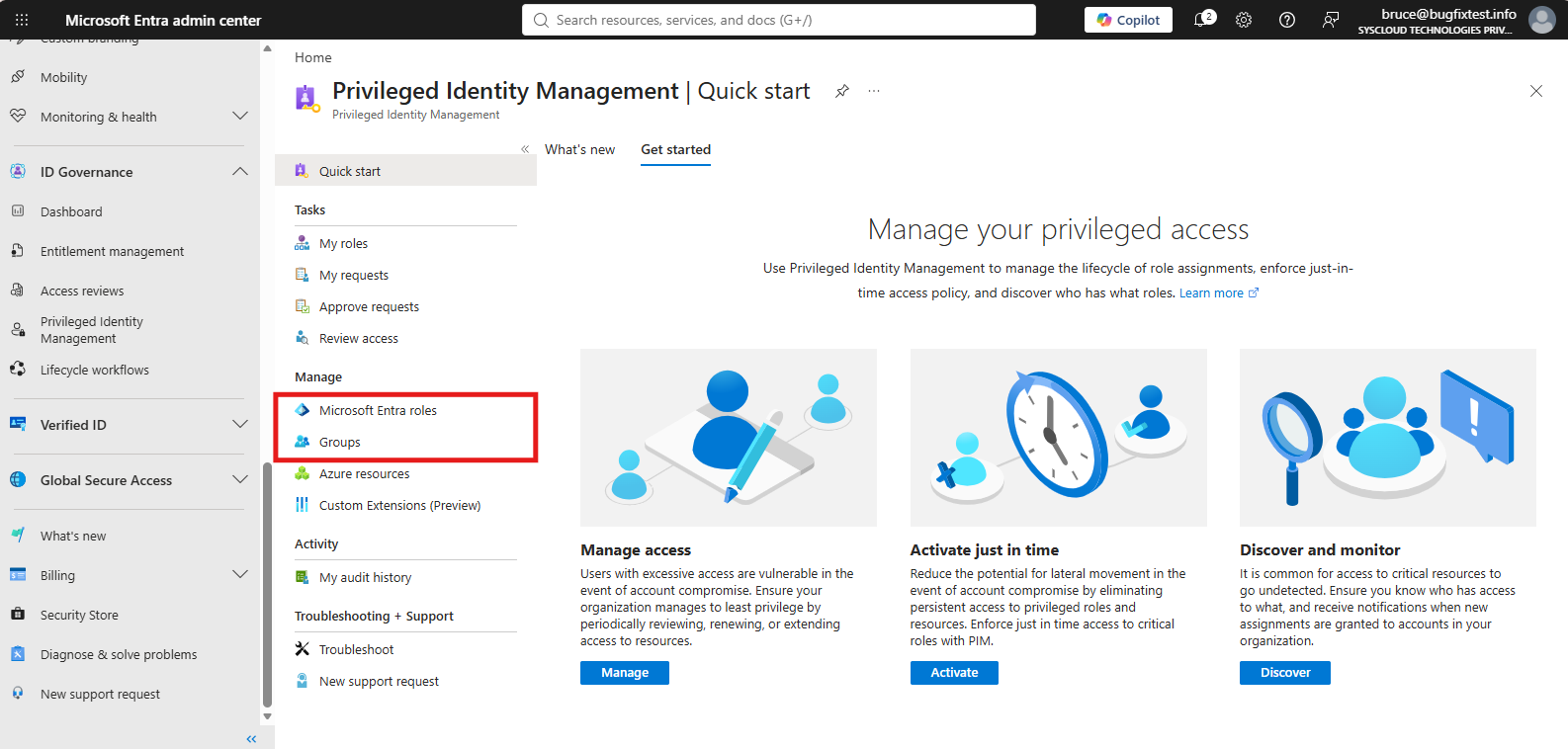
3. Open the relevant Microsoft Entra role or group.
4. Open its settings and review the assignment or eligibility duration limits.
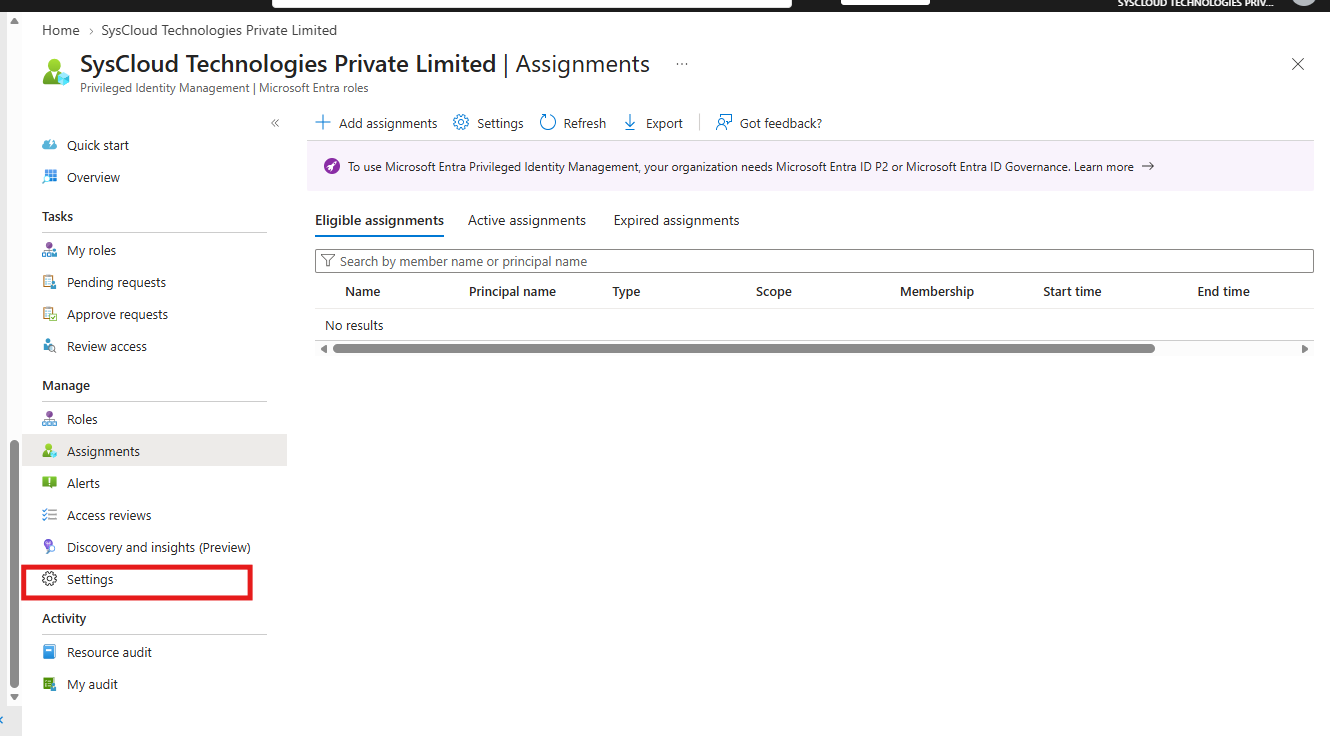
5. Increase the maximum duration if the longer period is approved, or choose a shorter assignment duration that meets the policy.

6. Save the policy change, if applicable.
7. Initiate the restore again.
Verify the resolution
Confirm that the restored assignment appears in PIM with an allowed start date, end date, and assignment type.
If the error continues
Check whether different policies apply to eligible and active assignments. If the configured duration is valid but the request still fails, contact SysCloud Support with the role, assignment type, and error code.