![Untitled design (1)-Aug-01-2022-12-37-27-80-PM.png]](https://help.syscloud.com/hs-fs/hubfs/Untitled%20design%20(1)-Aug-01-2022-12-37-27-80-PM.png?height=40&name=Untitled%20design%20(1)-Aug-01-2022-12-37-27-80-PM.png)
Applies to: Group members
What this error means
SysCloud tried to add someone whose requested membership is already present.
Why this error occurs
Google refuses to add a membership that already exists, so the row is reported as failed even though the group is already in exactly the state you asked for. Three situations produce this with a perfectly valid request:
- An in-place or compare-with-cloud restore where the membership was never actually lost.
- The same restore run twice.
- The case most often missed: the member is added by an alias address while their primary address is already in the group. Google resolves the alias to the same person.
Resolution
- In the Google Admin console, go to Menu > Directory > Groups.
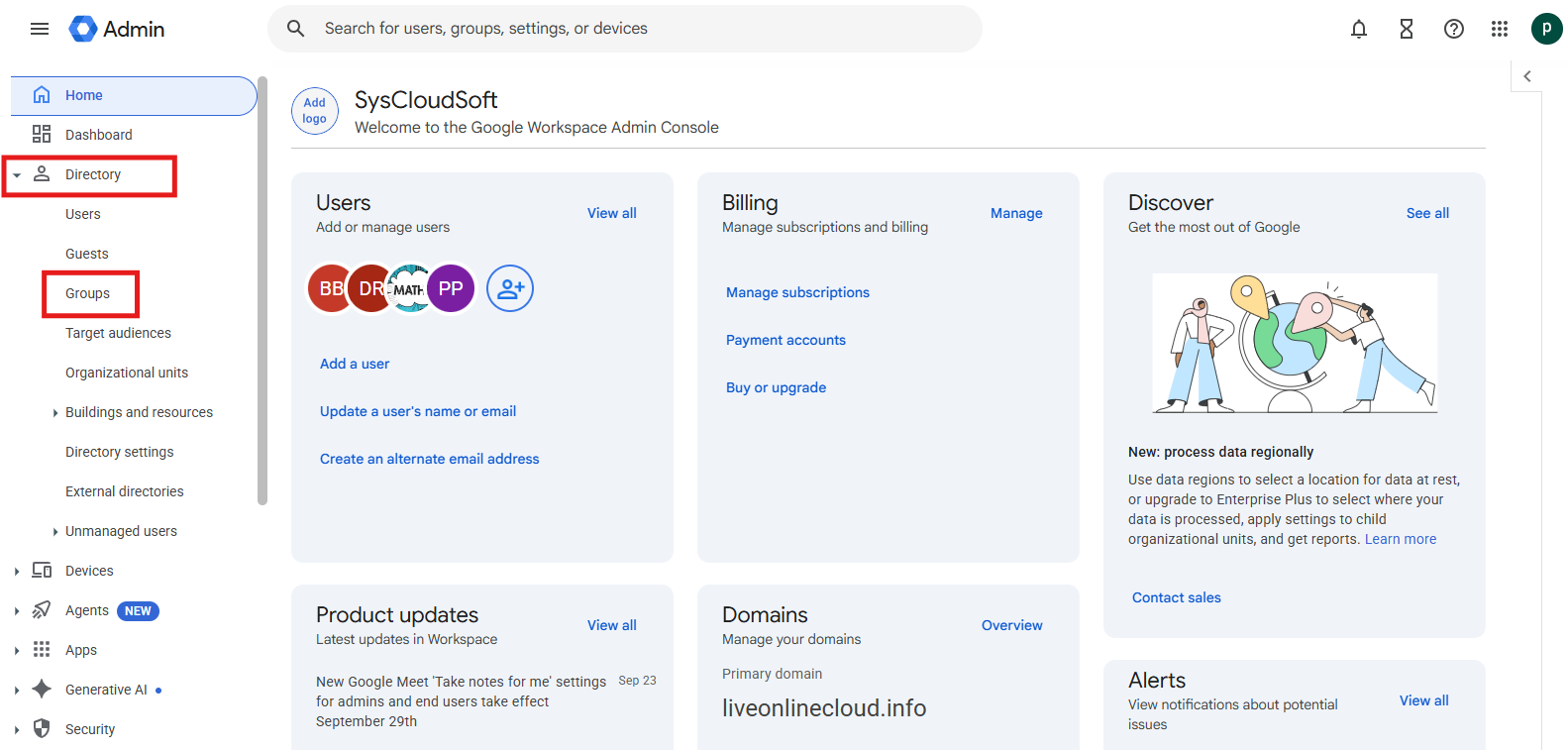
- Open the affected group and click Members.
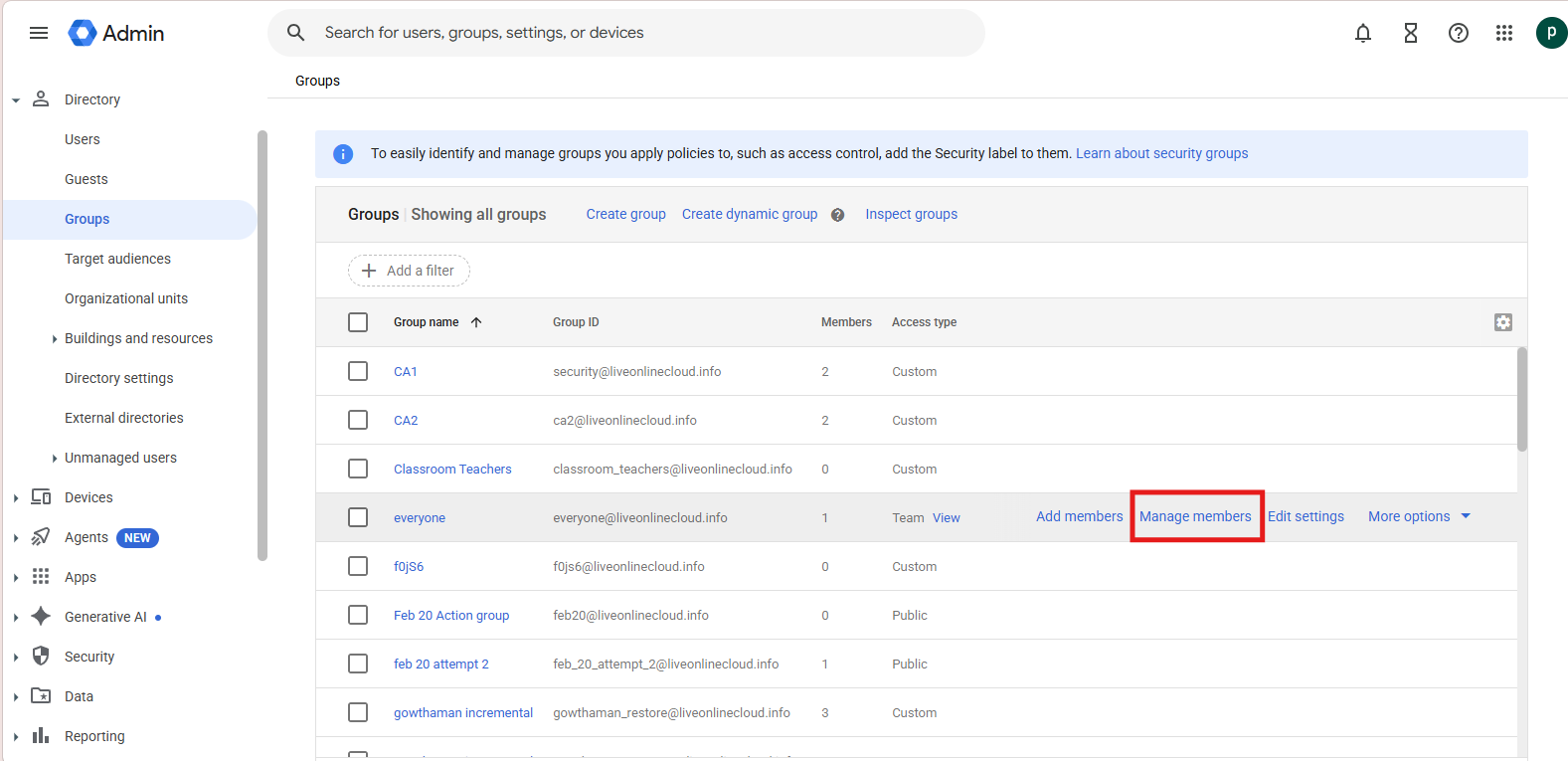
- Confirm the person appears in the list. If they are not listed, click Direct and indirect members, which also shows people who are members through a nested group.
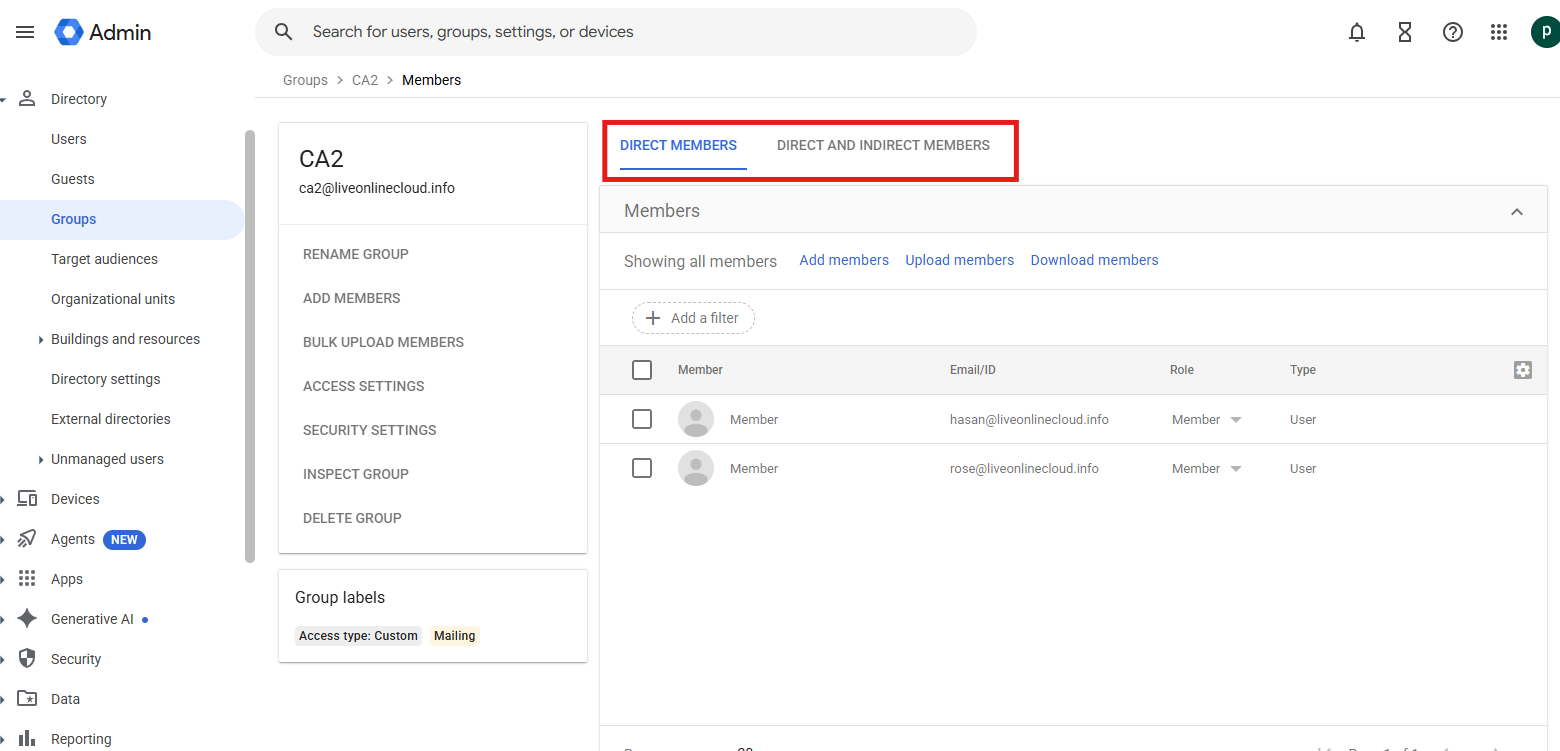
- If the membership is present, whether direct or indirect, no action is required.
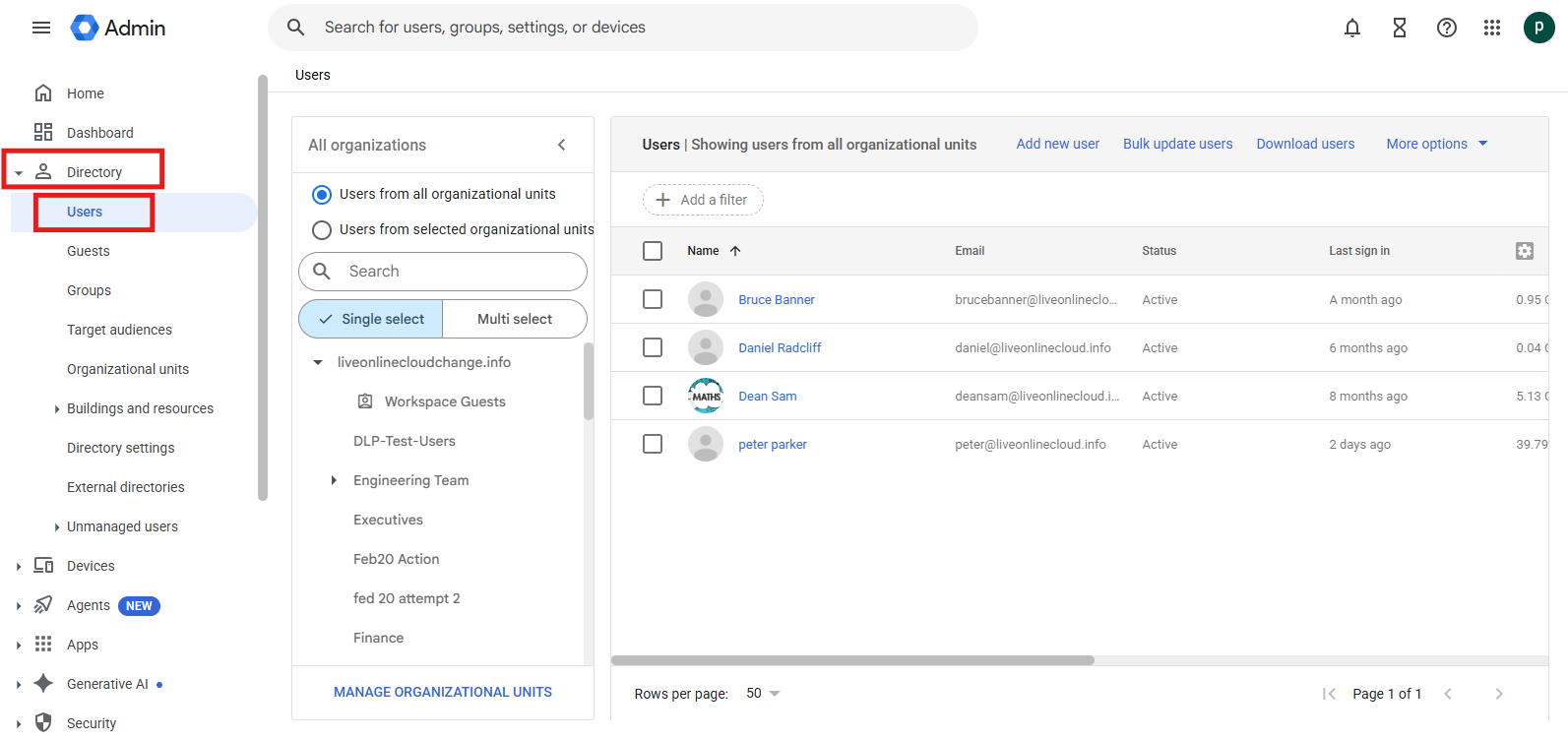
- If you still cannot find them, check whether the address in the error is an alias. Open the user in Directory > Users and compare their primary address with the addresses already in the group.
Verify the resolution
Confirm in the Google Admin console that the affected group already contains the expected members. The report may still show the original row as failed, but no data is missing.
If the error continues
Escalate only if the expected membership is genuinely absent from the group, including indirect memberships and aliases. In that case, contact SysCloud Support with the group address, member address, error code, job ID, and time of failure.