![Untitled design (1)-Aug-01-2022-12-37-27-80-PM.png]](https://help.syscloud.com/hs-fs/hubfs/Untitled%20design%20(1)-Aug-01-2022-12-37-27-80-PM.png?height=40&name=Untitled%20design%20(1)-Aug-01-2022-12-37-27-80-PM.png)
Applies to: Security groups, third-party SSO profiles (SAML and OIDC), SSO assignments, IdP certificates, Chrome policies, Drive labels, Context-Aware Access policy and access levels
What this error means
The connected administrator is not allowed to restore this type of item.
Why this error occurs
The Cloud Identity and Chrome Policy APIs return this when the signed-in administrator lacks the Workspace admin privilege for the operation - for example Groups Admin for security groups, Security Settings for SSO profiles, or Services > Chrome Management for Chrome policy. Because the Admin Console connection runs on the connected admin's own OAuth credentials, the request inherits exactly that person's privileges. The request itself is valid; the account behind it is not privileged enough.
Resolution
1. Identify the Google Admin privilege required by the affected object.
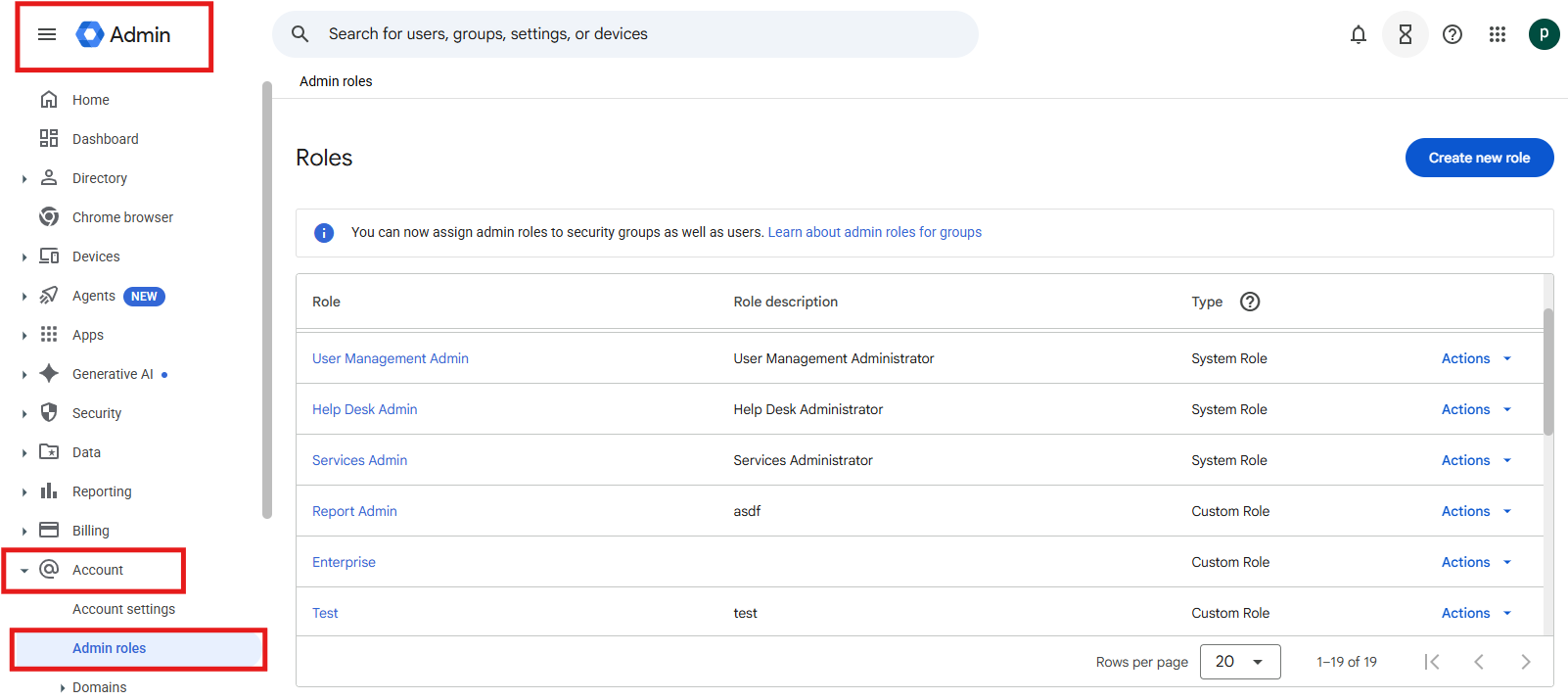
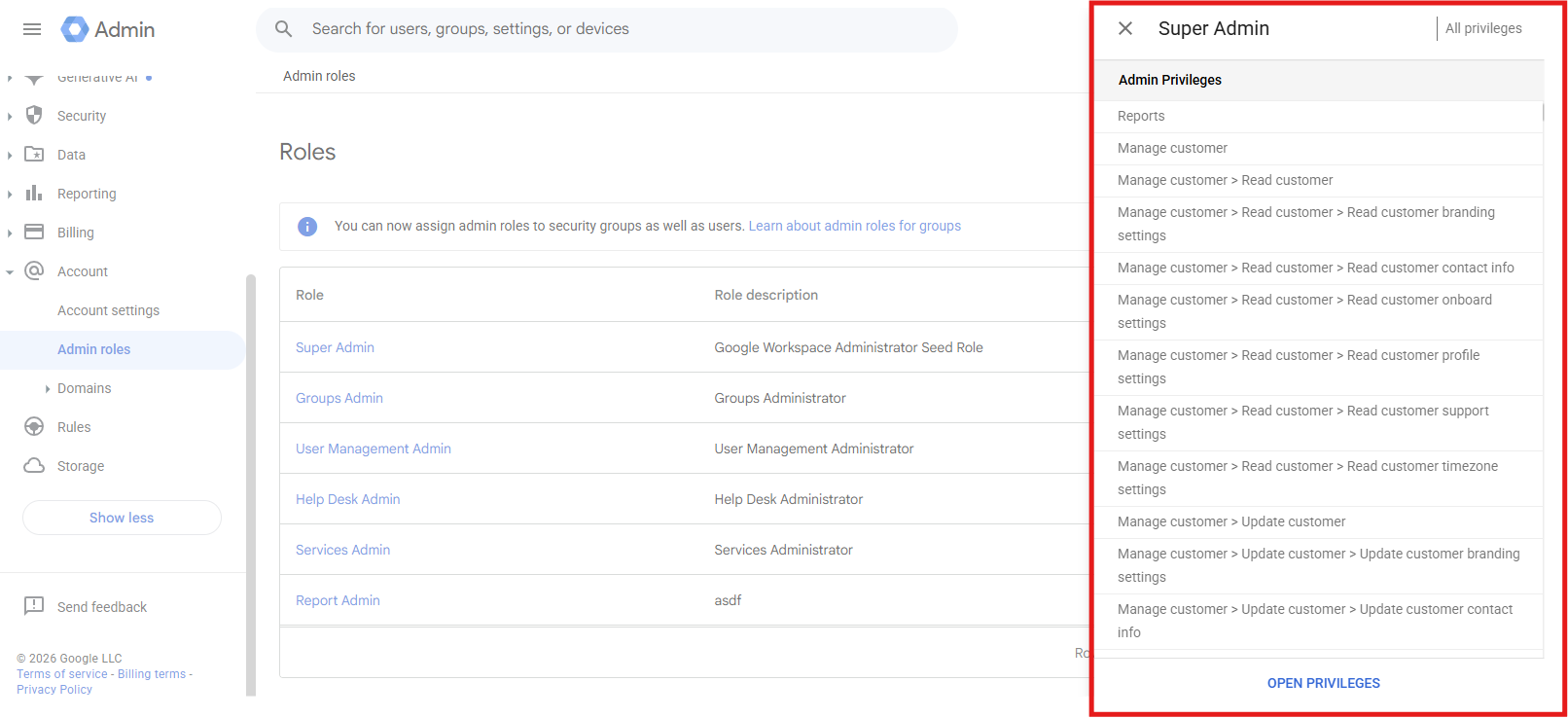
2. Open Admin console > Account > Admin roles and grant that privilege to the connected administrator.
3. Initiate the restore again.
Verify the resolution
Confirm that the affected security groups, third-party sso profiles (saml and oidc), sso assignments, idp certificates, chrome policies, drive labels, context-aware access policy and access levels appears with the expected configuration in Google Admin console and that the retried operation completes without the same error.
If the error continues
Confirm that the listed prerequisite or configuration change applies to the correct destination account. If the error continues, contact SysCloud Support with the error code, job ID, affected object, raw Google message, and failure time.