![Untitled design (1)-Aug-01-2022-12-37-27-80-PM.png]](https://help.syscloud.com/hs-fs/hubfs/Untitled%20design%20(1)-Aug-01-2022-12-37-27-80-PM.png?height=40&name=Untitled%20design%20(1)-Aug-01-2022-12-37-27-80-PM.png)
Applies to: Users
What this error means
All purchased user licenses are currently in use. Suspended users still consume licenses.
Why this error occurs
Google caps the number of user accounts an account may hold at its purchased licence count. Once the cap is reached every further account creation is refused with HTTP 403, so a bulk user restore succeeds up to the cap and every account after it fails with the same message. The user payloads are valid; there is simply nowhere to put them.
Resolution
1. Open Google Admin console > Billing > Subscriptions.
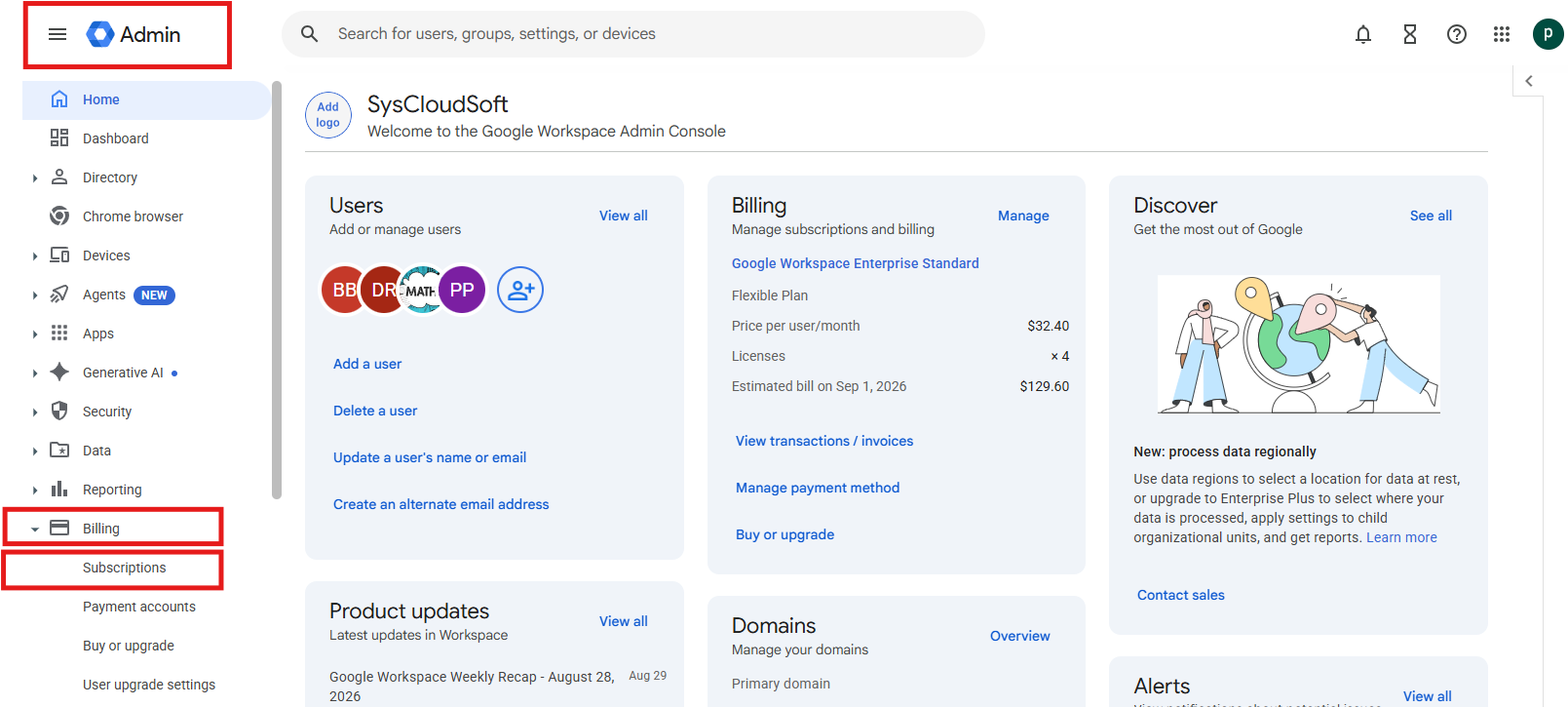
2. Select the relevant subscription and review the available license count.
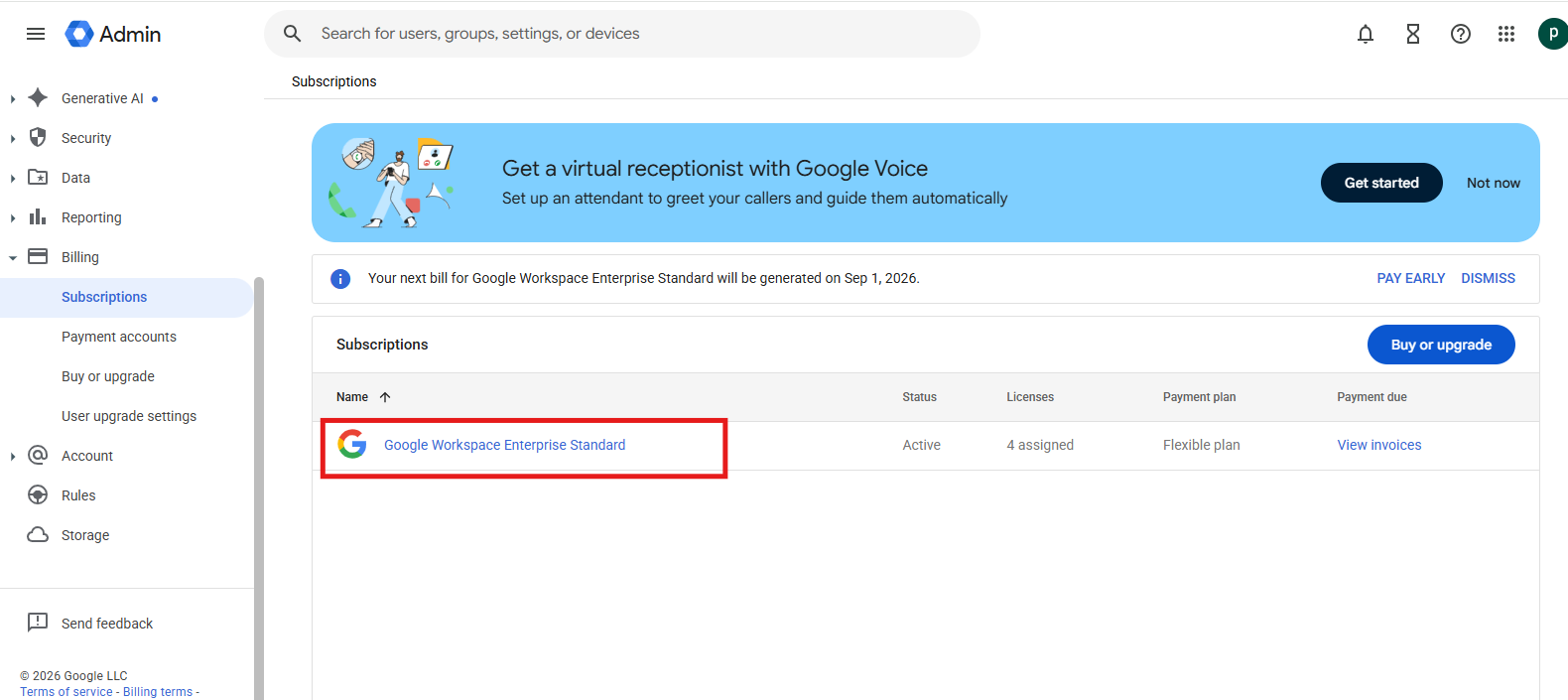
3. Add licenses or delete unused accounts to release seats.
4. Wait for the license count to update, then initiate the restore again.
Verify the resolution
Confirm that the affected users appears with the expected configuration in Google Admin console and that the retried operation completes without the same error.
If the error continues
Confirm that the listed prerequisite or configuration change applies to the correct destination account. If the error continues, contact SysCloud Support with the error code, job ID, affected object, raw Google message, and failure time.