![Untitled design (1)-Aug-01-2022-12-37-27-80-PM.png]](https://help.syscloud.com/hs-fs/hubfs/Untitled%20design%20(1)-Aug-01-2022-12-37-27-80-PM.png?height=40&name=Untitled%20design%20(1)-Aug-01-2022-12-37-27-80-PM.png)
User sync gets the latest list of users from the connected Box account into SysCloud. It also updates the user details and status available from Box.
User sync is required before creating or updating a backup job if new users were recently added to the Box account. The newly added users will be available for backup selection only after the user sync is completed.
By default, SysCloud automatically performs user sync once every 24 hours. You can also initiate user sync manually from the Cloud Connection Centre.
When should you perform user sync?
Perform a manual user sync when:
- A new user has been added to the Box account and needs to be included in a backup job.
- A user is not visible while selecting the backup scope.
- User details or user status in SysCloud are not updated.
- You want to refresh the Box user list before creating or editing a backup job.
Steps to initiate user sync for Box
- Log in to the SysCloud backup application using your admin credentials.
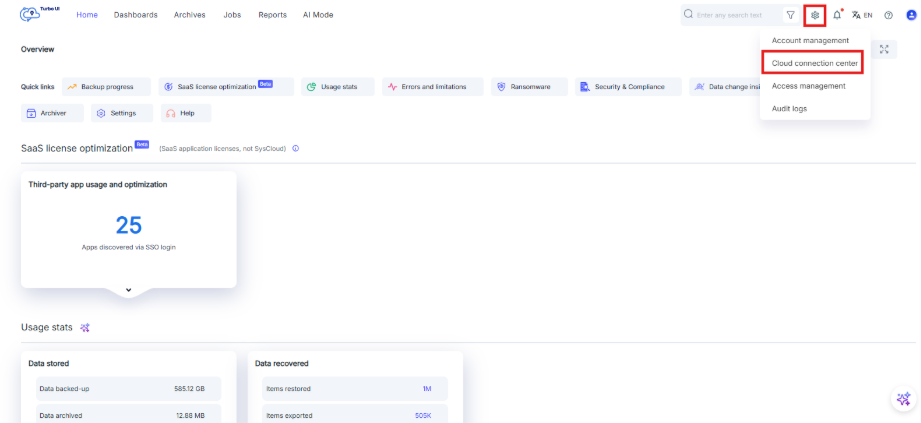
- Click Settings > Cloud Connection Centre.
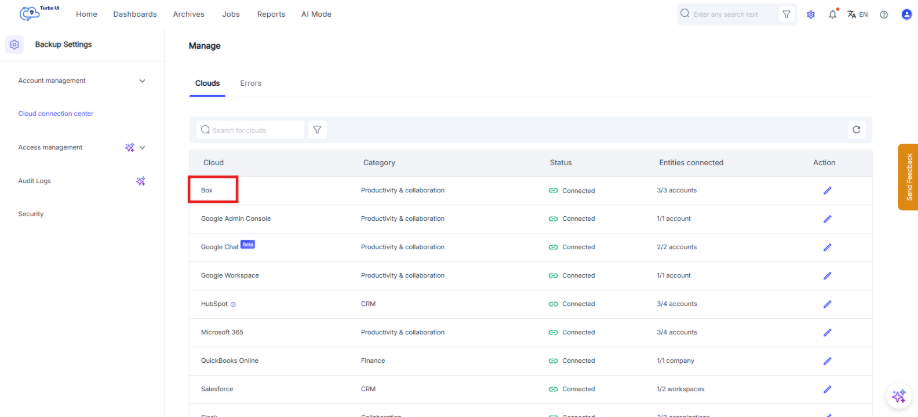
- In the Clouds tab, locate Box.
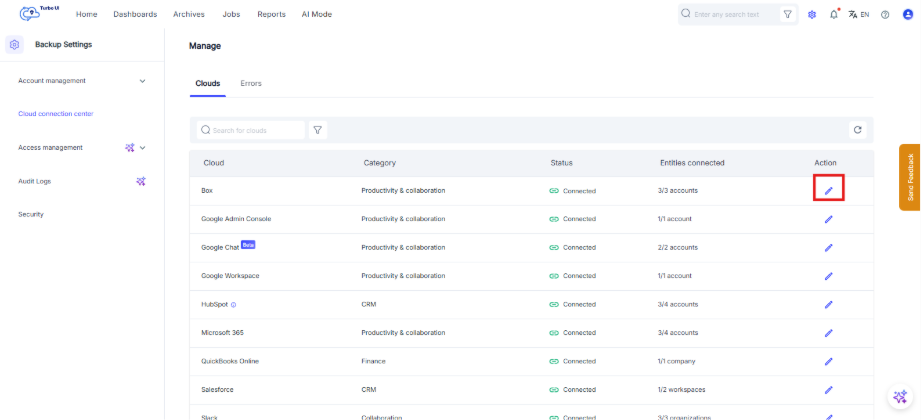
- Click the Edit connection icon under the Action column for Box.
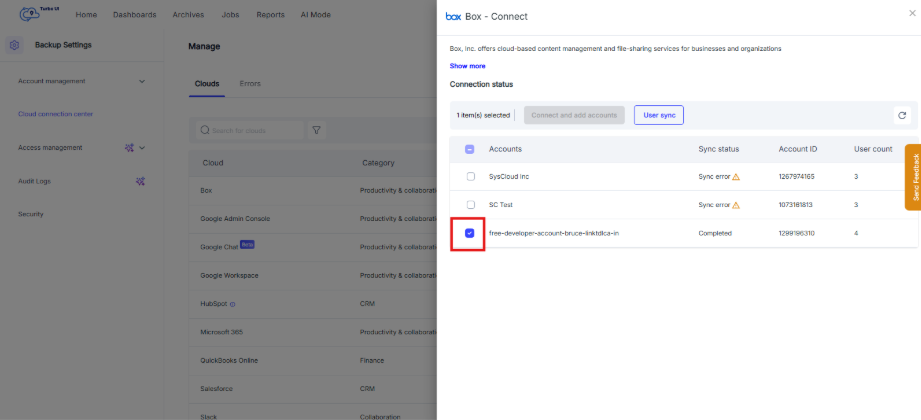
- In the Box – Connect side tray, the connected box accounts will be displayed.
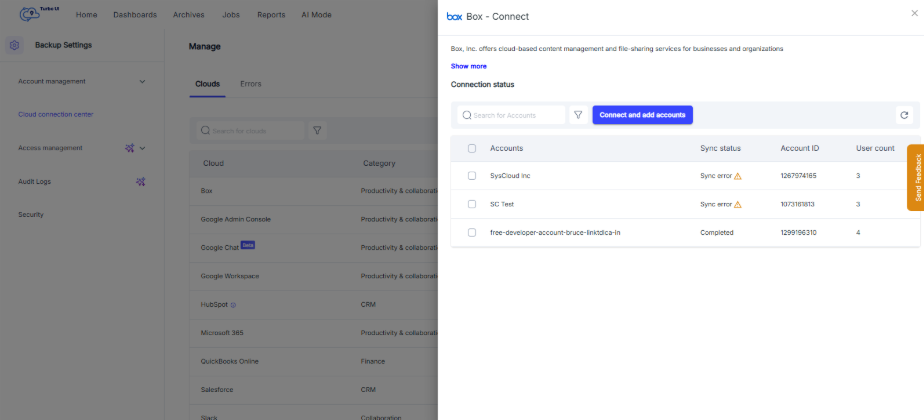
- In the Box – Connect side tray, select the checkbox corresponding to the Box account for which you want to perform user sync.
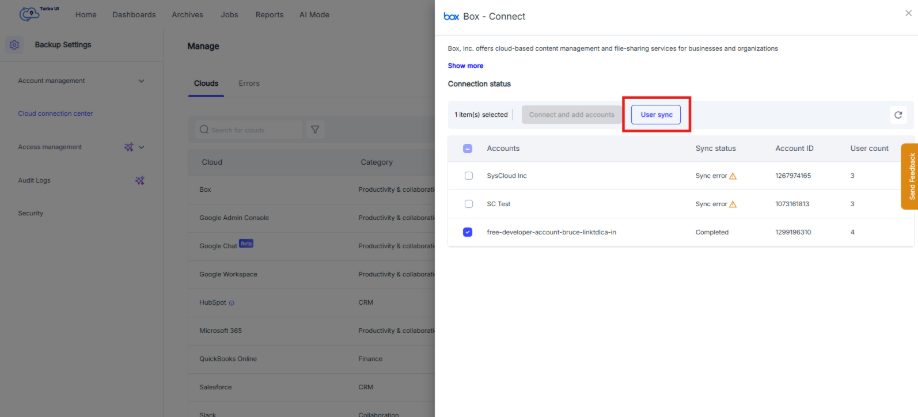
- Click User Sync.
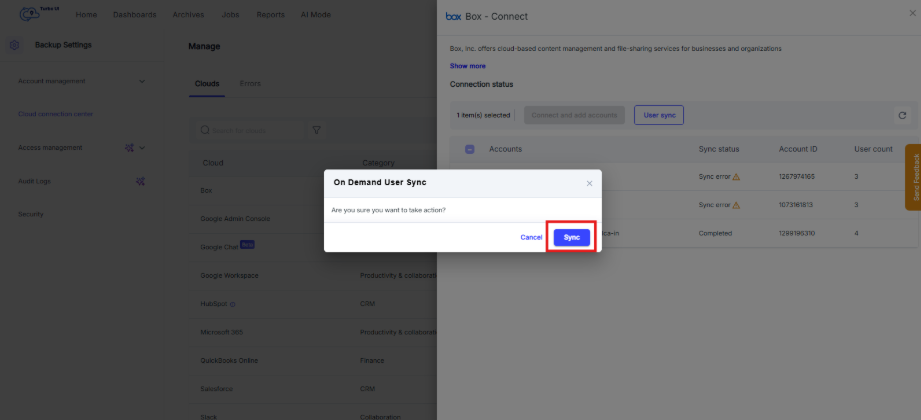
- In the On Demand User Sync pop up window, Select Sync to confirm.
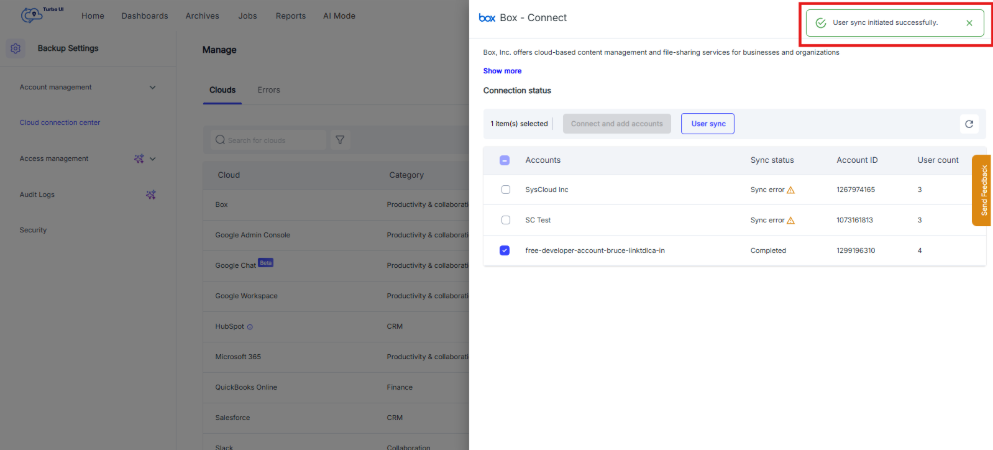
SysCloud will initiate user sync for the selected Box account.
User sync can be performed only for connected Box accounts. If the Box account is disconnected or authorization has expired, reconnect the Box account before initiating user sync.