![Untitled design (1)-Aug-01-2022-12-37-27-80-PM.png]](https://help.syscloud.com/hs-fs/hubfs/Untitled%20design%20(1)-Aug-01-2022-12-37-27-80-PM.png?height=40&name=Untitled%20design%20(1)-Aug-01-2022-12-37-27-80-PM.png)
Follow the steps below to restore HubSpot records from SysCloud backup application:
Step 1: Log in to SysCloud using your admin credentials.
Step 2: Go to the HubSpot backup archives. Click on an account to view its archives.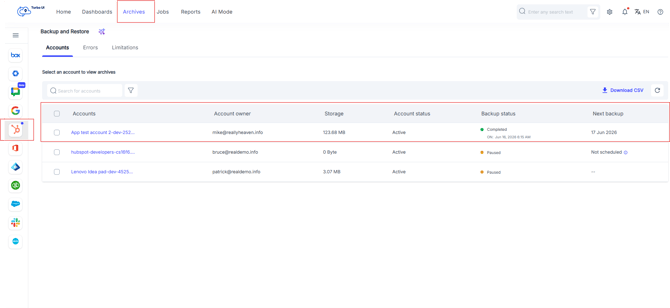
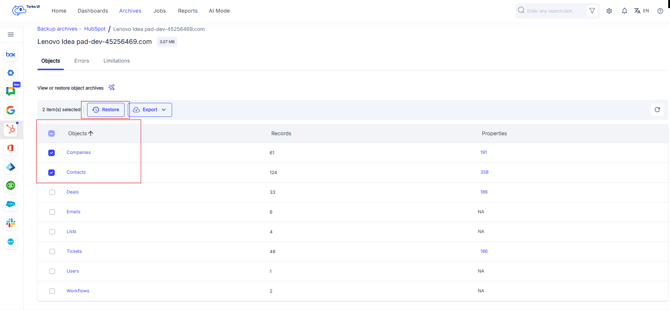
Step 3: Select the checkbox next to the HubSpot object you want to restore and click Restore. You can also select multiple objects if you want to restore more than one object at the same time.
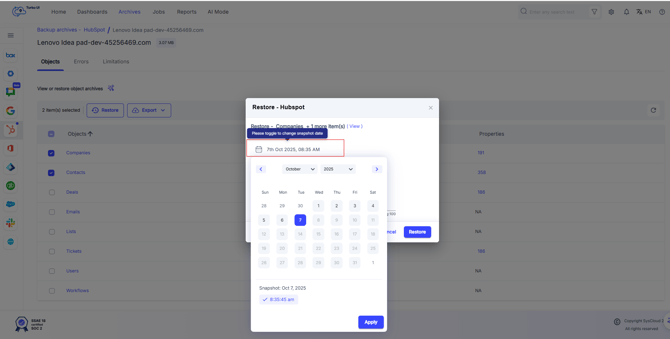
Step 4: Select the backup snapshot to which you need to roll back the object.
Check the option “Overwrite records” if you want the existing records to be overwritten with the selected snapshot data. Learn more.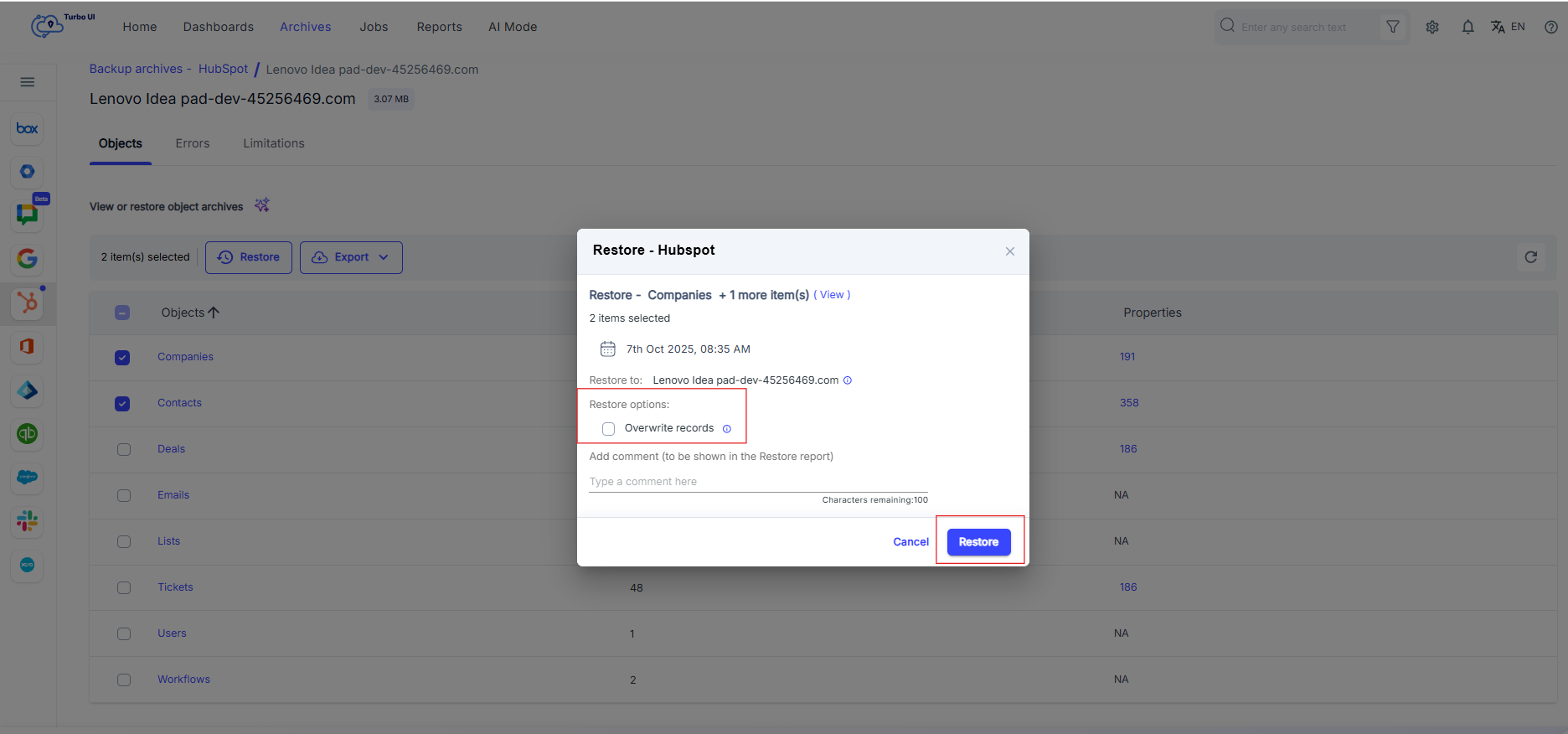
Step 5: Click “Restore” to confirm the restore.