![Untitled design (1)-Aug-01-2022-12-37-27-80-PM.png]](https://help.syscloud.com/hs-fs/hubfs/Untitled%20design%20(1)-Aug-01-2022-12-37-27-80-PM.png?height=40&name=Untitled%20design%20(1)-Aug-01-2022-12-37-27-80-PM.png)
Follow the below steps to export Announcements data in Google Classroom from the SysCloud backup archives:
- Step 1: Log in to the SysCloud backup application using your super admin credentials.
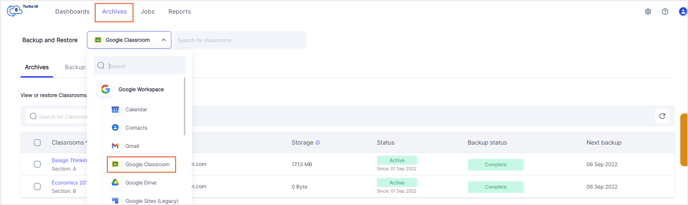
- Step 2: Navigate to Archives and select Google Classroom from the Backup and Restore drop-down menu.
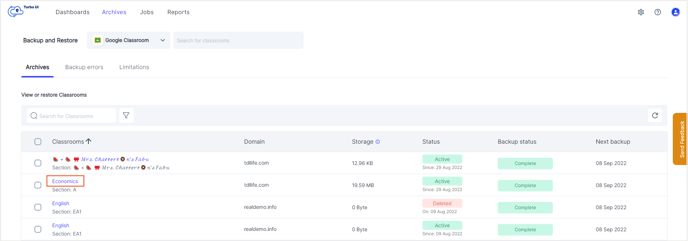
- Step 3: Click on the Classroom from which you need to export Grades data.
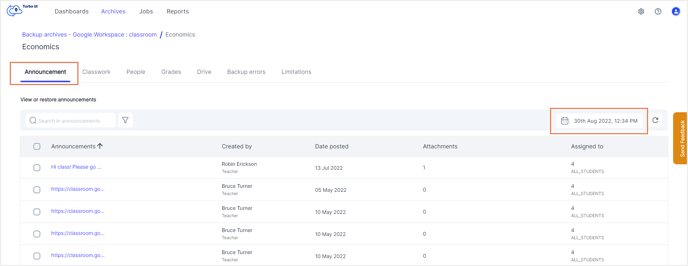
- Step 4: Navigate to the Announcements tab. . Choose the required backup snapshot and click Apply.
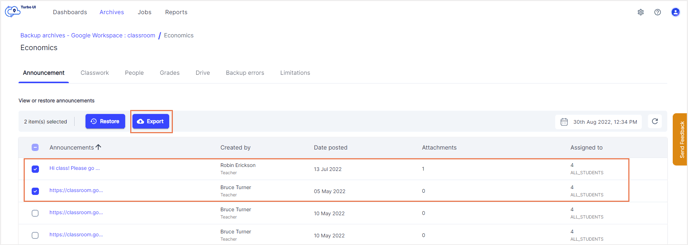
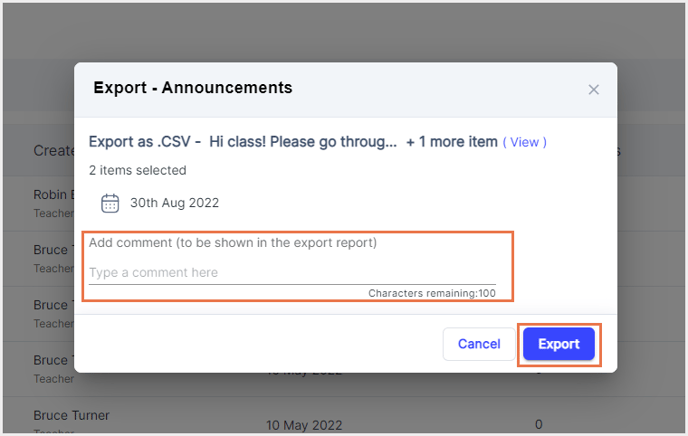
- Step 5: Select the announcements that need to be exported and click Export. In the pop-up that appears, add any comments (optional) to be shown in the export report and click Export.
To see the export progress, navigate to Reports, and select Export report under Google Workspace in the Reports drop-down.
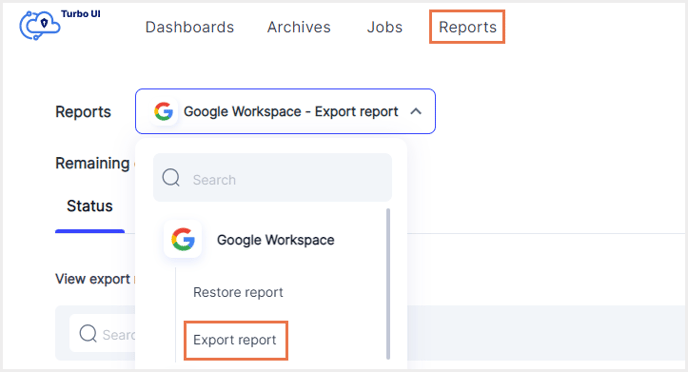
You can download the exported data using the download link in the Export report. The link will be active for only 7 days.