![Untitled design (1)-Aug-01-2022-12-37-27-80-PM.png]](https://help.syscloud.com/hs-fs/hubfs/Untitled%20design%20(1)-Aug-01-2022-12-37-27-80-PM.png?height=40&name=Untitled%20design%20(1)-Aug-01-2022-12-37-27-80-PM.png)
- Step 1: Log in to your SysCloud account.
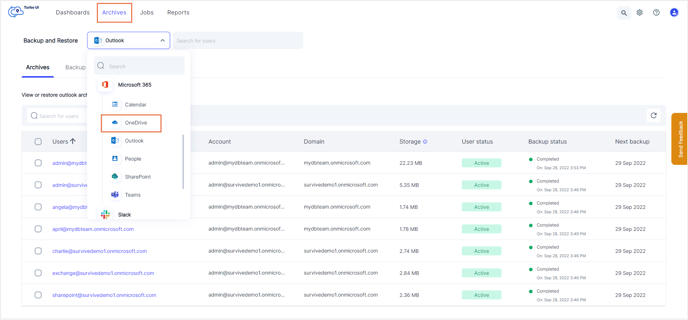
- Step 2: Navigate to Archives and select OneDrive from the Backup and Restore drop-down.
- Step 3: Click the checkbox next to the user whose OneDrive account you want to export.
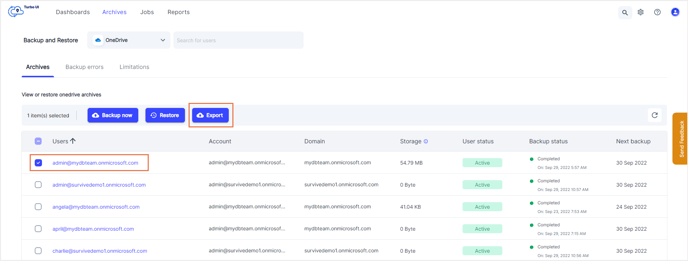
- Step 4: Click the Export button on top.
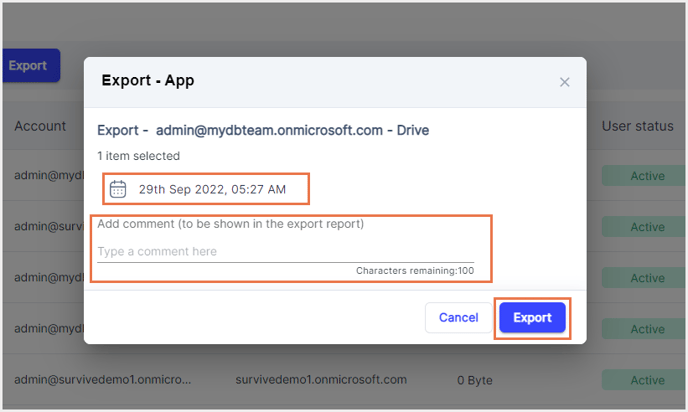
- Step 5: Select the required backup snapshot. Enter any comments if required (this will be added to the export report). Click Export.