![Untitled design (1)-Aug-01-2022-12-37-27-80-PM.png]](https://help.syscloud.com/hs-fs/hubfs/Untitled%20design%20(1)-Aug-01-2022-12-37-27-80-PM.png?height=40&name=Untitled%20design%20(1)-Aug-01-2022-12-37-27-80-PM.png)
Follow the steps below to initiate Teams sync:
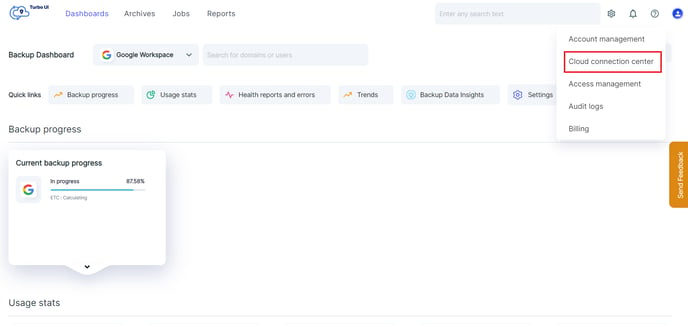
Step 1: Navigate to the Settings icon and click “Cloud Connection Center” from the dropdown menu.
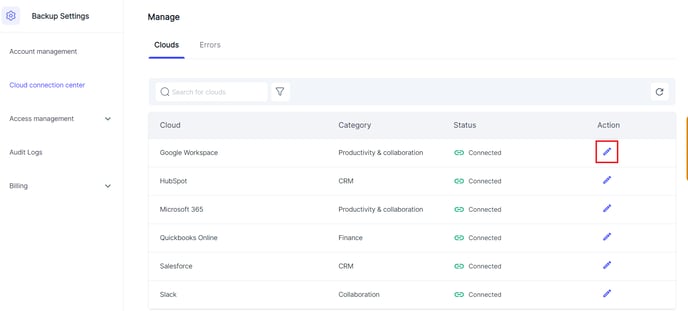
Step 2: In the Cloud Connection Center, click the pencil icon next to the cloud.
Step 3: In the Connection Status pop-up, select the account for which you want to perform the Org unit sync. Click the "Sync” button and select “OU Sync” to sync the Microsoft Teams of the account.
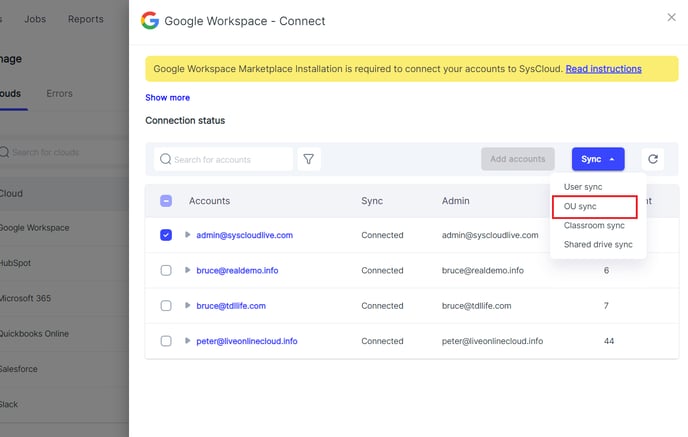
Note: Org Unit sync is carried out on an account level regardless of whether you perform it for a specific domain or the entire account.