![Untitled design (1)-Aug-01-2022-12-37-27-80-PM.png]](https://help.syscloud.com/hs-fs/hubfs/Untitled%20design%20(1)-Aug-01-2022-12-37-27-80-PM.png?height=40&name=Untitled%20design%20(1)-Aug-01-2022-12-37-27-80-PM.png)
By default, SysCloud provides a daily data protection report to all account holders. Super admins and backup admins can choose whether to receive these notifications.
The report includes all alerts detected by SysCloud, such as compliance violations, security alerts, ransomware alerts, and anomalies identified during the day.
Learn what anomalies SysCloud detects.
How to receive alerts for data change insights?
Follow these steps to receive in-app or email alerts for Data Change Insights activities in the SysCloud backup application.
Prerequisite
Data Change Insights notifications are available only if the Data Change Insights add-on is enabled for your account.
Steps
Step 1: Log in to the SysCloud backup application using your admin credentials.
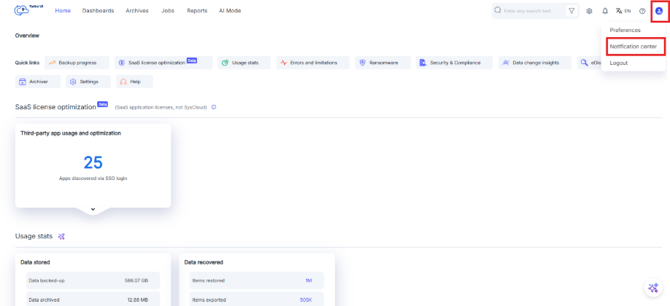
Step 2: Click the profile icon in the top-right corner. Select Notification center.
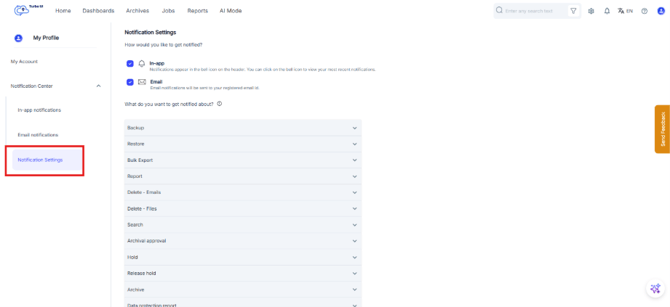
Step 3: From the left navigation, click Notification Settings.
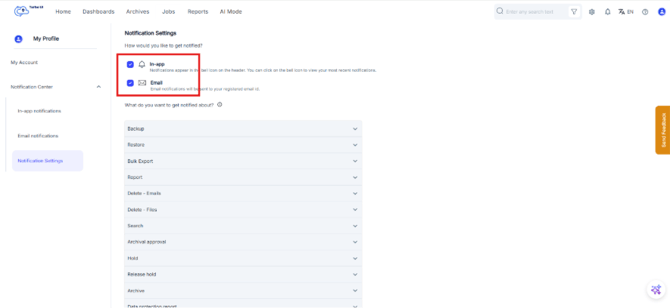
Step 4: Under How would you like to get notified? select one or both notification channels:
- In-app: Notifications will appear under the bell icon in the header.
- Email: Notifications will be sent to your registered email address.
Step 5: Under What do you want to get notified about?, scroll to the Data protection report notification categories. Expand the category by clicking the downward arrow.
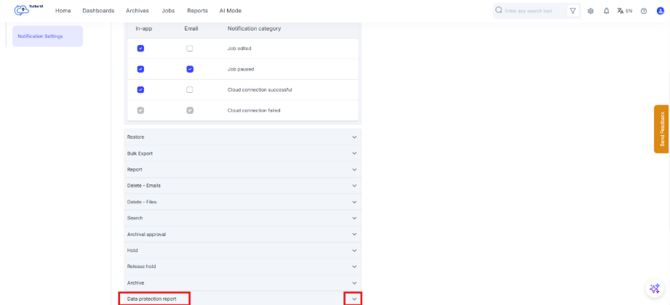
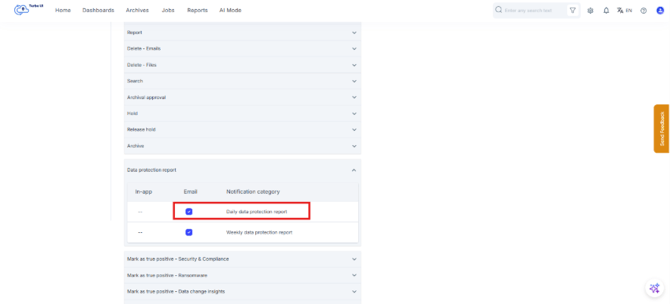
Step 6: In the expanded view of the Data protection report. You can configure alerts for the following reports:
- Select the Daily data protection report checkbox to receive the email alert daily.
- Select the Weekly data protection report checkbox to receive the email alert weekly.
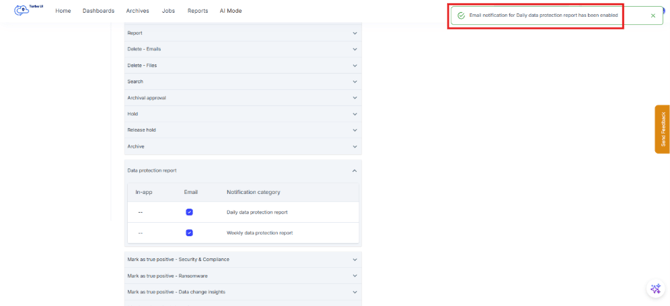
A confirmation message appears after the notification setting is updated.
Email alerts are sent to the email address registered with your SysCloud account.